Three methods
- Air dry — the safest, and the slowest.
- Tap it out — gets big drops out right away, but rarely reaches behind the grille.
- Low-frequency eject — the speaker vibrates the water out itself. Smartwatches do the same.
Air dry
Wipe the outside with a soft, dry cloth and leave the phone somewhere with good airflow. Both Apple and Samsung recommend this in their support guidance. The downside is time: calls may sound quiet or crackly until it’s done.
Tap it out
Hold the phone with the speaker openings (usually on the bottom edge) facing down and tap it gently against your palm. Apple says to tap the phone against your hand with the connector facing down, and Samsung suggests tapping the speaker downward when the sound is muffled. Don’t shake hard or knock it on a table.
Low-frequency eject
When you turn off Water Lock on an Apple Watch, Apple says “a series of tones plays to clear any water that remains in the speaker.” A phone works the same way: a loud low tone makes the speaker membrane move a lot, which pushes droplets out through the grille. These are real screens from the Android app SonicKit.
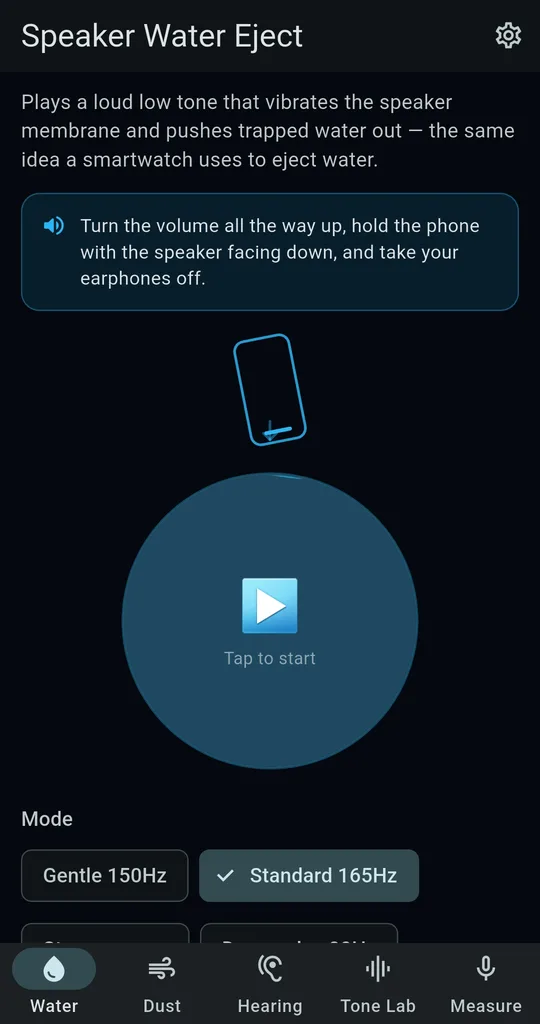
Speaker down, volume up
On the Water tab, turn the volume all the way up and hold the phone with the speaker facing down. If earphones are connected, SonicKit tells you to unplug them first so the sound reaches the speaker.
Pick a mode and length
Start with Standard 165Hz for 20 seconds. If it isn’t clearing, move to Strong sweep; on an older phone, use Gentle 150Hz. Set Repeat to 2x or 3x and it pauses briefly between runs.
Wipe and run again
Wipe off whatever water was pushed out and run it once more if the sound is still dull. Crackling while water is still inside is normal.
Side by side
| Air dry | Tap it out | Low-frequency eject | |
|---|---|---|---|
| Time | Tens of minutes or more | Seconds | A few 20-second runs |
| Water behind the grille | Dries slowly | Rarely moves | Pushed out by vibration |
| Stress on the phone | None | Risky if you knock it | Max volume, so keep it short |
| When to use it | Last | First | In between |
A good order is tap → eject → air dry.
What not to do
- No hair dryers or other heat — both Apple and Samsung say so.
- No compressed air — Apple warns against it.
- No cotton swabs, paper towels or pins in the openings.
- No bag of rice — Apple says rice particles can damage the phone. More on that
FAQ
Does playing it longer work better?
Not really. A few 20 to 30 second runs with a wipe in between work better, and long runs at max volume are hard on both the speaker and your ears.
Do I have to watch ads?
Gentle, Standard and Strong, at 10, 20 or 30 seconds, need no ads. Deep pulse 80Hz and Tidal sweep unlock forever after one ad, and 1 and 2 minute runs unlock for 24 hours after one ad.
SonicKit - Speaker Water Eject
No sign-up, and it works without an internet connection. Free on Android.