Symptoms and causes
| Symptom | Suspect first | Try |
|---|---|---|
| Suddenly muffled after rain or water | Water behind the grille | Tap → eject → dry |
| Slowly quieter, dull highs | Dust and grime in the grille | Dust shake → soft brush |
| Quieter since a new case or protector | Openings covered | Take it off and listen |
| Rattles or buzzes on certain notes | Possible speaker damage | Sweep test, then service |
| No sound at all | Settings, Bluetooth, or a fault | Check volume and connections |
What to check, in order
- Settings — media volume, and make sure it isn’t playing to Bluetooth earbuds or a speaker.
- Covers — Apple’s first step is to remove any case, film or screen protector.
- Water — if it got wet recently, start with water eject.
- Dust — on an older phone, clean the grille.
- Damage — if nothing changes, get it checked.
Measure it
“Muffled” is subjective. If you measure the same way before and after a fix, you can compare a graph instead of a feeling. In the Android app SonicKit:
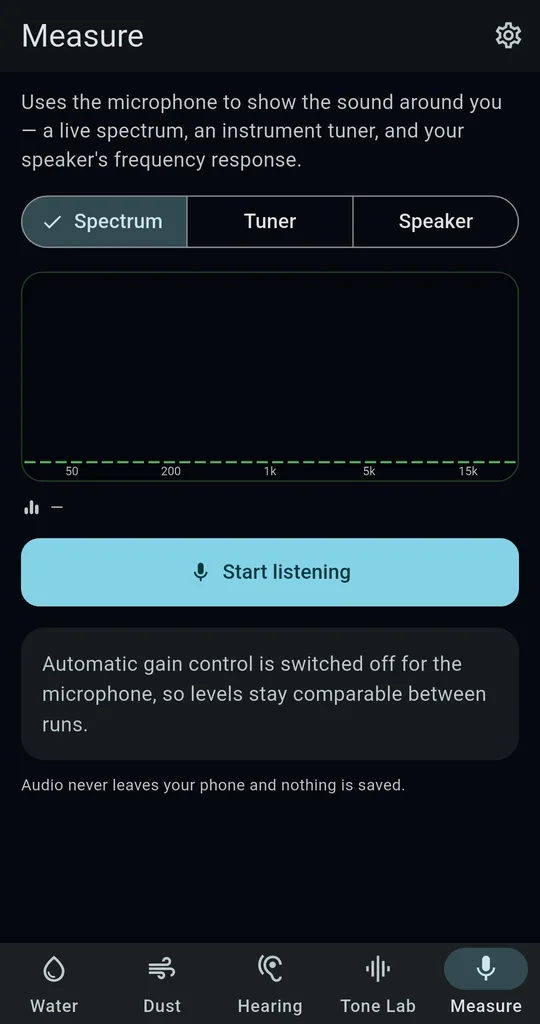
Measure tab → Speaker
On the Measure tab, choose Speaker, press Measure (10 s sweep) and keep the phone still in a quiet room. The speaker sweeps from 40 Hz to 18 kHz while the phone’s own microphone listens. Automatic gain control is switched off, so runs stay comparable.
Read the verdict
“The high end is weak” points to dust or a tired driver, so try the dust shake. “The low end is weak” is usually normal for a small phone speaker. “Only the middle came through” means the volume is low or the microphone is covered.
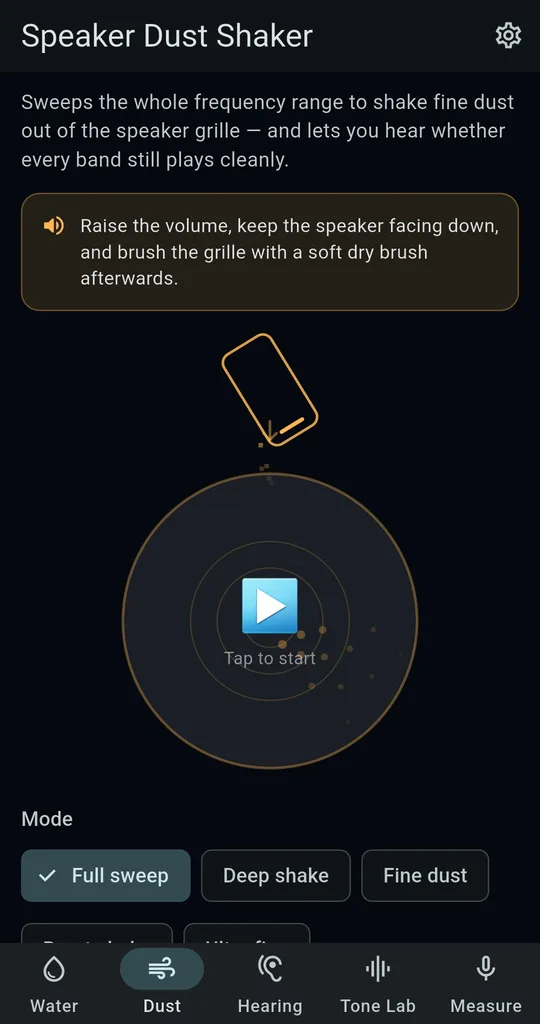
Find rattles with a full sweep
The Full sweep mode on the Dust tab runs from 40 Hz to 18 kHz every four seconds. If it buzzes at one particular pitch, that band has a problem.
This uses the phone’s own microphone, so it isn’t a lab measurement. Use it to compare the same phone before and after.
When to get it serviced
- It got wet with something other than fresh water, like seawater or a drink
- It won’t charge, or the screen or power acts up after getting wet
- Drying and ejecting haven’t helped after a day
- A rattle on certain notes won’t go away
FAQ
Is the microphone recording me?
No. Audio is analysed on the device and thrown away; nothing is saved or uploaded. Only the Measure tab uses the microphone.
Does this work for the earpiece used in calls?
The eject and dust sounds play through the media speaker. Earpieces behave differently from phone to phone, so results may vary.
SonicKit - Speaker Water Eject
No sign-up, and it works without an internet connection. Free on Android.