Stop doing these first
- Do not empty any trash. Clearing space is exactly what ends your chances.
- Do not run the cleaner again. Another scan and another sweep only muddies the picture.
- Do not shoot a lot of new photos or video. It makes no difference while the file is in the trash, but if it was permanently deleted, new files can land on top of it.
- Do not factory reset. Ever, in this situation.
The order to check
- Your gallery app’s bin. Fastest and most likely. Samsung Gallery keeps items for 30 days in the Recycle bin — provided it was switched on before you deleted.
- The Google Photos trash, under Library. Items stay 30 days.
- The app you deleted with. Cleaner apps often keep their own history and restore screen.
- Your file manager’s trash. Files by Google also keeps items 30 days.
- Other devices and the web. If backup was on, the picture may already be uploaded. Sign in on another device or in a browser and look by date.
Where each trash is
| App | How to get there | Kept for |
|---|---|---|
| Samsung Gallery | Gallery → menu → Recycle bin (must be enabled in settings) | 30 days |
| Google Photos | Photos → Library → Trash | 30 days |
| Files by Google | App → menu → Trash | 30 days |
| A cleaner app | Its own history or restore screen | As long as the system trash holds |
Manufacturers call it bin, trash, recycle bin or recently deleted. Different name, same job.
Why recovery apps rarely help
There was a time when an app could sweep the whole storage chip and reassemble deleted pictures. Android 10 ended that by walling off each app’s files, and full-disk encryption on modern phones means there is nothing legible to scavenge even if an app could look.
Plenty of apps still advertise free recovery and then show you a payment screen. Checking the trashes and your cloud account is faster and far more likely to work.
In PhotoSweep
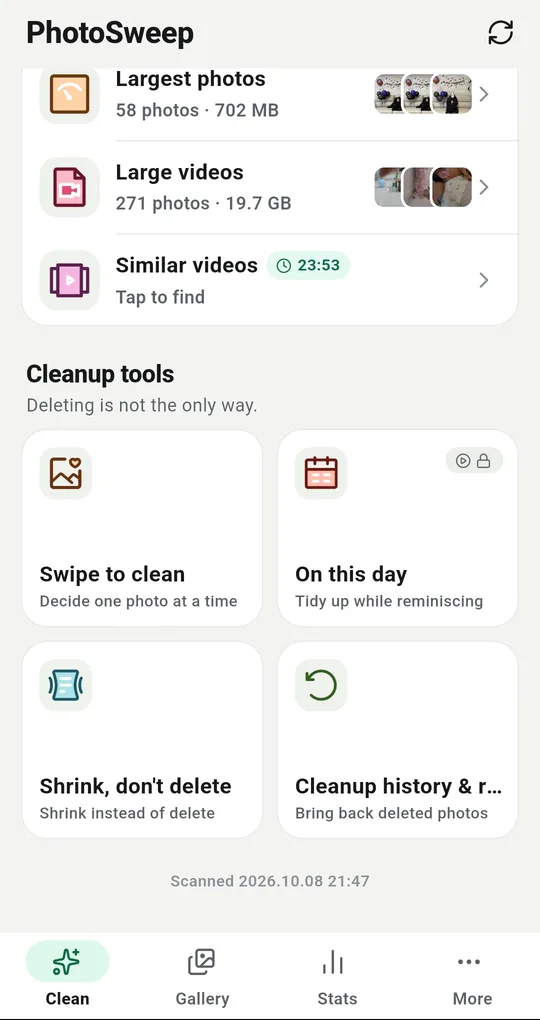
Restore from the cleanup history
Anything PhotoSweep removed is listed under Cleanup history and restore in the More tab, with the date, the size and how many days are left. Pick the items and they go back to the album they came from — no gallery app needed.
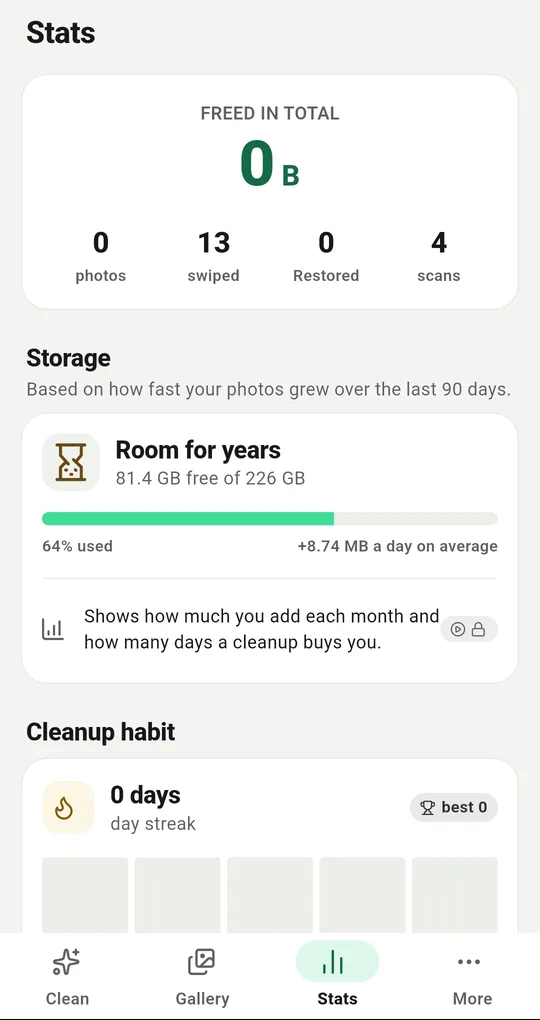
The restore counter is a hint
The Stats tab counts Restored alongside photos removed. If that number keeps climbing, the detection settings do not suit your library: try moving the similarity setting to Strict, or turning the stricter blur check off.
Stop it coming back
A restored photo can be suggested again on the next scan. Long-press it and choose Never suggest this and it stays out of every category. The list of those photos can be reviewed, and cleared, in Settings.
FAQ
It is not in any trash. Now what?
Check whether backup was on. An uploaded copy usually survives deletion on the phone. Sign in to the same account in a browser and look by date.
Does restoring put it back in the right album?
Yes. An item restored from the system trash returns to its original folder with its original date, so it reappears in the right place in your gallery timeline.
It has been more than a month.
Device trashes are emptied by then. What is left is your backups, your other devices, and any chat you once sent the photo to — a copy may still be sitting in that conversation.
PhotoSweep: Duplicate Cleaner
One photo in every group always stays. An Android photo cleaner that keeps every bit of analysis on your device.