Do it while unpacking
The review is most accurate the moment you open the suitcase; a few days later you won’t remember what you used. Pile the untouched items to one side as you unpack.
What to mark
- Didn’t use — never came out of the bag
- Lost — like the charger left at the hotel; pack it for sure next time
- Missed — things you bought there, or a note like "should’ve brought slippers"
When to drop an item
Dropping something after one unused trip risks needing it next time. It’s safer to drop items unused twice in a row. Weather-dependent things like umbrellas are better kept as a note than removed.
Doing it in the app
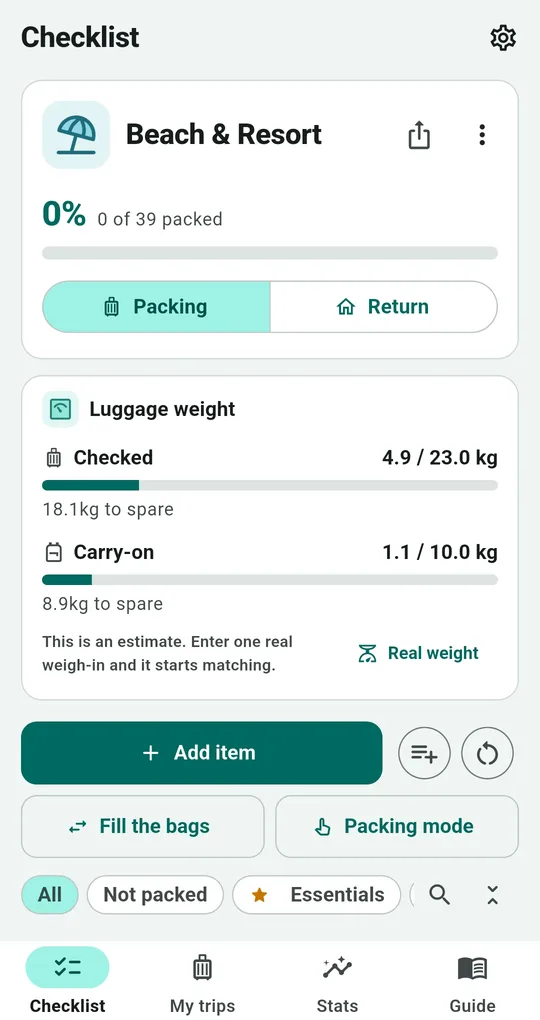
Return mode
Switch the Packing List checklist to Return to tick items off again on the way home, so forgotten items turn up before you leave for the airport.
Trip review
In the Trip review, mark items "Didn’t use" or "Lost it" and leave a note for next time.
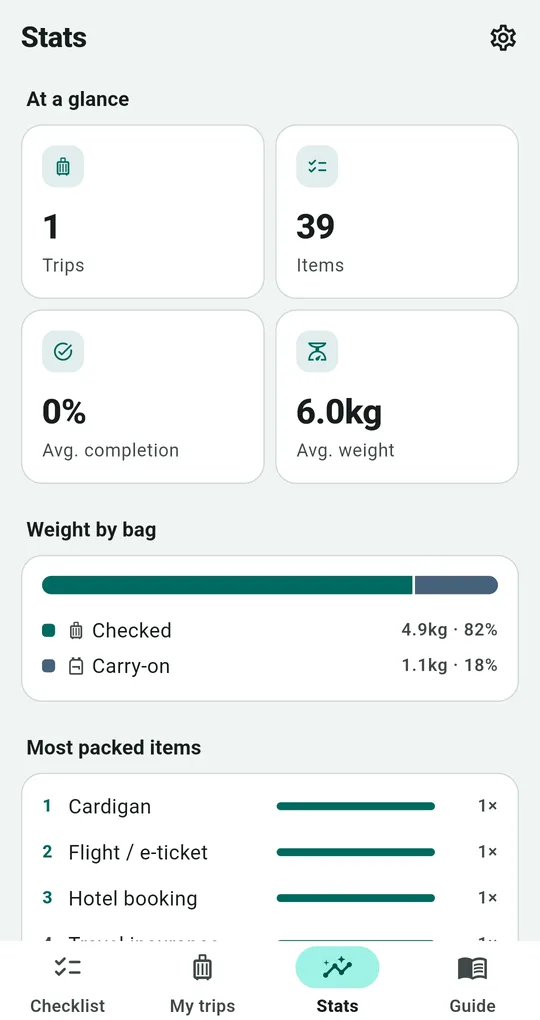
Applied to the next trip
Duplicate the trip and unused items are left out. When creating a new trip, Apply what you learned drops items unused twice or more and promotes lost items to essentials. The Stats tab shows your most often unused items and the weight you never used.
FAQ
How do I tidy up old trips?
Choose "Move to past trips" in My trips; they’re kept separately and can be brought back.
Can I see unused weight as a card?
The Trip review card converts unused items into weight. It unlocks for 3 days with one ad.
Packing List: Travel Checklist
No sign-up, and your trips stay on your phone. Free on Android.