Three methods
- Notes app — quickest to start; you rewrite it every trip.
- Printable list — someone else’s thorough list, with plenty that doesn’t fit your trip.
- Packing app — a list for your trip type, plus weights and carry-on rules.
Notes app
A checkbox note works fine. But it won’t tell you which bag something belongs in or whether it’s banned from the cabin, and copying last trip’s note brings along everything you didn’t use.
Printable list
Download a beach or business list, print it and tick it off. Good for a thorough sweep; the longer it is, the more lines you cross out.
Packing app
These are real screens from the Android app "Packing List: Travel Checklist". Screenshots show a Korean sample trip for the fuller screens; the app itself runs in English.
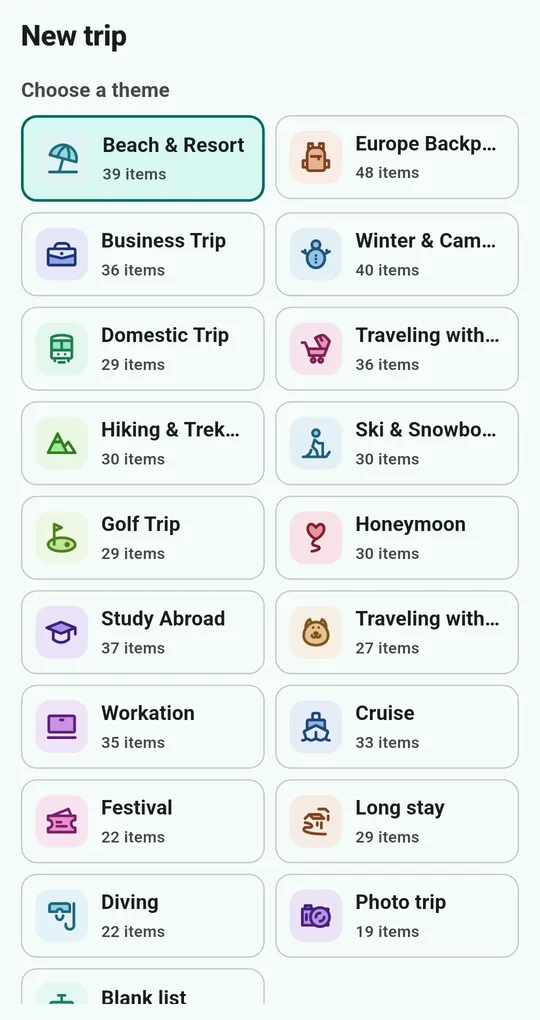
Pick a trip theme
Create a trip and pick one of 18 themes, such as Beach & Resort, Europe Backpacking, Business Trip or Winter & Camping, and items are filled in by category. Choose the blank list to start from scratch.
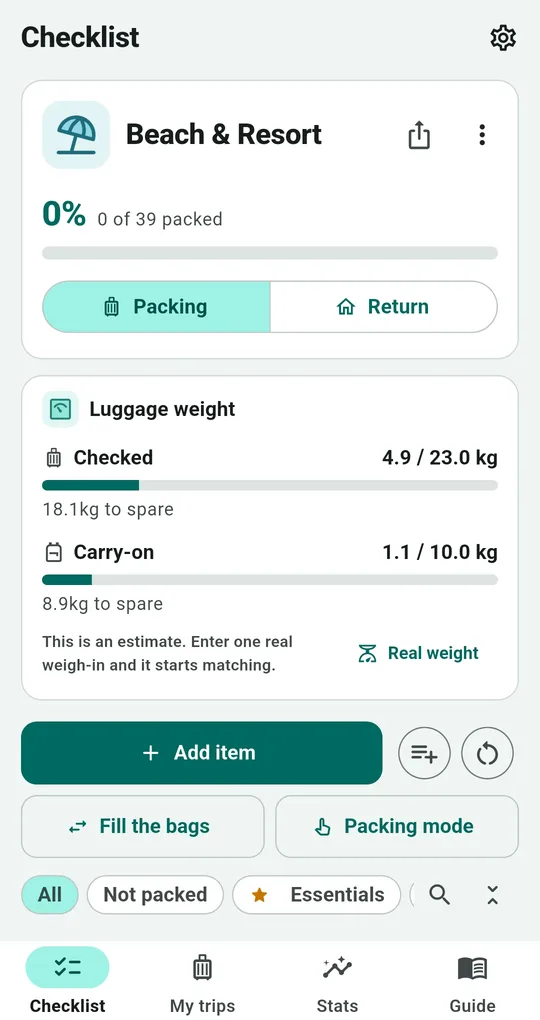
Check off and watch the weight
Tap an item to check it off. The top shows progress ("0 of 39 packed") and estimated weight for checked and carry-on bags.
Side by side
| Notes app | Printable list | Packing app | |
|---|---|---|---|
| Fits your trip type | Write it yourself | Download by type | Pick a theme |
| Weight per bag | No | No | Checked and carry-on |
| Carry-on rules | Look them up | Some notes | Per-item warnings |
| Reuse next trip | Copy | Print again | Duplicate the trip |
FAQ
Do I need an account?
No. Your trips are stored only on the device.
Are all themes available?
Beach & Resort, Europe Backpacking, Business Trip and Winter & Camping are open from the start; each other theme unlocks with one short ad and stays unlocked.
Is there an iPhone version?
It is currently available for Android on Google Play.
Packing List: Travel Checklist
No sign-up, and your trips stay on your phone. Free on Android.