Rotation cycles vs. a 7-day week
| Rotation (example) | Fits a weekly grid? | How to organize |
|---|---|---|
| Days one week, nights the next | Well | One weekly timetable per shift type |
| 2- or 3-week rotation | Yes | One timetable per rotation week (week 1, week 2…) |
| Cycle not a multiple of 7 (e.g. 8 days) | Shifts every week | Edit this week’s timetable each week |
| Fixed shifts + occasional swaps | Well | Base timetable + edit that week |
Rotation names and patterns vary by employer, so treat the table as a way to choose a method. The key question is whether your cycle is a multiple of 7 days.
Entering overnight shifts
A 22:00–06:00 shift usually becomes two blocks on a weekly timetable: 22:00–24:00 on the first day and 00:00–06:00 on the next. Daily totals then match the calendar days you actually worked. Many countries treat night hours specially; Korea, for example, pays at least 50% extra for work between 22:00 and 06:00. Splitting at 22:00 makes night hours easy to count. For weekly limits, see how to count weekly work hours.
Rest blocks between shifts
- Block the morning after a night shift as “Sleep” in advance, or plans will creep in.
- In the week you switch from nights to days, reserve time on the day off to reset your rhythm.
- Put family commitments (school pickup, meals) in a different color and spot clashes early.
For when to sleep after nights, see a sleep schedule for night and rotating shifts.
Managing it in the app
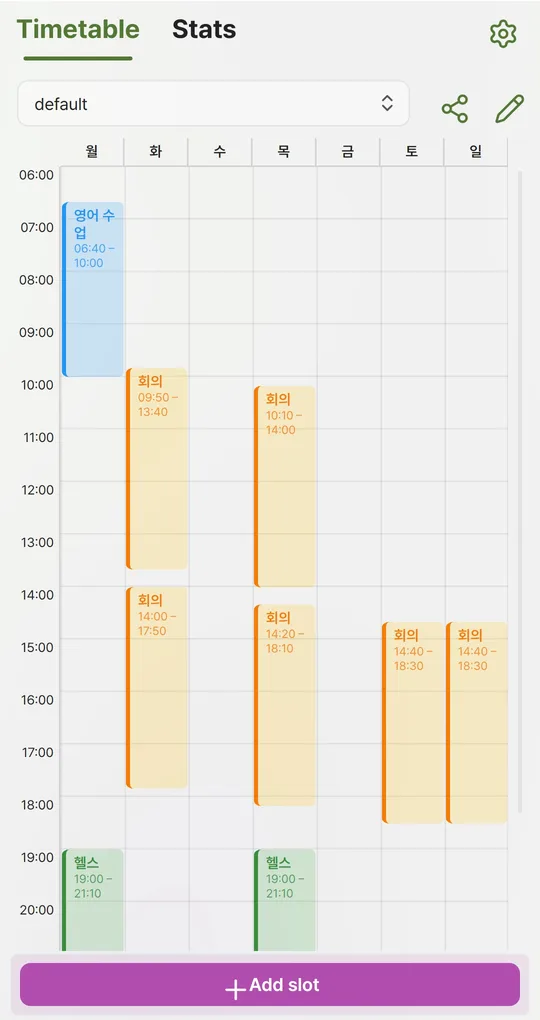
Profiles per rotation week or shift type
In the Android app Weekly Timetable, create profiles such as “Day week” and “Night week” and switch the active profile from the dropdown when the rotation changes. Stats and reminders follow the active profile.
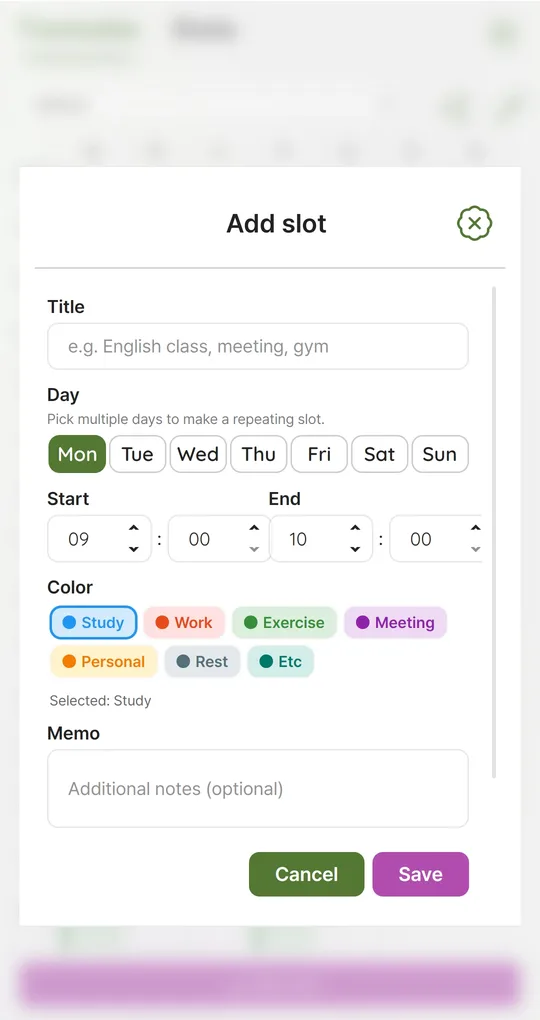
Split at midnight
A slot’s end must be later than its start and cannot pass midnight. Enter night shifts as two slots, and select several days at once when the pattern repeats.
Day start hour for a roomier grid
Settings > Day start hour (0–12) hides earlier hours from the grid so it has more room. Leave it at 0 if you have early-morning shifts, or those slots will be hidden. Stats and image export always include every slot.
Reminders before a shift
In Notifications, choose at start or 5, 10, 15, 30 or 60 minutes before. The app schedules the next 7 days for the active profile and reschedules when you switch profiles.
The screenshots were taken with Korean sample entries, so slot titles and some weekday labels appear in Korean; menus and buttons are in English.
FAQ
Can I enter shifts by date?
No. This is a weekday-based weekly timetable, not a calendar. Use a calendar for dated rosters and this app to see the shape of the current week.
How do I tell family about this week’s shifts?
Save the week as a PNG with the share icon on the Timetable tab and send it to the family chat.
Weekly Timetable - Planner
No sign-up, works offline, and your timetable stays on your phone. Free on Android, in English and Korean.