Why not just upload it?
Print services work in photo sizes such as 4×6 inches. Upload a tall strip on its own and the machine either crops the top and bottom or adds wide white margins to fit.
Two strips on one 4×6
Cut a 4×6 inch print in half lengthwise and you get 2×6 inches, the size of a classic photo booth strip. So lay two strips side by side on one 4×6, print it, and cut down the middle: two strips for the price of one print. One for you, one for your friend.
- 1200×1800 pixels is enough: that is 4×6 inches at 300 dpi.
- Keep left and right margins equal so the cut line lands in the middle.
- Wide results such as a 2×2 grid go one above the other instead.
Where to print
| Option | Good for | Check |
|---|---|---|
| Photo lab | Color advice, heavier paper | Ask them to print as is, not cropped to fill |
| Print kiosk | Prints on the spot | How it connects to your phone; choose 4×6 |
| Online print service | Many prints at once | A "no cropping" or "fit" option; delivery time |
Making a print sheet in the app
The Android app "Photo Booth" does the layout for you with a print sheet.
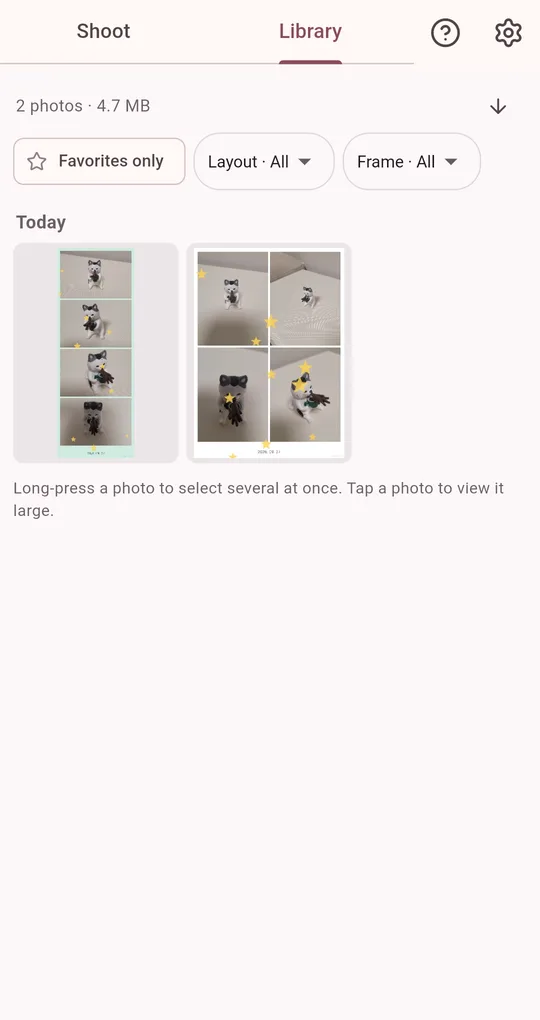
Pick the photo in the Library
Open the photo you want to print. If you are printing several, collect them with favorites first.
Save a 4×6 print sheet
The print sheet places your photo twice on a white 4×6 inch (1200×1800 px) sheet: side by side for tall strips, one above the other for wide results. Each print sheet unlocks with one short ad.
FAQ
I want bigger prints.
Turn on 2× high resolution in the output settings before shooting for more room when printing large.
Can I order prints from the app?
No. The app creates and saves the print-ready image; take it to a photo lab, kiosk or online print service.
Photo Booth
No sign-up, and your photos stay on your phone. Free on Android.