Building the booth corner
- Backdrop — a plain wall, a curtain or a balloon wall is enough. The simpler the background, the better the frame color looks.
- Mount — put the phone or tablet on a tripod and mark where people should stand with floor tape.
- Light — away from windows, place a lamp beside the camera pointing at the guests.
- Props — a basket of headbands, glasses and a few signs.
- A sign — "Tap once, get in place, starts in 10 seconds!" is all it takes.
Settings guests can use alone
| Setting | Suggested | Why |
|---|---|---|
| Get ready | 10 s | Time for whoever tapped to get in place |
| Between cuts | 5 s | Room to change poses |
| Pose cues | On | Guests do not have to think of poses |
| Layout | Fixed to one | All strips look like a set |
An event caption
Put the event name and date in the caption, like "Emma & Jake 10.03.2026", so every strip says where it came from.
Sharing photos afterwards
After the party, save everything to the gallery at once and drop it into a shared album or group chat. For physical keepsakes, two strips fit on one 4×6 print, so one print covers two guests.
Preparing it in the app
Steps in the Android app "Photo Booth".
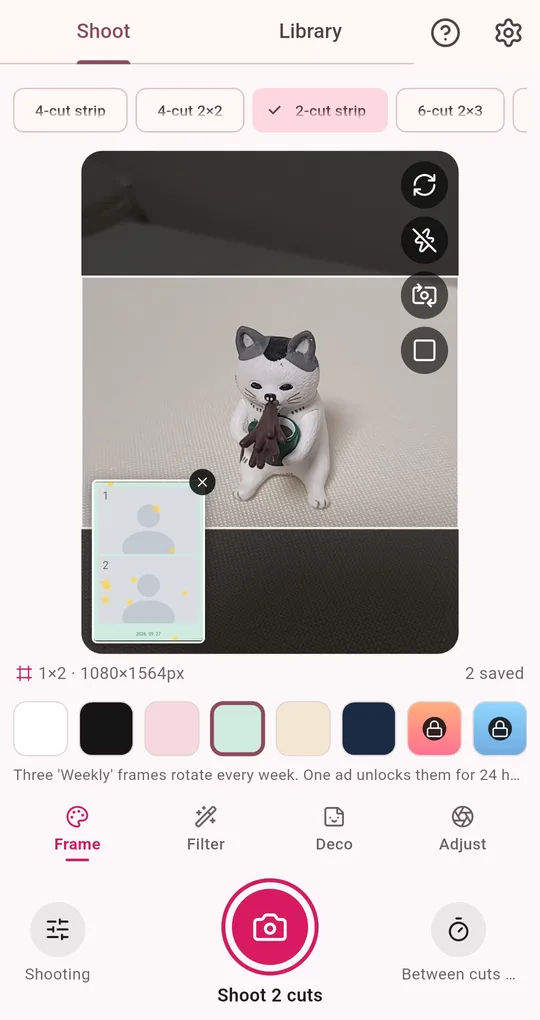
Lock layout, frame and caption
Choose the layout and frame color, then under Deco switch the caption to custom text and type the event name. Turn on Shot missions and a pose cue appears with every countdown, so guests just follow along.
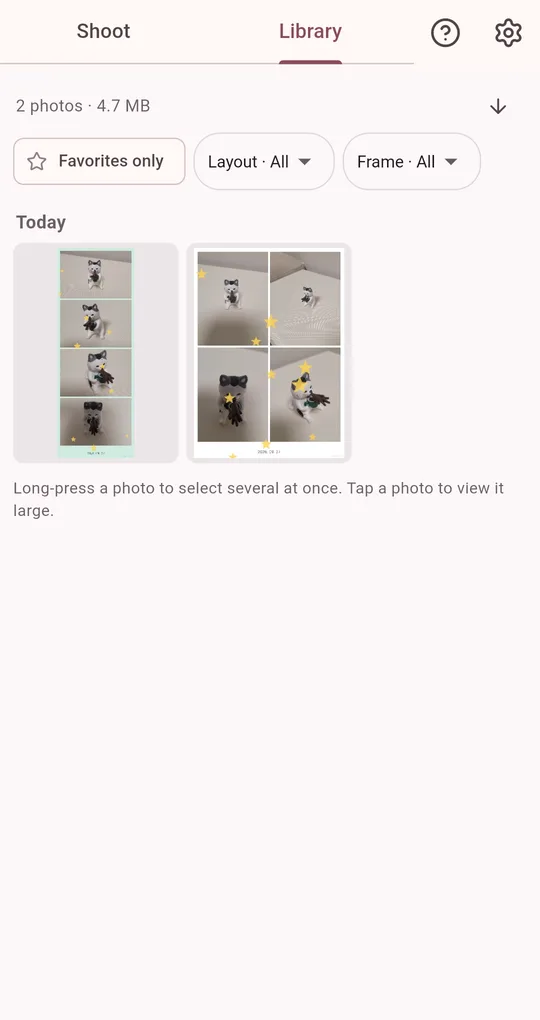
Many photos at once afterwards
Long-press in the Library to select several photos, then save, share or delete them together. To keep the whole event separately, export a backup (zip).
FAQ
Will ads pop up during the party?
The bottom banner folds away while shooting. You can also watch one ad in settings to remove the banner for 24 hours.
Are guests’ photos uploaded anywhere?
No. Photos stay on that device and are only shared when you choose to.
Photo Booth
No sign-up, and your photos stay on your phone. Free on Android.