Why strips and feeds do not match
Instagram Stories use a 9:16 vertical screen, and feed posts commonly use 4:5 portrait or 1:1 square. A vertical photo strip is much narrower and taller, so posted as is it gets cropped in the feed and shrunk to a thin line in Stories.
The right layout for where you post
| Where | Layout that fits | Why |
|---|---|---|
| Feed (4:5, 1:1) | 4-cut 2×2, 6-cut 2×3 | Close to square, so little is cropped |
| Stories (9:16) | Vertical strip, 2-cut strip | Fills a tall screen well |
| Print and share | Vertical strip | Two strips fit on one 4×6 print |
Not sure where it will go? A 2×2 grid is the safe choice. If you want the strip look, use a share card to fix the ratio.
Fitting the ratio with a share card
The Android app "Photo Booth" can place your photo on a card in a social media ratio: the Share card.
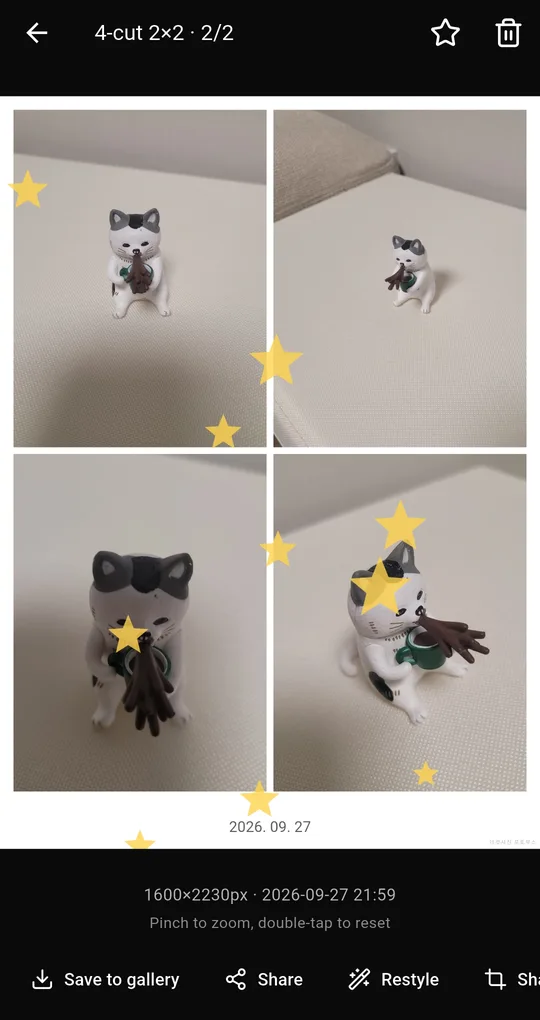
Open the photo and tap Share card
Open a photo from the Library and tap Share card at the bottom.
Pick a ratio
Choose Story (9:16), Feed (4:5) or Square (1:1) and the photo is centered on the card without cropping. Each share card unlocks with one short ad.
FAQ
I want to post several at once.
Long-press photos in the Library to select several, then share or save them together.
The app name appears in the corner.
Turn off the watermark in the output settings. Removing it unlocks for 24 hours after one short ad.
Photo Booth
No sign-up, and your photos stay on your phone. Free on Android.