The order to look
Do not compare frame against frame. Eliminate, starting with the faults no edit can fix.
- Eyes. Drop the closed ones first. Nothing recovers them.
- Expression and pose. Mid-word mouths, a hand across a face.
- Focus. Is the subject crisp? A soft background is fine; a soft subject is not.
- Framing. Cut-off feet, a tilted horizon, someone walking through the back.
- Exposure. Faces too dark or blown out. This one is partly fixable later.
The first two usually settle it. Only the last two or three frames need a careful look.
What you have to zoom in for
Camera shake is invisible on a small screen. A gallery thumbnail will never tell you.
| What | How to check |
|---|---|
| Eyes | Zoom until the face fills the screen. Are the lashes mush? |
| Focus | Zoom on something with fine lines — an iris, lettering. A doubled edge means shake |
| Motion | Look for smeared fingertips or shoe edges |
| Noise | Speckle in the shadows, worse the darker the scene |
Flipping between two frames at the same zoom on the same spot beats looking at them side by side. Differences jump out when the image swaps in place.
Where auto-scoring goes wrong
The sharpness a cleaner shows you is usually one number describing how crisp edges are across the whole frame. Useful, not infallible.
- Busy backgrounds score high even when the subject is soft — leaves, gravel, crowds.
- Portrait mode shots with deliberately blurred backgrounds score low.
- Closed eyes have nothing to do with sharpness at all. That is a separate check.
Treat the automatic pick as a starting point, and always glance at frames with faces in them.
Once you have chosen
- Delete the rest. The most space. Going through the trash leaves you a few days to change your mind.
- Keep them as one picture. A sequence worth remembering can live as a single combined image: the memory stays, the storage does not.
- Leave them. If you cannot decide, mark the set so it stops being suggested and move on. You will not have to think about it again.
In PhotoSweep
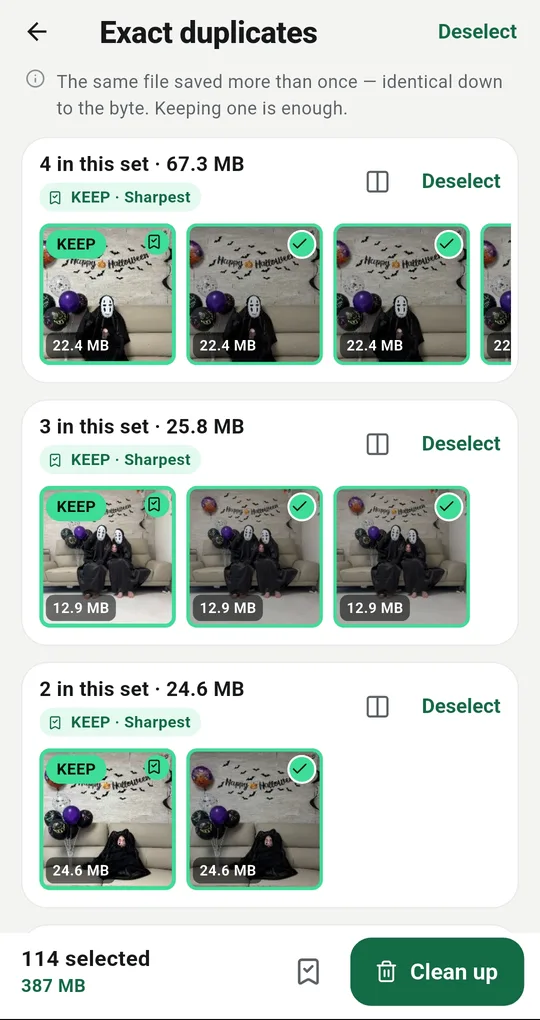
The keeper, and why
Every set has one photo marked KEEP, with the reason next to it: sharpest, largest file, most recent, favorite, or your pick. That makes it easy to judge whether to trust it. To keep a different frame, tap that photo and switch in the preview.
Change the rule
Which one to keep in Settings offers the sharpest, the largest file or the most recent. Sharpest suits bursts; most recent can suit a library full of edited versions.
Compare two, and find closed eyes
The compare button next to a set puts the keeper and one other frame on a full screen so you can zoom and flip between them. Find closed eyes checks the faces in a set on the device and switches the keeper to an eyes-open frame. Both are extras, unlocked for 24 hours by one short ad — and if no ad loads, they unlock anyway.
One at a time instead
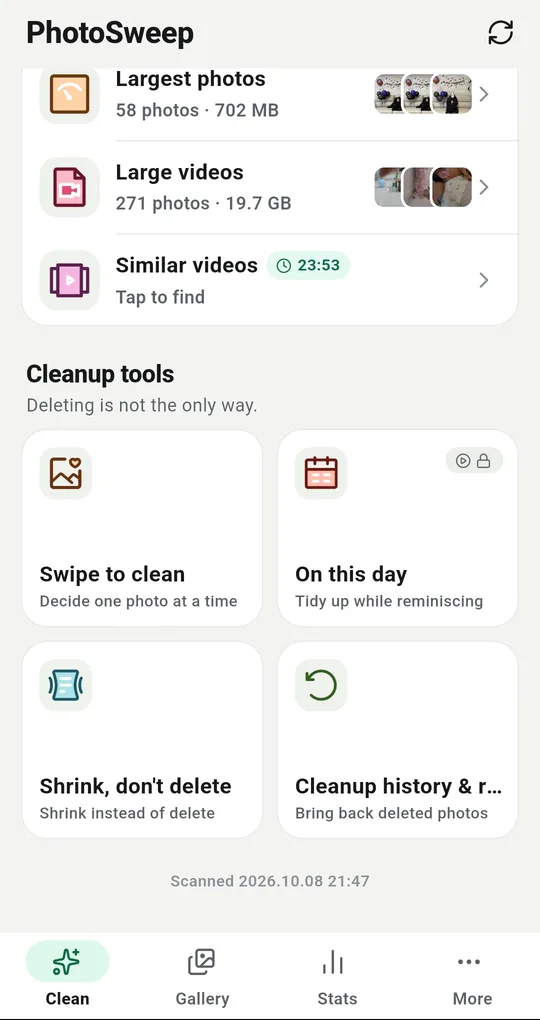
If sets feel fiddly, Swipe to clean in the More tab shows one photo at a time, full size: keep or bin, decide at the end. There is a free daily allowance.
FAQ
My burst is split across several sets.
Frames far apart in time, or with a lot of change between them, can land in different sets. Loosening the similarity setting groups more, at the cost of mixing in other scenes.
How reliable is the closed-eyes check?
It uses on-device face detection and only answers whether eyes are open. Profiles, sunglasses and distant faces are beyond it, so check the result it gives you.
I would rather not end up with bursts at all.
Change how your camera saves bursts, or review them the same day. The longer you wait, the less you remember which frame was the good one.
PhotoSweep: Duplicate Cleaner
One photo in every group always stays. An Android photo cleaner that keeps every bit of analysis on your device.