Why it happens twice
Since Android 10, an app cannot write anywhere it likes. Each one has its own place to put files, so a messaging app saves received pictures into a folder named after itself. Your camera original stays in the camera folder, and the copy that travelled through the chat sits somewhere else entirely.
Copies appear in three ways.
- Photos you received. Saving a picture from a chat creates one copy. With auto-save on, it happens without you touching anything.
- Photos you sent. Some apps keep a copy of what you sent. It is usually re-compressed on the way out, so it is smaller than your original.
- Photos you saved again. Downloading a picture you already have in your gallery makes a third file, often with a number or the word copy in the name.
Where the copies live
Open your file manager and look at internal storage. Names vary by app and version, but the pattern is always the same.
| Folder | What is in it | Safe to clear? |
|---|---|---|
| DCIM/Camera | Shots taken with the camera | Originals — be careful |
| Pictures/<app name>, e.g. Pictures/WhatsApp | Pictures received or saved from chats | Yes, when the original is still around |
| Pictures/Screenshots (or DCIM/Screenshots) | Screen captures | Usually yes |
| Download | Images from the browser or email | Keep only what you need |
| Pictures/<social app> | Images social apps saved for you | Check for an original first |
Your gallery app shows these folders as albums. Sort the album list by size and you can see at a glance which app has been hoarding.
Telling original from copy
Two pictures can look identical and still be different files. Open each one, tap the info button and compare three things.
| Value | Original | Messenger copy |
|---|---|---|
| Resolution | Full camera resolution, e.g. 4000x3000 | Often reduced |
| File size | Larger | Usually smaller |
| Folder | DCIM/Camera | A folder under Pictures named after an app |
| Capture details | Device, lens and location present | Often stripped |
If the resolution matches and only the size differs, the smaller one is a re-compressed copy. Keep the file whose resolution is equal or higher.
Turning auto-save off
Stopping the pile-up matters more than clearing it. In your messaging app’s settings, look for the option that saves incoming pictures to the gallery. The wording differs — media auto-download, save to gallery, visibility in gallery — but the effect is the same. With it off, pictures still appear in the chat and you save only the ones you want.
Clear what has already piled up once, turn auto-save off, and the problem does not come back.
Finding them in PhotoSweep
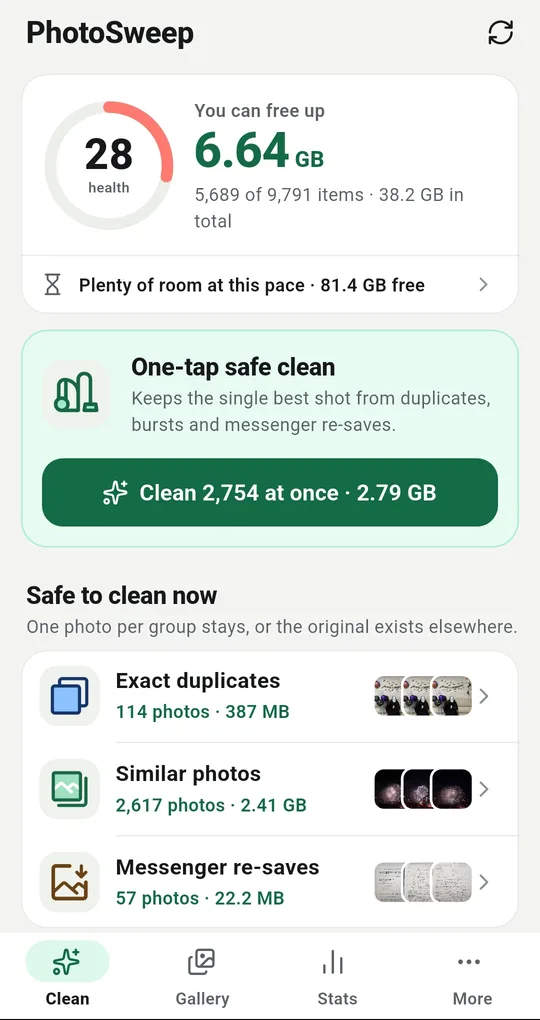
Messenger re-saves, on their own
PhotoSweep puts Messenger re-saves in the Safe to clean now section of the home screen. It does not list everything in a messaging folder — only the copies whose camera original of the same shot is still on the phone at the same or higher quality. Removing them loses nothing.
Chat photos with no original
Pictures from a chat that have no camera original sit in Saved from chats instead. Deleting one of those really does lose the picture, so nothing in that category is selected when you open it. Only what you pick goes.
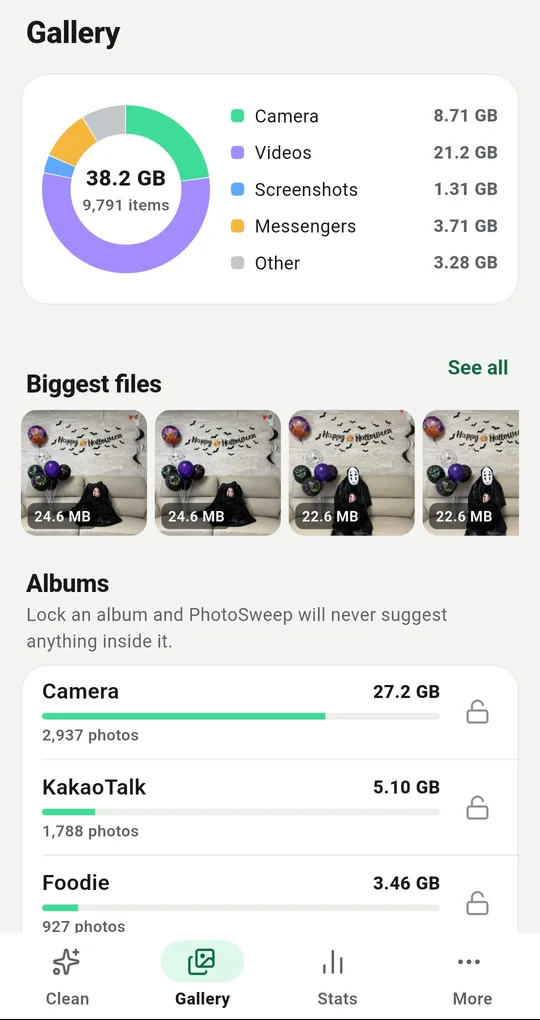
See how much each album holds
The Gallery tab splits your library into camera, videos, screenshots, messengers and other. Below that, the album list shows how many gigabytes each messaging folder is using. Any album you want kept out of the way can be locked with the padlock, and nothing inside it is ever suggested again.
FAQ
Can I just delete the whole messaging folder?
Not a good idea. It also holds pictures that exist nowhere else — the ones other people sent you. Delete only the copies that still have a camera original.
If I delete a photo in the chat, does it leave my gallery?
No. The saved copy is a separate file and stays. The reverse is also true: clearing it from the gallery leaves the chat untouched.
Why does a photo lose quality when I send it?
Messaging apps re-compress pictures to cut transfer size. Some offer an original-quality option, but the copy that lands in the other person’s gallery is usually smaller than your file.
PhotoSweep: Duplicate Cleaner
One photo in every group always stays. An Android photo cleaner that keeps every bit of analysis on your device.