File hash and perceptual hash
| Method | What it reads | Change one pixel | Good for |
|---|---|---|---|
| File hash | Every byte of the file | A completely different value | Finding the same file saved twice |
| Perceptual hash | What the picture looks like | Almost the same value | Re-compressed or resized copies, bursts |
Anything that went through a messaging app has been re-compressed, so a file hash will never call it a match. That is why cleaners use perceptual hashes. On the other hand, a perceptual hash on its own cheerfully piles every sky photo you own into one group. The two have to work together.
How a fingerprint is made
Two common methods. Both produce 64 bits — sixty-four ones and zeros.
- dHash shrinks the photo to a tiny greyscale grid and records only whether each cell is brighter than the one beside it. Changes in brightness or contrast barely move the value.
- pHash converts the image to frequency components, keeps only the broad shapes and compares those. It survives cropping, resizing and light editing.
The photo becomes a handful of numbers, and the fingerprint cannot be turned back into a picture. It is also why a second scan is quick: the app keeps the numbers, not the images.
Judging by distance
Line up two fingerprints and count how many positions differ. That count is the Hamming distance. Zero means the fingerprints are identical; the larger it gets, the less alike the photos are.
| Tighten the threshold | Loosen it |
|---|---|
| Only near-identical photos group | Bursts and similar compositions group |
| Some real copies are missed | Unrelated scenes creep in |
| Easy and safe to review | More to clean, more to check |
There is no correct value. Keep it tight for tidying up, loosen it when you want to clear out bursts, and adjust by looking at the results.
Where it groups wrongly
- Near-uniform photos: sky, a wall, a floor, a black screen. There is almost no shape information, so the fingerprints converge.
- Different moments from the same spot: identical framing produces close fingerprints even when the people have changed.
- Documents with the same layout: receipts, forms and test papers differ only in the text.
- Mirrored images: the opposite problem — they look the same to you and produce completely different fingerprints.
In PhotoSweep
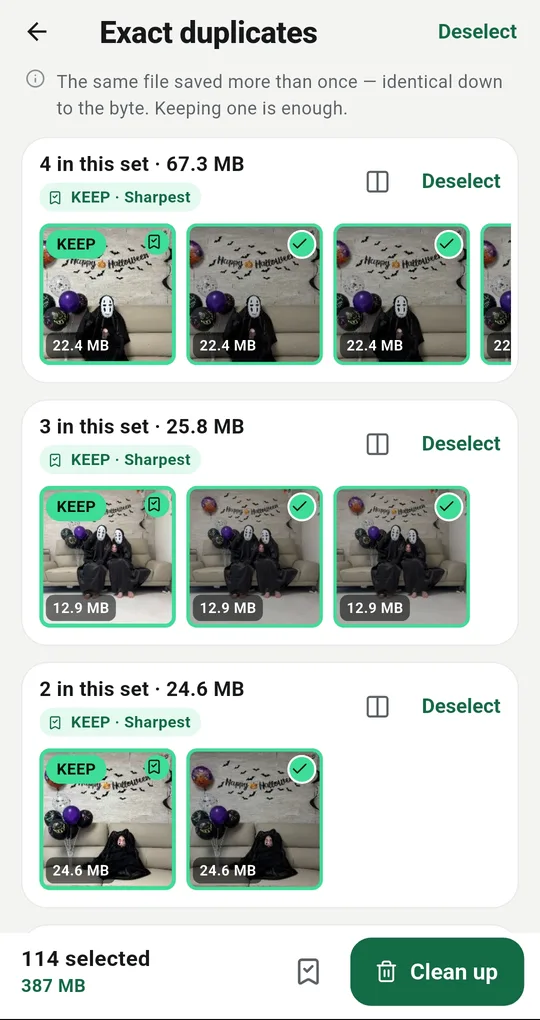
Exact and similar are separate
PhotoSweep keeps them apart. Exact duplicates are grouped only when the file size, the resolution and both fingerprints all match. Similar photos are fingerprints that are merely close, which is why they need your eyes. In both cases one photo in the group always stays.
How similar is similar
Settings has How similar is "similar" with three steps: strict, balanced and loose. It sets how many fingerprint positions may differ before two photos count as the same scene, and the number is shown on screen. Move to strict if unrelated shots keep grouping; loosen it if bursts come apart.
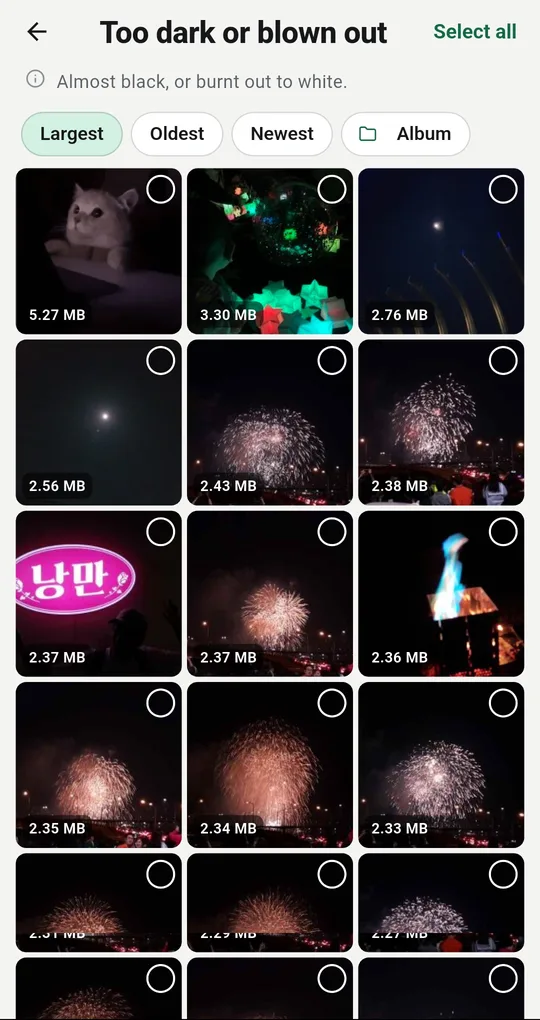
The blur threshold comes from your gallery
Blur is judged on a different value. Rather than a fixed number, PhotoSweep reads the spread of sharpness across your own library and calls only the bottom few percent blurry, so the bar does not drift between phones and lenses. The stricter blur check in Settings raises that share.
FAQ
Are my photos sent somewhere to be compared?
A perceptual hash is computed on the device, so there is nothing to send. PhotoSweep transmits nothing about your photos and uses the internet only to load ads.
Why is the second scan so much faster?
The fingerprints and numbers are stored in the app’s private folder, so only newly taken photos need to be processed. Clearing that cache in Settings makes the next scan start from scratch.
Are videos matched the same way?
Videos are grouped by length and by how their start, middle and end frames look. It is heavier to compute, so it runs only when you ask for it.
PhotoSweep: Duplicate Cleaner
One photo in every group always stays. An Android photo cleaner that keeps every bit of analysis on your device.