Four reasons the numbers differ
| Cause | What happens |
|---|---|
| Frequency weighting | Sound level meters usually show A-weighted dB(A), which discounts low frequencies our ears are less sensitive to. Without weighting, fridges, fans and traffic rumble read higher. |
| Mic sensitivity | Phone mics are built for calls; sensitivity varies by model and response is not linear at very quiet or very loud levels. |
| Auto gain and noise suppression | Call processing can slowly raise readings in a quiet room or squash loud sounds. |
| Averaging and timing | An "average" may be an energy average (Leq) or a simple average of dB numbers, sampled every 0.125 s or every second. |
What the research found
In 2014 the US National Institute for Occupational Safety and Health (NIOSH) tested smartphone sound apps. Of 130 iOS apps, 10 met its selection criteria and three came within ±2 dB(A) of a reference meter on average for A-weighted measurements. Only 4 of 62 Android apps partly met the criteria, because hardware varies so much between manufacturers. A 2016 follow-up found that with a calibrated external microphone, readings came within ±1 dB.
±2 dB(A) is the accuracy expected of a Type 2 sound level meter. The honest conclusion: an uncalibrated Android phone’s built-in mic should not be expected to reach that.
Using a phone well
- Compare rather than trust absolutes — same phone, same position: seat A vs seat B, morning vs night.
- Set the phone down — hands and clothing rub the mic.
- Check the case is not covering the mic hole.
- Use a calibrated meter when the number really matters, such as disputes or workplace exposure.
How this app calculates
Here is exactly what the Android app Focus Noise Meter does.
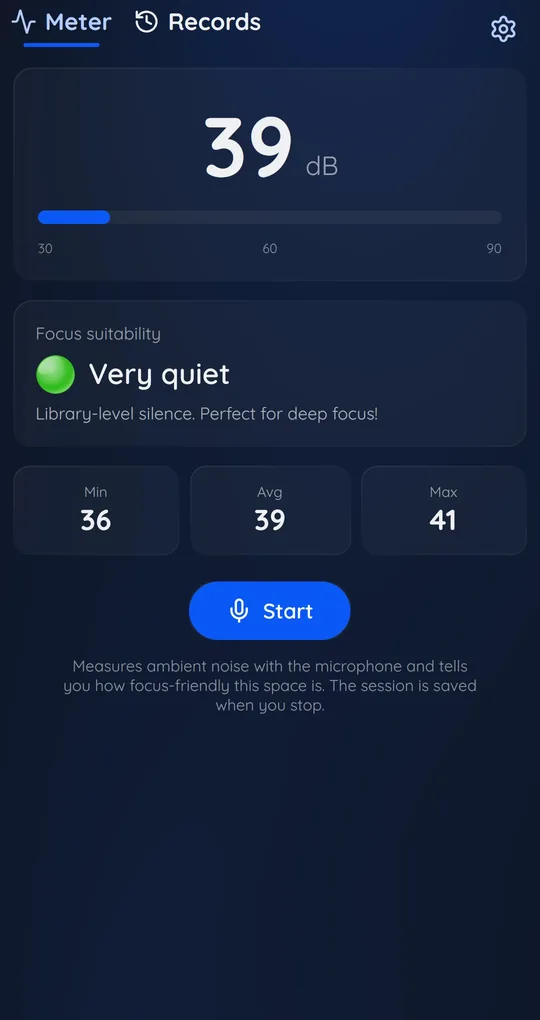
Signal level every 0.2 seconds
It takes 0.2 seconds of microphone signal, calculates its level (RMS), and adds a reference value (the calibration offset, 90 dB by default) to convert it to dB. No frequency weighting is applied, so it is not dB(A). Call-style auto gain and noise suppression are switched off on devices that allow it.
The big number and Min, Avg, Max
The big number is smoothed. Min and Max are the lowest and highest 0.2-second readings, and Avg is their simple average, which tends to sit below the energy average (Leq) when loud bursts are mixed in.
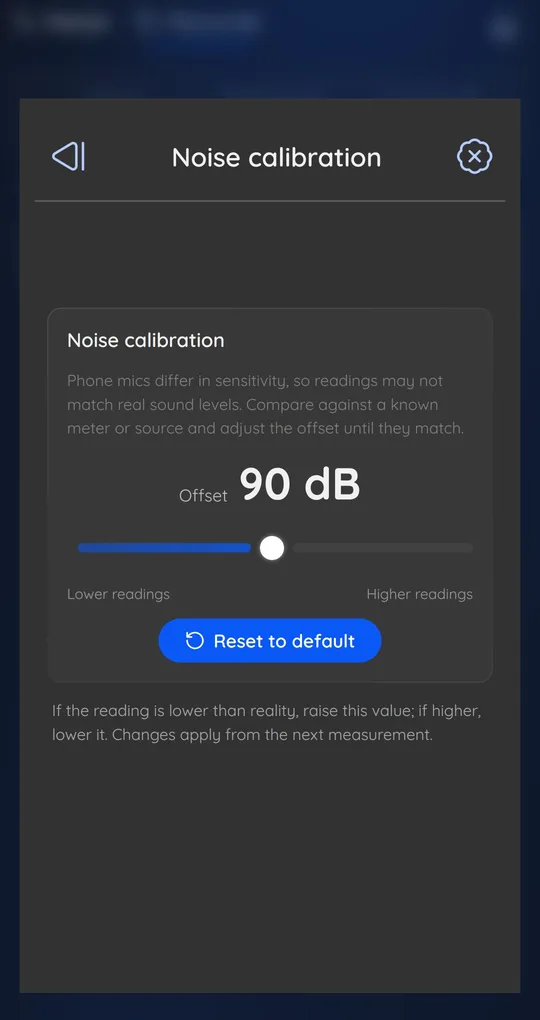
Settings, then Noise calibration
If you have a reference meter, raise or lower the offset in Noise calibration. See how to calibrate a noise meter app.
FAQ
My quiet room never reads below about 30 dB.
Phone mics and circuits have their own noise floor. This app does not display values below 20 dB.
Are iPhone apps more accurate?
In the NIOSH study iOS apps varied less between devices. Either way, an uncalibrated phone is not suitable for legal or medical decisions.
Focus Noise Meter - dB Sound Level
It never records audio, only calculates dB levels, and your history stays on your phone. Free on Android.