5 rules to set first
- One or two goals — visible actions like "brush teeth" or "tidy toys". Vague goals like "be good" get judged differently every day.
- Keep a chart short — start with a chart that can be filled in about ten days. A month-long chart is too far away for a child.
- One box a day — several stickers a day fill the chart fast and make the reward cheap.
- Agree the reward up front — decide it when the chart starts and write it next to the chart.
- Your child adds the sticker — doing it themselves is the heart of the praise.
Things best avoided
- Removing stickers as punishment — once earned boxes can vanish, the whole chart becomes a penalty. Undo only real mistakes.
- Changing rules mid-chart — finish this chart and change from the next one.
- Comparing siblings’ charts — each at their own pace.
Using the app
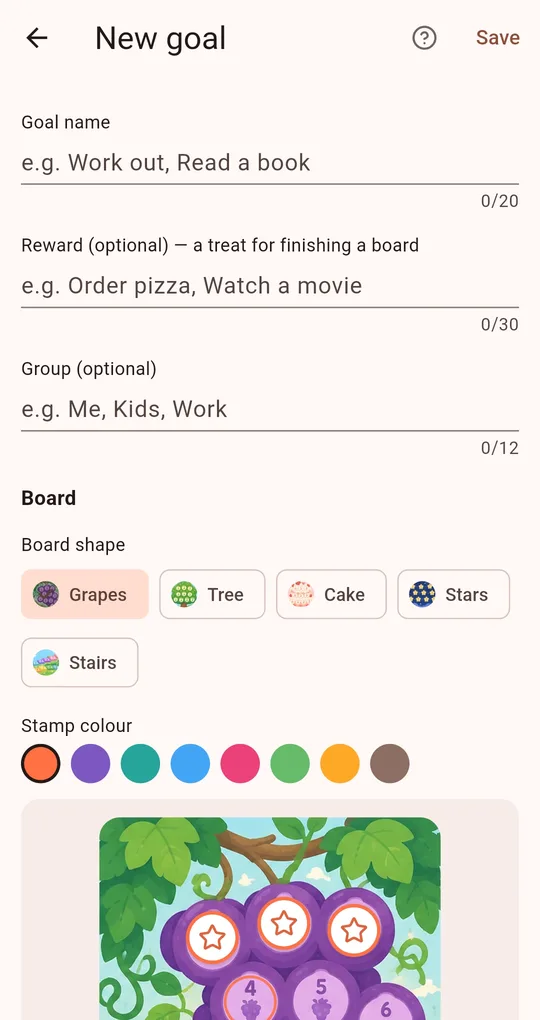
A group per child
When creating goals in My Praise Stamp Board, type a group such as "Mia" or "Leo" so each child’s goals stay separate. Put the agreed treat in the reward field and it appears with the celebration when the board is full.
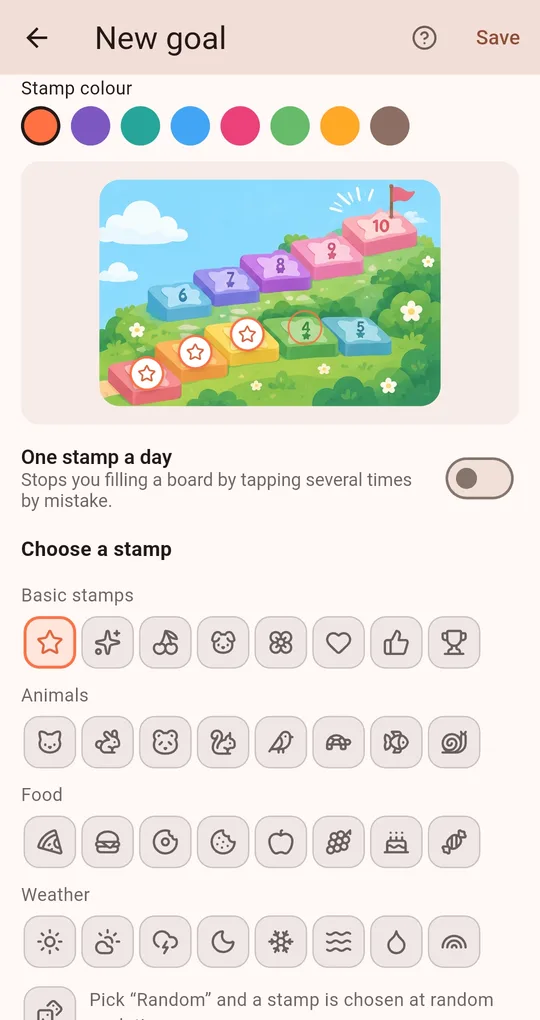
Turn on One stamp a day
One stamp a day in the goal settings stops a board filling up from several taps on the same day, which matters when a child taps just for fun.
Let them pick the stamp
There are 8 basic stamps plus animal, food and weather packs, and "Random" picks a different stamp every time, which adds a little suspense.
FAQ
What happens when a board is full?
A celebration and the agreed reward appear, and a new board starts right away. Finished boards are kept on the Records tab.
How do I remove a wrong stamp?
Tap the undo button under the board to remove the last stamp.
My Praise Stamp Board
No account, fully offline, and your records stay on your phone. Free on Android.