How to group
| By | Example groups |
|---|---|
| Person | Me / Mia / Leo |
| Area of life | Health / Study / Chores |
| Place | Home / Work |
Use one rule only. Mixing people and areas means wondering every time which group "Mia’s reading" belongs to.
Color as a second cue
Give each group a stamp color and you can tell goals apart without reading. Let a child pick their own color and they will find their board themselves.
Tidying finished goals
Archive goals that have ended, like a summer reading challenge, instead of deleting them. They leave the list but the history and finished boards stay, so you can still see how many boards you filled.
Doing it in the app
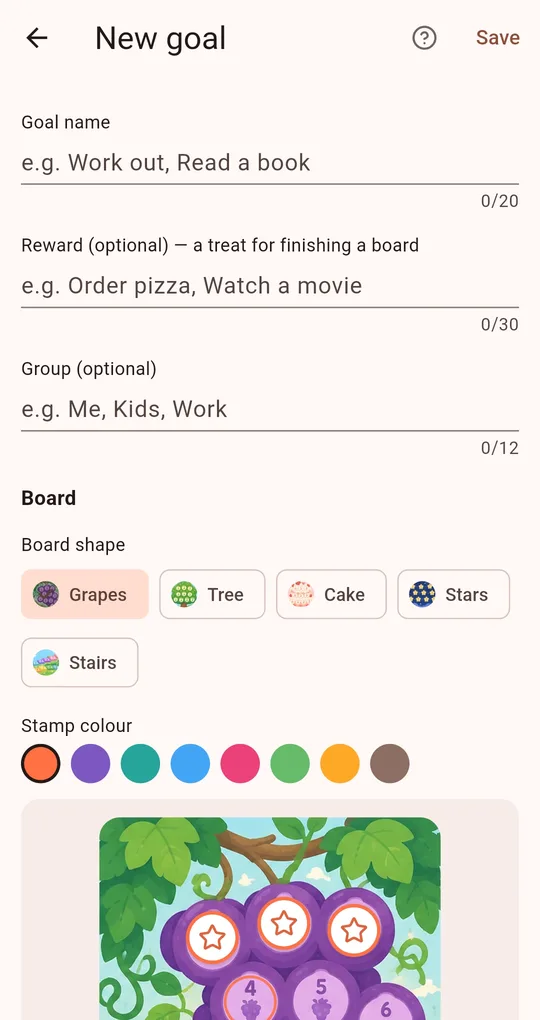
Set a group and a color
In My Praise Stamp Board, fill in Group (optional) with "Me", "Kids" or "Work" and pick a stamp colour. You can filter the board list by group.
Reminders per goal
"Remind me about this goal" gives a goal its own reminder time and days, separate from the daily reminder: 8 p.m. for the kids’ teeth, 7 a.m. for your workout.
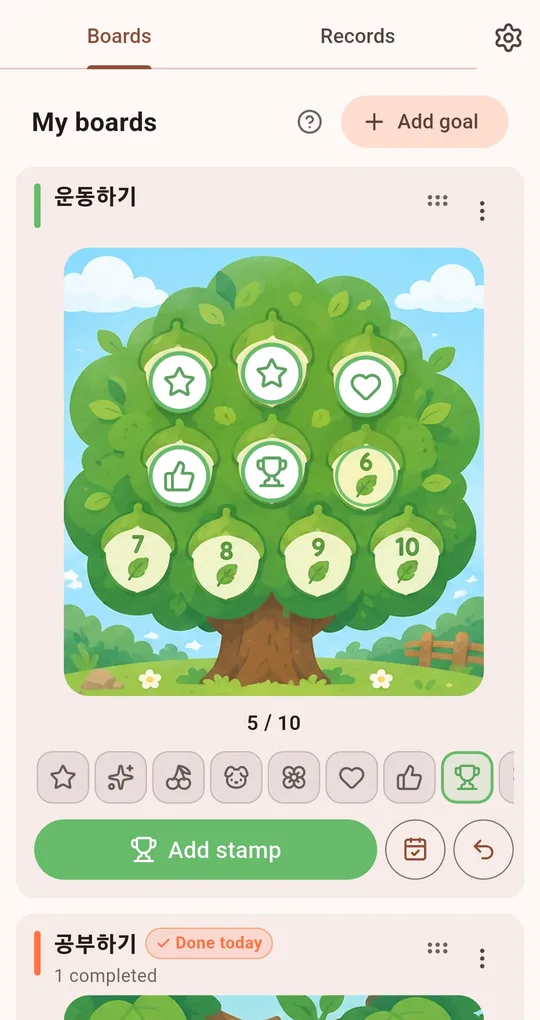
Archive
Choose Archive from a goal’s menu to remove it from the list; Show archived brings it back.
FAQ
Can I sync with my child’s phone?
There is no sync. Use groups on one phone, or move records with a backup file (.stampbak).
I want several similar goals.
Use Duplicate in a goal’s menu to copy its settings, then rename it.
My Praise Stamp Board
No account, fully offline, and your records stay on your phone. Free on Android.