Size follows distance
An optotype is not “a shape so many millimetres across”. It is a shape that subtends a given angle at your eye. Move twice as far away and the same shape becomes twice as hard. Fix the distance and the size is decided for you.
- The clinical standard distance is 20 feet (6 m), far enough that focusing effort barely comes into it.
- Phones are usually used at about 2 m. A shorter distance means smaller optotypes, and eventually you hit the smallest shape the screen can draw at all.
- Set the app to 2 m and actually stand at 1.5 m, and the result comes out better than it should.
The StatPearls entry on visual acuity gives the same standard distance and notes that mirrors are used where the room is too small.
Sources: StatPearls, Visual Acuity (NCBI Bookshelf)
Why a screen needs calibrating
Android reports screen density in buckets. By definition one dp is a 160th of an inch, which works out at about 6.3 dp per millimetre, but rounding means a given device can be off by 10–15%. That error lands directly on the optotype.
The fix is to hold up something whose real size you know. A bank card is a good default because the ID-1 format (ISO/IEC 7810) is identical everywhere: 85.60 mm long, 53.98 mm wide.
| Reference object | Length to match | Notes |
|---|---|---|
| Ruler, 5 cm | 50 mm | Fits even on small screens |
| Card, short edge | 53.98 mm | The default — almost everyone has one |
| Card, long edge | 85.60 mm | Tight on a small phone |
| Ruler, 10 cm | 100 mm | When the screen is tall enough |
| CD or DVD diameter | 120 mm | Tablets |
| A4 short edge | 210 mm | Tablets |
A phone screen is typically only 65–75 mm wide, so even a card’s long edge will not fit across it. Standing the reference object vertically against the screen and matching it between two guide lines is the reliable way.
Making a test distance in a small flat
| Method | How | Watch out for |
|---|---|---|
| Use a hallway | Front door to the far doorway | Keep the path clear and evenly lit |
| Mirror | Face the phone at a mirror and count double the distance to the mirror | The image is left-right reversed |
| Commit to a short distance | Pick 1 m or 1.5 m and always use it | Good for tracking change, not for absolute numbers |
With a mirror the optical path is “your eye to the mirror” plus “the mirror back to the screen”. Hold the phone beside your head, stand 2 m from the mirror, and you have roughly 4 m. The catch is the reversal, which is easy to get wrong with direction-based optotypes such as the Landolt C or tumbling E.
If what you care about is change rather than an absolute figure, a short distance is fine. Using the same one every time is what counts.
Lighting, brightness and eyewear
- Brightness to maximum. A dim screen lowers contrast and drags the result down.
- Turn off night mode and blue-light filters. For colour tests they can flip the outcome.
- No reflections on the screen. A window or lamp in the glass eats contrast.
- Be consistent about glasses. Decide corrected or uncorrected and stay with it.
- Wipe the screen. On an astigmatism fan, a smear reads as a blurred meridian.
What calibration cannot fix
| Done in an eye exam | Possible at home? |
|---|---|
| Refraction (your actual dioptres) | No — it needs instruments and trial lenses |
| Intraocular pressure | No |
| Dilated retinal examination | No |
| Formal visual field testing | No — a phone screen is far too small |
| Cornea and lens assessment | No |
| Repeating the same check to see change | Yes — this is what self-checks are for |
Setting it up in the app
Calibrate the screen once
Settings has “Calibrate screen size”. Pick a reference object, stand it against the screen, and drag the slider until the gap between the two guide lines matches its real length. One pass and every later test is drawn from that value.
Choose the distance
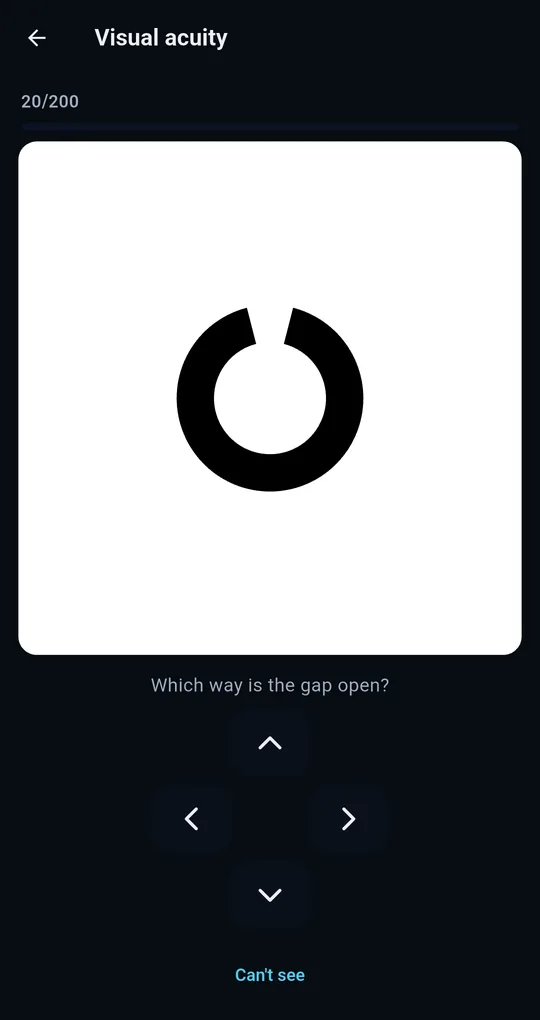
Each test’s start screen lets you set the distance: 1 m, 1.5 m, 2 m or 3 m for distance acuity, and 30, 35, 40 or 45 cm for near vision, where 40 cm is the standard. The front camera can also estimate how far away you are from the gap between your eyes; frames are processed on the device and discarded immediately.
Lock brightness, and precision mode
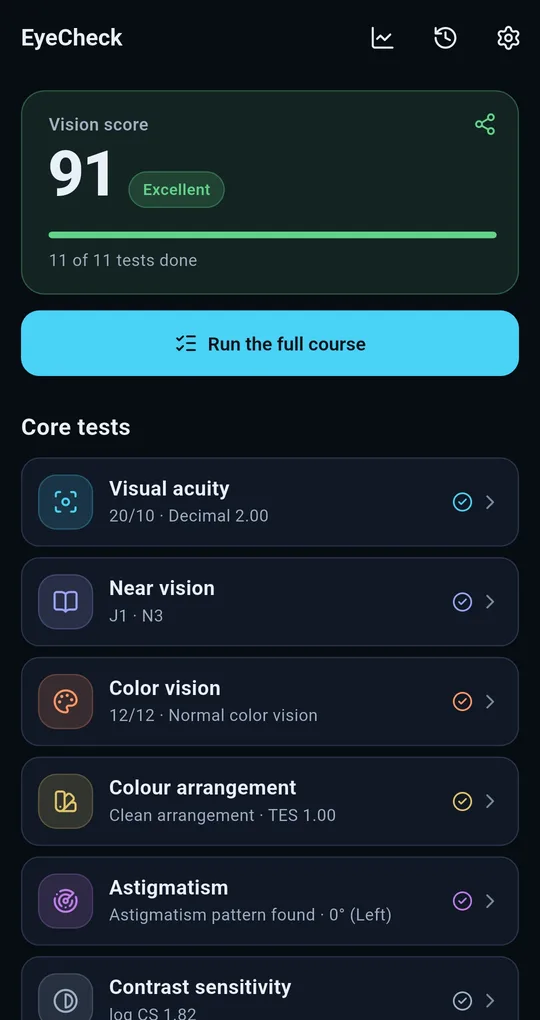
“Lock brightness during tests” in Settings holds the screen at one level while a test runs, which is what makes two tests comparable. “Precision mode” asks with eight directions instead of four, dropping a lucky guess from 25% to 12.5%. The standard four-direction test works either way.
FAQ
I tested twice in one day and got different numbers.
Acuity moves around within a day. Fatigue, tear film, brightness and attention all feed in. Read the direction over several sessions, not a single figure.
How wrong is it without calibrating?
It depends on the device. If the density rounding is off by 10–15%, the optotype is drawn that much too large or too small, which can move the result by a line or two.
Are tablets more accurate?
A bigger screen can draw smaller optotypes and lets you calibrate against a larger object, so yes in principle. Prop it up, though — holding it makes the distance wander.
EyeCheck: Vision & Color Test
No sign-up, fully offline. A free Android eye self-check app that tests and records your left and right eye separately.