What half frame is
A standard 35mm frame is 36mm wide by 24mm tall — the landscape 3:2 shape everyone recognises as a photograph.
A half frame camera cuts that down the middle and uses 18mm by 24mm twice. Each half is a tall 3:4. The film advances once for every two shots.
Why it doubles
| Roll | Standard frame | Half frame |
|---|---|---|
| 24 exposures | 24 pictures | About 48 |
| 36 exposures | 36 pictures | About 72 |
| Frame size | 36 × 24 mm | 18 × 24 mm |
| Orientation | Hold the camera level, get a landscape shot | Hold the camera level, get a portrait shot |
The important part is that the film and the developing cost the same. Both are charged per roll, so the cost per picture halves. That is why half frame is the first suggestion whenever someone says film has become too expensive.
What you give up
Each negative is half the area. Printing to the same size means enlarging twice as much, which brings three consequences.
- Grain looks coarser. The film’s grain has not changed; the magnification has.
- Fine detail drops. If you plan to print big, this works against you.
- On a phone screen or a social feed, almost none of it shows.
So half frame is not a choice made for image quality. It is a choice made to shoot more, and more lightly.
Two shots end up side by side
This is the most interesting part. On the film strip the two halves are physically adjacent. When a lab scans or prints in standard frame units, two consecutive shots arrive as one landscape picture.
Once you know that, you can plan the pairs.
- Whole and detail — the shopfront, then the menu
- Before and after — the full plate, then the empty one
- A person, then what that person is looking at
- Left and right from the same spot
Shoot without thinking about it and two unrelated scenes get married in one frame. Some people count that as part of the charm, but deliberate pairs give far better results.
Shooting it in the app
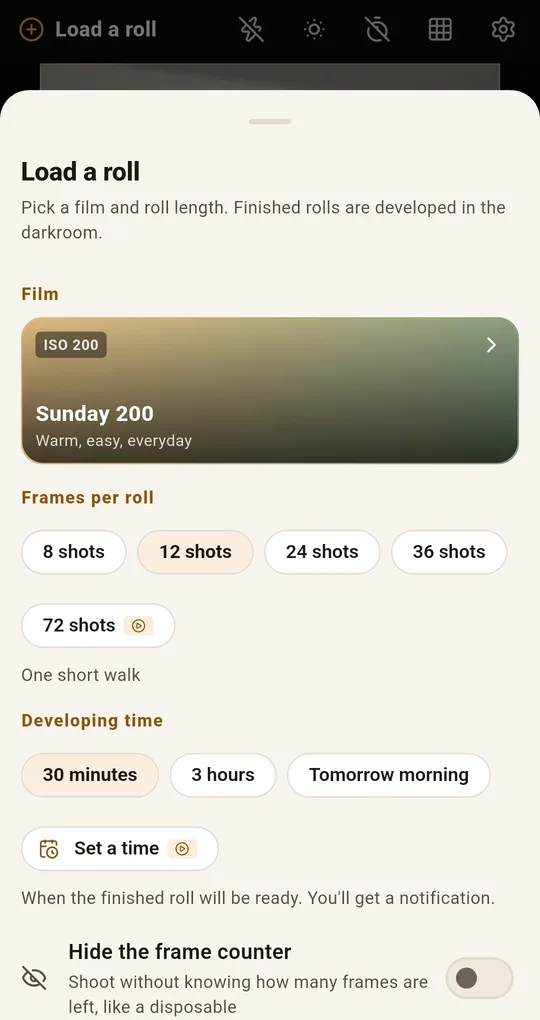
Load the 72-frame roll
On the Load a roll sheet in FilmRoll, set frames per roll to 72 shots. It is the half-frame length, described in the app as a long half-frame roll. You can use the half frame format on a 24 or 36 shot roll too, but 72 gives you the feel of working through a long roll.
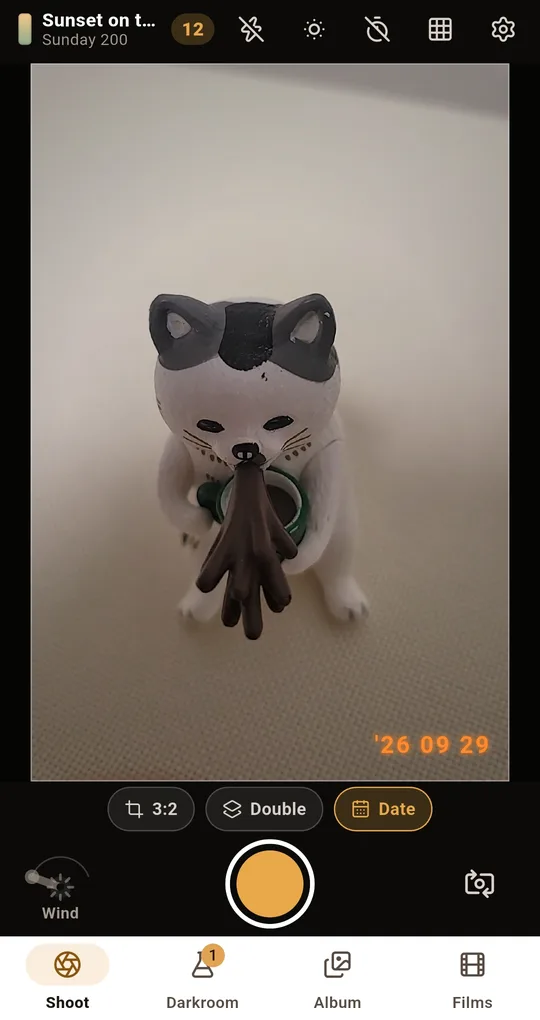
Set the format to half frame
Tap the format button at the bottom of the Shoot screen and choose Half frame, described as two vertical shots side by side in one frame. Press the shutter once for the first half, and the app prompts you for the second half. Press again and the two are merged into a single landscape frame.
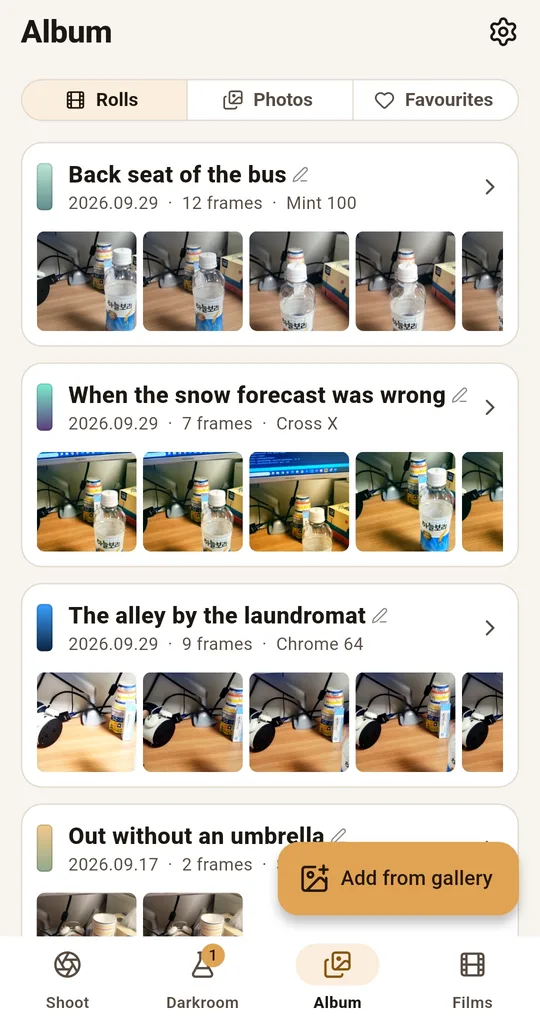
Filter the album by format
In the Album tab, filter by Format and choose half frame to see only the paired shots. The Statistics screen also shows your favourite formats.
FAQ
Why do I sometimes get more than 72?
Film is wound slightly longer than the stated count, and cameras differ in where they catch the first frame. Half frame doubles that difference.
Why are half frame pictures mostly vertical?
Hold the camera the usual way and the half frame is taller than it is wide. For a landscape picture you have to turn the camera on its side, which stays confusing for a while.
What if I only take the first of the two in the app?
A half frame needs two presses to finish. After one press the frame is still open and waiting for its second half.
FilmRoll: 35mm Film Camera
No account, no server, and your photos never leave the phone. Shooting and developing both work in airplane mode. Free on Android.