Which study methods work best
A review of learning techniques by Dunlosky and colleagues (2013) rated practice testing (answering questions, recalling from memory) and distributed practice (spreading study over time) as high-utility techniques. Highlighting and rereading were rated low.
On a timetable, that means “revisit each subject two or three times on different days” instead of “one subject all day”, and more time on questions than on reading.
Filling in backward
- Enter the exam times first. They are fixed.
- Put the final review of each subject on the evening before its exam.
- In the week before, spread two or three review blocks per subject over different days.
- Fill what is left with first-pass learning. First passes belong at the front.
- Leave one or two empty blocks a day for overflow.
A two-week split
| When | What | Blocks |
|---|---|---|
| Days 14–8 before | First pass through each subject | 2-hour blocks, 2–3 subjects a day |
| Days 7–3 before | Practice questions + review mistakes | 1–1.5-hour blocks, subjects mixed |
| Days 2–1 before | Final review in exam order | Evening before each exam |
| Every day | Buffer | 1 hour (overflow or rest) |
Wondering whether to cut sleep the night before? See what time to sleep before an exam. Noisy study spot? See finding a quiet seat in a library or study café.
Building it in the app
Keep it separate from your semester schedule
In the Android app Weekly Timetable, create profiles such as “Finals week -2” and “Finals week -1”. Your regular timetable stays as it is; switch back after exams.
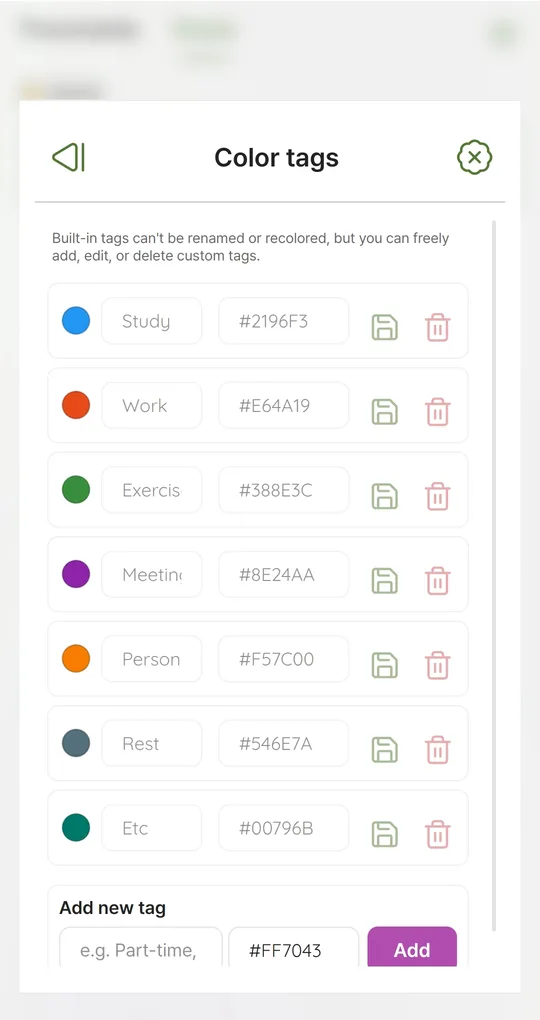
One color tag per subject
Under Settings > Color tags, add a tag for each subject (Math, Chemistry…). Subjects show up by color, and Stats totals study time per subject.
Copy review blocks
Long-press a slot for Copy to next day, Copy to weekdays (Mon–Fri) and Copy to every day. Copies are independent, so you can swap subjects day by day.
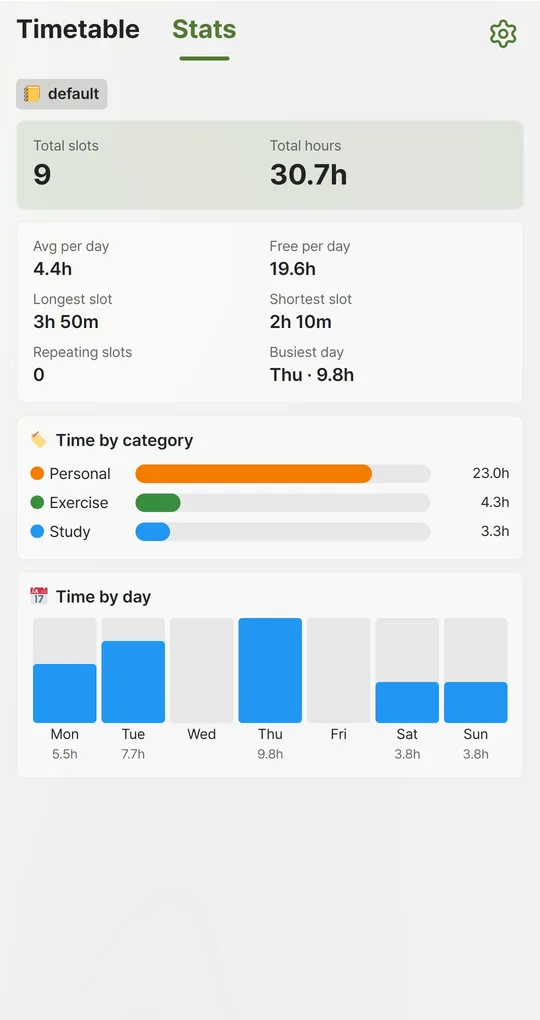
Check totals per subject
Time by category in Stats shows how many hours each subject got. If a heavy subject is short, give it your buffer blocks.
The screenshots were taken with Korean sample entries, so slot titles and some weekday labels appear in Korean; menus and buttons are in English.
FAQ
How many hours a day should I plan?
There is no right number, but starting slightly above what you actually studied last exam season is easier to stick to. See plan vs. actual.
Do reminders help?
Settings > Notifications offers alerts at the start or 5–60 minutes before each slot. With many blocks that means many alerts, so use them where it matters.
Sources: Dunlosky et al. (2013), effective learning techniques
Weekly Timetable - Planner
No sign-up, works offline, and your timetable stays on your phone. Free on Android, in English and Korean.