How the two differ
| To-do list | Time blocking | |
|---|---|---|
| Decides | What | What + when |
| Good for | Many short tasks, shifting order | Long focused work, recurring activities |
| Typical failure | Easy items get done, big ones linger | One overrun knocks over the rest |
| Needs | Priorities | Time estimates + buffer |
What related research shows
- Deciding when and where increases follow-through — Gollwitzer and Sheeran (2006) pooled 94 studies of implementation intentions (“when situation X arises, I will do Y”) and found a medium-to-large effect on goal attainment. A time block is one way to set the “when”.
- Making a plan quiets nagging unfinished goals — in experiments by Masicampo and Baumeister (2011), people who made a specific plan for an unfinished goal were less distracted by it during other tasks.
- But we underestimate durations — planning-fallacy research (Buehler, Griffin and Ross, 1994) shows people repeatedly predict optimistic finishing times. Packed blocks turn that error straight into a collapsing schedule.
Combining them
- Fixed weekly blocks: put only things where timing matters on the timetable, such as recurring focus time, workouts and classes.
- A to-do list: keep the specific tasks for each block in a list. Name blocks broadly, “Deep work” rather than “Write proposal”.
- Buffer: leave 30–60 minutes a day empty or as an “overflow” block.
- Weekly check: see whether blocks held and adjust. See plan vs. actual.
Fixed weekly blocks in the app
The Android app Weekly Timetable is not a dated to-do app; it draws time blocks that repeat every week. That makes it a fit for step 1 above.
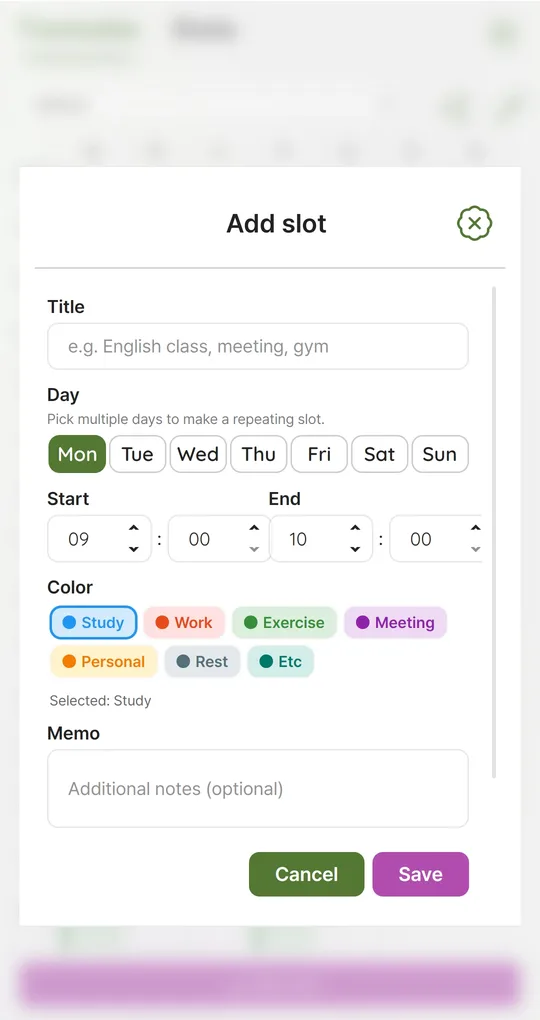
Create repeating blocks
In Add slot, selecting several days makes a repeating slot, for example Mon/Wed/Fri 7:00–8:00 “Workout” or weekdays 9:00–11:00 “Deep work”. Keep task details in the memo field or your to-do app.
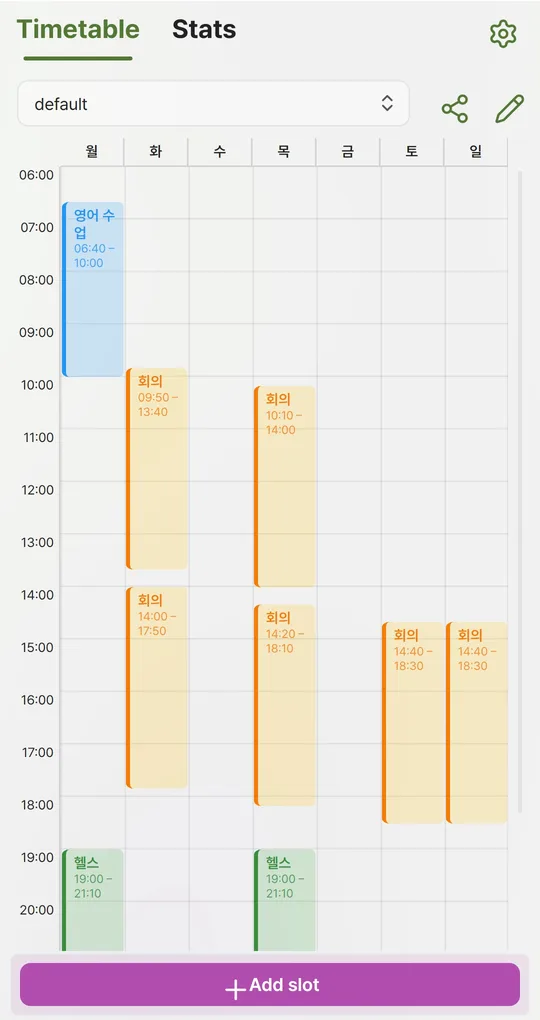
Color by block type
Use color tags for focus, meetings, exercise and rest, and the balance of the week becomes visible at a glance.
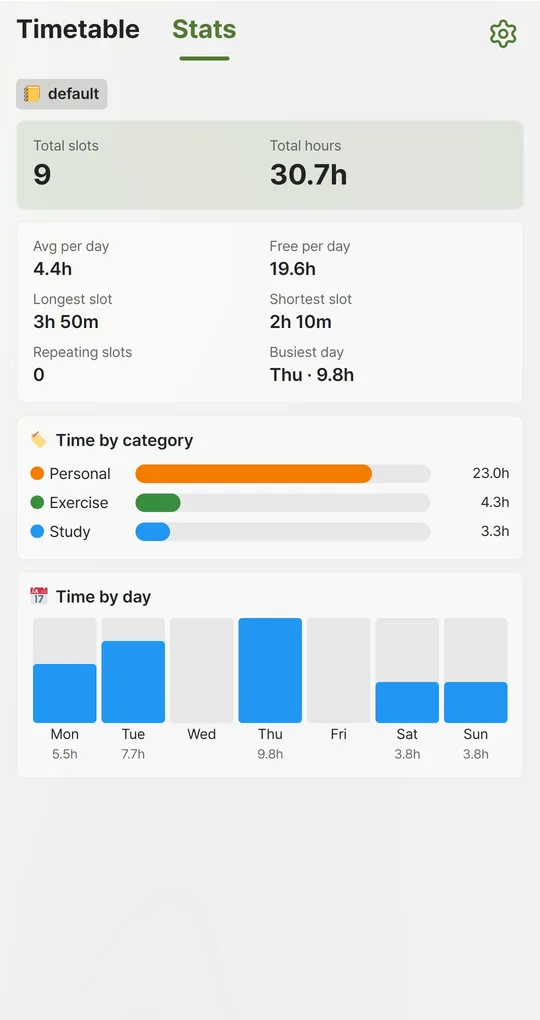
Check for over-blocking in Stats
Look at Avg per day and Free per day. Without sleep entered, Free per day is 24 hours minus your blocks. If nearly all waking hours are blocked, you have no buffer.
The screenshots were taken with Korean sample entries, so slot titles and some weekday labels appear in Korean; menus and buttons are in English.
FAQ
How long should a block be?
For focused work, 1–2 hours is usually manageable. The app goes down to 10 minutes, but very small blocks just recreate a to-do list.
If I miss a block, should I redraw the week?
Let one-off disruptions go. Change only blocks you miss two weeks or more in a row.
Sources: Gollwitzer & Sheeran (2006), implementation intentions meta-analysis · Masicampo & Baumeister (2011), plans and unfulfilled goals · Buehler, Griffin & Ross (1994), the planning fallacy
Weekly Timetable - Planner
No sign-up, works offline, and your timetable stays on your phone. Free on Android, in English and Korean.