Common reasons plans drift
- Tasks are estimated too short — psychologists call it the planning fallacy. In Buehler, Griffin and Ross (1994), students predicted optimistic finishing times even when they remembered past tasks running late.
- In-between time is missing — travel, setup, meals, replying to messages.
- No empty slots — when nothing absorbs surprises, one delay pushes everything after it.
- Energy is ignored — hard study right after work or a late-night workout may fit the clock but not you.
The two-timetable method
- On Sunday evening, build next week’s planned timetable.
- During the week, record what actually happened in an actual timetable with the same format. Five minutes each night.
- The following Sunday, compare category totals.
- Change only the single largest gap in next week’s plan.
Limiting yourself to one change matters. Fixing every gap at once just produces another idealized plan.
A table for classifying gaps
| Gap type | Example | In next week’s plan |
|---|---|---|
| Took longer | Report planned 2 h, took 3.5 h | Make that slot 1.5x |
| Pushed out | Wednesday workout skipped every week | Move the day or shorten it and fix it |
| Unplanned work | Meetings, chores, messages | Reserve 30–60 empty minutes a day |
| Under-used | Planned 10 h study, did 4 | Set the target at actual plus a little |
If one weekday keeps failing, see finding the weekday your habit skips.
Comparing in the app
The Android app Weekly Timetable lets you keep several timetable profiles, and Stats always reflects the selected one. That is all you need for plan vs. actual.
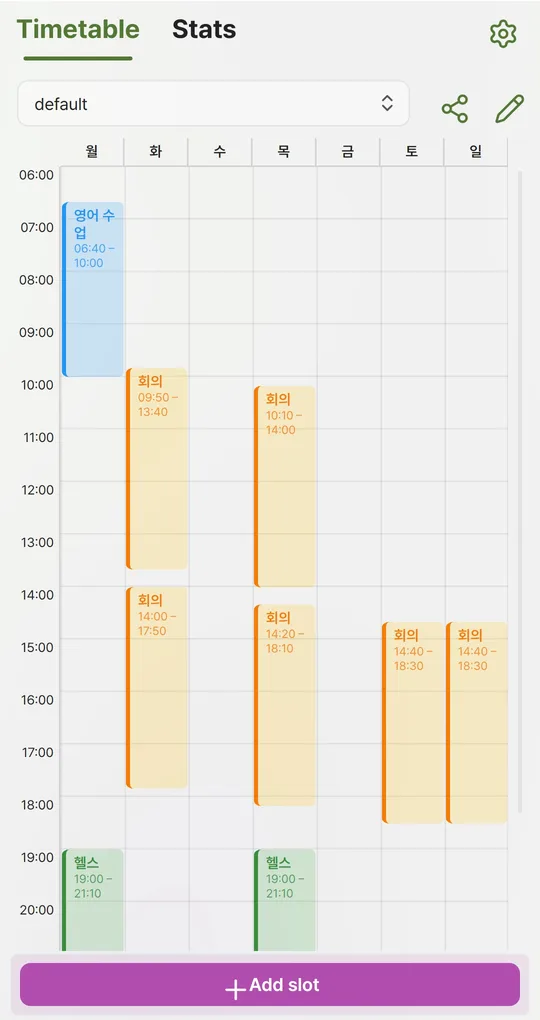
Create “Plan” and “Actual” profiles
Use the pencil icon at the top of the Timetable tab to add two profiles. Switching the profile in the dropdown switches both the timetable and the stats.
Use the same color tags in both
The same activity needs the same tag in both profiles to be comparable. In the actual timetable you can drag a slot or its top and bottom edges to fix times in 10-minute steps.
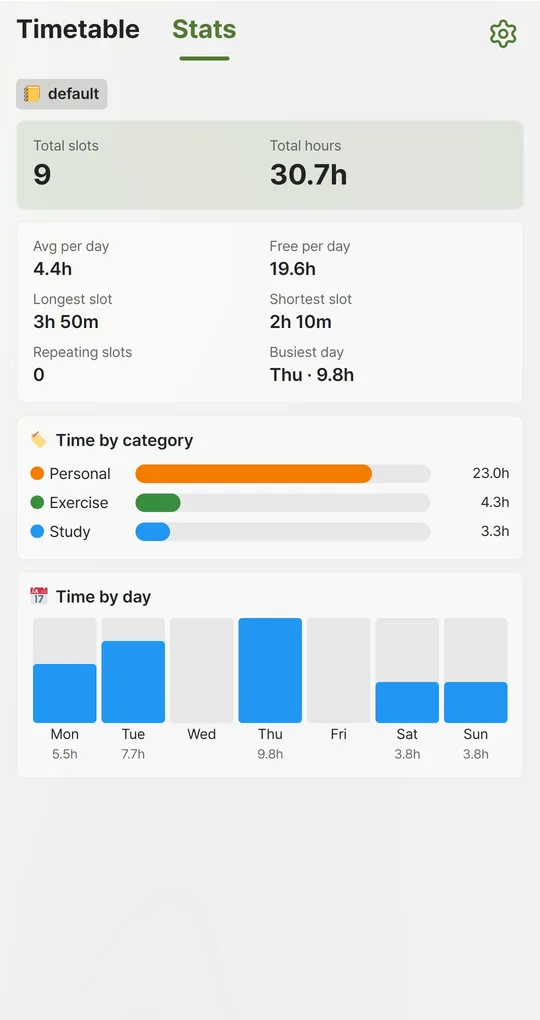
Switch profiles in Stats and compare
Check Time by category and Time by day for each profile and find the biggest difference. The app does not compare two profiles automatically, so jot the numbers down.
The screenshots were taken with Korean sample entries, so slot titles and some weekday labels appear in Korean; menus and buttons are in English.
FAQ
What if I cannot log every night?
Fill in yesterday the next morning. After two days, memory tends to drift toward the plan.
My plan is similar every week. Rebuild it each time?
Make recurring items repeating slots by selecting several days, then add only that week’s one-offs.
Sources: Buehler, Griffin & Ross (1994), the planning fallacy
Weekly Timetable - Planner
No sign-up, works offline, and your timetable stays on your phone. Free on Android, in English and Korean.