What each gap length is good for
| Gap | Realistic use | Watch out |
|---|---|---|
| 30 min or less | Walking, a quick break | Late if buildings are far apart |
| 1–2 hours | Lunch, a bit of homework, prep | Usually the sweet spot |
| 3+ hours | Library session, part-time job, clubs | Evaporates without a plan |
| A whole free day | Job, internship, long study block | Other days get packed |
Long gaps look attractive, but without a job for each one you just spend more hours on campus. All back-to-backs, on the other hand, mean skipped lunches and homework piling up at home.
What to check
- Walking time — check the map for back-to-back classes on opposite ends of campus.
- Commute — with a long commute, one early class can stretch the whole day. Avoid stacking the earliest and latest slots on the same day.
- Exam clustering — courses that share a day may share an exam crunch.
- Fixed commitments — put work shifts, practice and shuttle times in first, then fit classes around them.
Building plan A and plan B
- Start with required and major courses as the base schedule.
- For popular sections that may fill, build plan B with alternatives in the same time slots.
- Note plan C candidates for whatever slots remain.
- On registration day, go for the most competitive course first.
Comparing candidates in the app
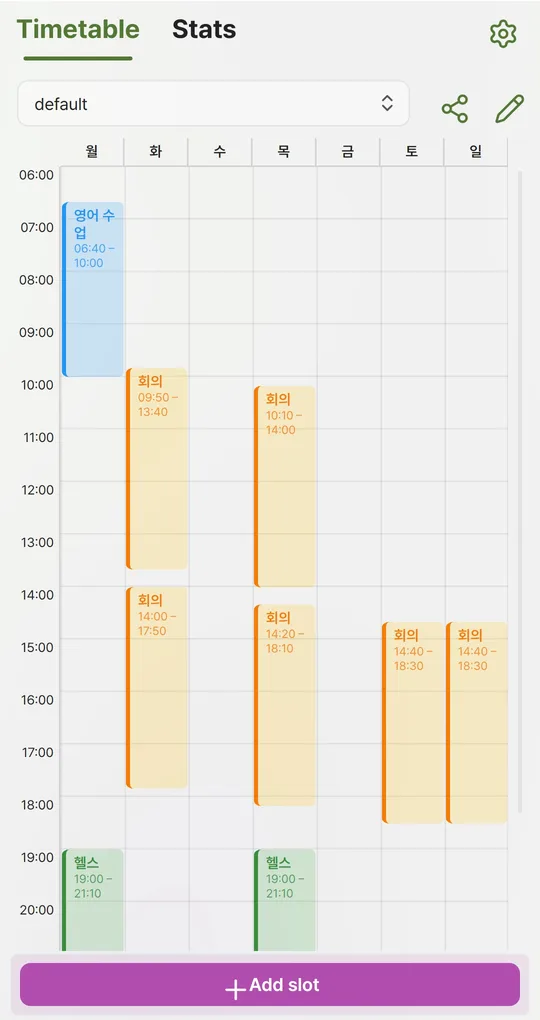
One profile per plan
In the Android app Weekly Timetable, tap the pencil icon and create “Plan A” and “Plan B” profiles. Switch between them from the dropdown, and keep only the final one once the semester starts.
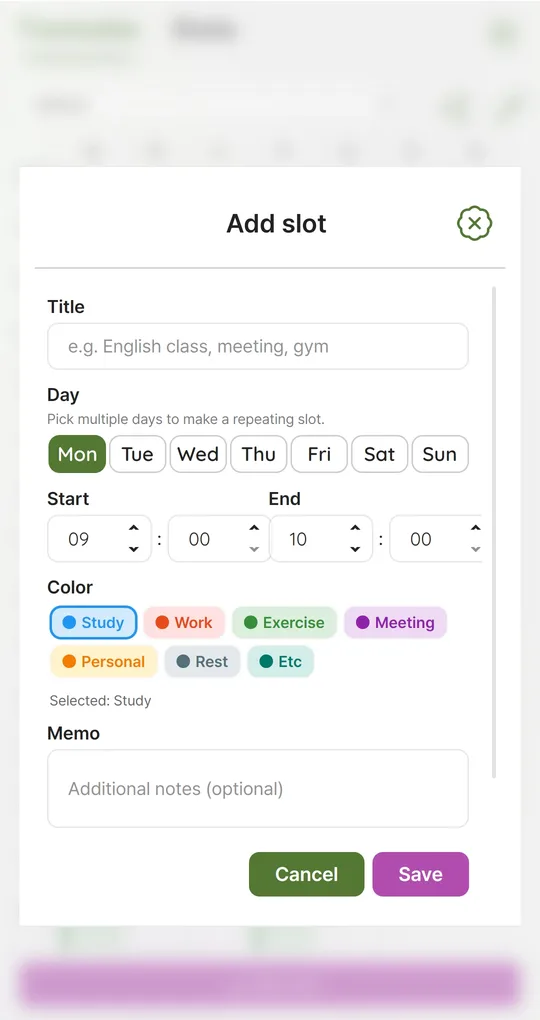
Twice-a-week classes: pick both days
For a Monday–Wednesday class, select Mon and Wed in Add slot to create one repeating slot. Put the room and instructor in the memo field; double-tap the slot to see and edit it.
Check clashes and gaps
Overlapping slots get a red marker, so impossible combinations show up immediately. Time by day and Busiest day in Stats show whether one day is overloaded.
Save the final schedule as an image
The share icon on the Timetable tab saves the whole week as a PNG file, handy as a lock-screen image or to send to friends.
The screenshots were taken with Korean sample entries, so slot titles and some weekday labels appear in Korean; menus and buttons are in English.
FAQ
Does a class-free day hurt grades?
The shape of a schedule does not affect grades by itself, but packing classes into fewer days makes assignment and exam weeks more crowded.
Should I add the short passing periods as slots?
Times go in 10-minute steps. Leave passing periods as empty space between class slots.
Weekly Timetable - Planner
No sign-up, works offline, and your timetable stays on your phone. Free on Android, in English and Korean.