Why it gets confusing
Yesterday’s "taking my pill" looks almost identical to today’s, so you can’t tell which one you are remembering. More medications or more doses a day make it worse.
Three habits that help
- Check off immediately — "I’ll log it later" means forgetting to log it. Make putting the glass down and checking off one motion.
- Keep one spot — store medication in the same place and flip or move it after you take it.
- Log in one place only — a calendar, a notes app and an app each holding part of the record just adds another question.
When you really can’t tell
If you are unsure whether you took a dose, don’t just take another one. What to do after a missed or uncertain dose depends on the medication, so check the label or leaflet and ask a pharmacist if in doubt. If it keeps happening, it’s a sign to change how you record doses.
Checking off in the app
The Android app "Medication Reminder" is built around logging at the moment you take it. Sample medication names in the screenshots are in Korean; the app itself runs in English.
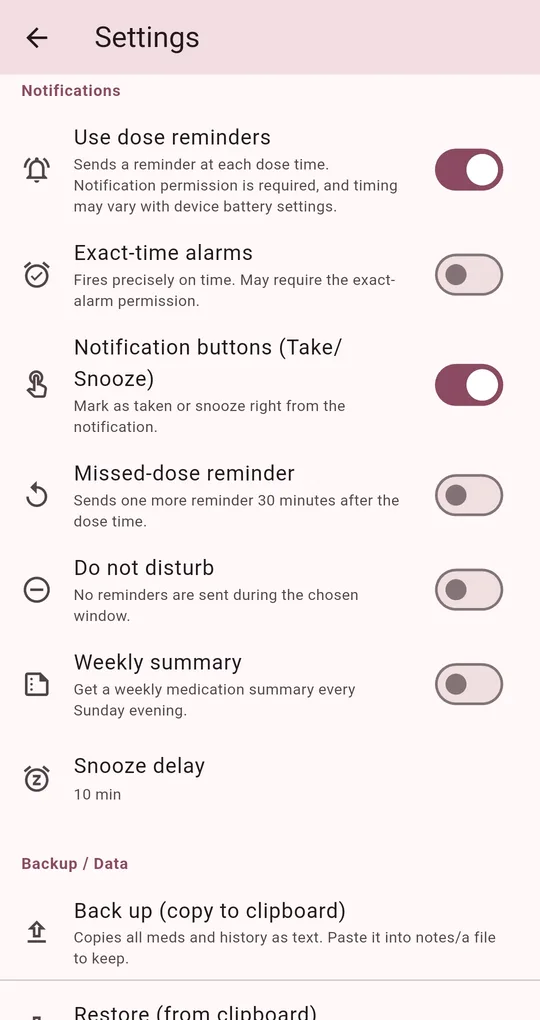
Tap Take on the notification
Turn on Notification buttons (Take/Snooze) in Settings and you can check a dose off straight from the notification. Can’t take it right now? Tap Snooze to be reminded again shortly (the snooze delay is adjustable in Settings).
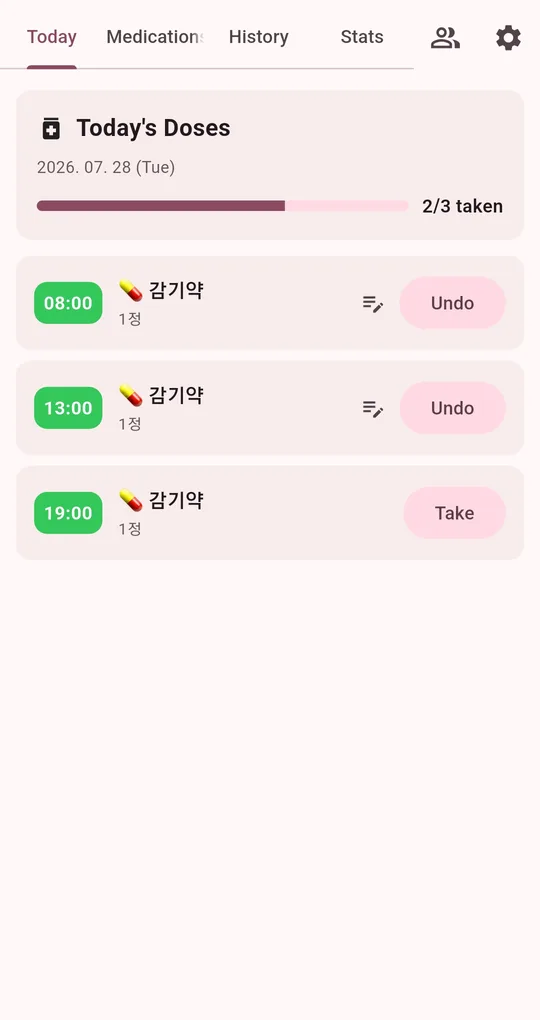
See it on the Today list
On the Today tab, doses you have taken show an Undo button. Tapped by mistake? Tap Undo.
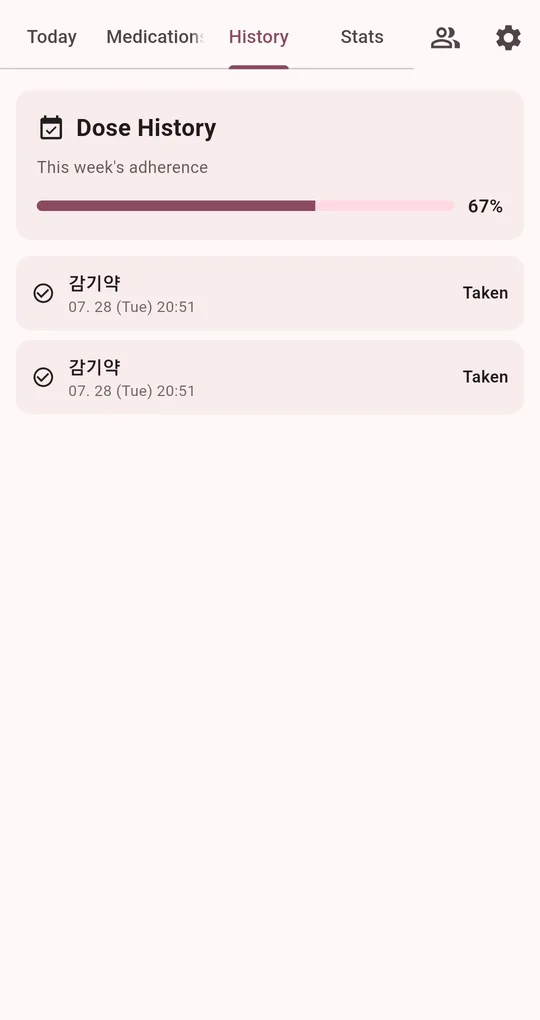
History shows the exact time
The History tab records the date and time of each check-off. When you wonder, look for today’s date there.
FAQ
I tapped Take on the notification but it isn’t on the list.
Check-offs from notifications are added to your history the next time you open the app, and then appear on the Today list.
Can I add a note?
The time is recorded automatically. The note icon on the Today list lets you add a dose note such as "upset stomach".
Medication Reminder
No sign-up, and your medications and dose history stay on your phone. Free on Android.