What it looks at
An Amsler grid is a square of fine lines with a dot in the middle. Fixing your gaze on the dot, you watch for lines that look bent (metamorphopsia) or areas that look missing or grey (scotoma). It samples the macula, the small central patch of retina you use to read and recognise faces.
The StatPearls entry describes the grid as an inexpensive home monitoring tool for detecting metamorphopsia early in wet age-related macular degeneration, and notes other uses such as checking macular function before cataract surgery.
Sources: StatPearls, Amsler Grid (NCBI Bookshelf)
Doing it properly
StatPearls sets out the technique below. It applies just as well on a phone screen.
- Hold the grid about 33 cm from the eye (around 30 cm on a phone).
- Use good lighting, and avoid looking at a bright light just beforehand.
- Wear your usual near correction if you have one.
- Test one eye at a time, palm over the other.
- Keep looking only at the centre dot. Scanning around invalidates the test.
- Note or mark anything bent, blurred or missing.
- Repeat the same way at least weekly.
Do not test with dilated pupils.
Reading the result
| What you see | How to take it |
|---|---|
| Lines straight and even | Nothing flagged by this test today |
| Lines rippling or bowing | Metamorphopsia. If it is new, see an eye doctor promptly |
| A patch missing or grey | Possible scotoma. Check whether the same spot repeats |
| Only the far edges soft | Fixation may have drifted. Fix the lighting and distance, retest |
| The same spot in both eyes | More likely a condition of the test — lighting, screen — than one eye |
The point is the change, not one session. A spot that was not there last week, or an area that has grown, is a reason to be seen regardless of how the test is worded. A self-check cannot tell you what is causing it.
What it misses
StatPearls is explicit about the limitations.
- It cannot verify that you held fixation.
- It does not quantify distortion and has poor repeatability.
- It can miss scotomas smaller than about 6 degrees.
- It has low sensitivity for peripheral change.
- It will not catch glaucomatous field loss until it is advanced.
- It does not replace an eye examination.
So “nothing marked” means “this test did not pick anything up today”, not “all is well”.
Using it in the app
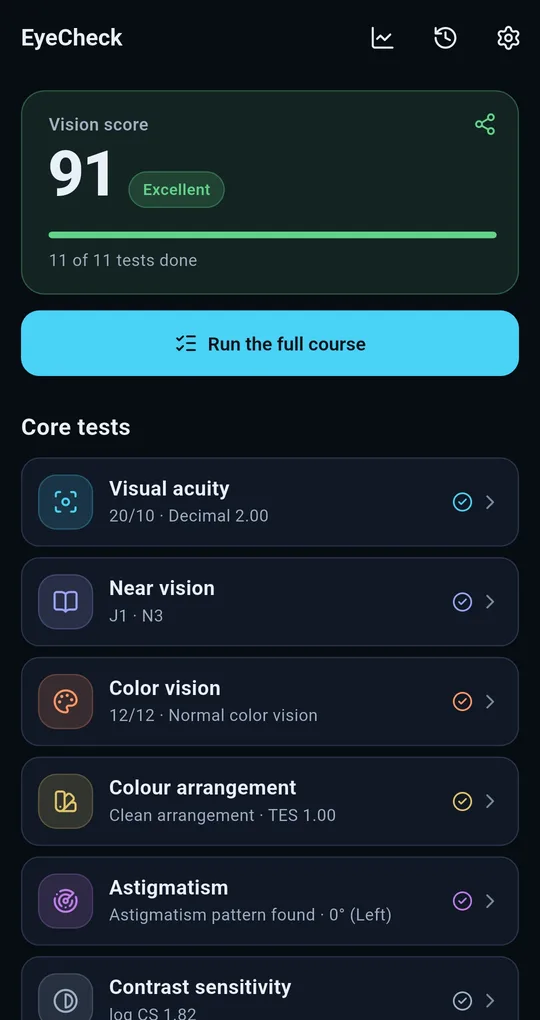
Find it under Deeper checks
Scroll past the Core tests on the EyeCheck home screen and the Amsler grid sits in the Deeper checks group. The start screen repeats the conditions: about 30 cm, one eye covered, eyes on the centre dot.
Mark with a fingertip
Holding the centre, tap anywhere that looks bent, blurred or dark. The button at the bottom counts how many areas you have marked, and Undo removes a mistaken tap.
Overlay the previous test
Once you have a previous record, “Show last test” overlays it on this one and separates what is newly marked, what is unchanged and what has gone since. Left and right eyes are stored apart, so the comparison stays honest.
FAQ
Is a phone screen acceptable for this?
If you hold the distance, the lighting and your near correction, you are looking at the same thing as on paper. The screen is smaller, so it covers less, and every limitation of the test still applies.
It looks wavy sometimes but not always.
Fixation or lighting may have varied. Repeat under the same conditions for a few days, and if the same spot keeps appearing, get it checked without waiting.
How often should I test?
StatPearls suggests at least weekly. The app’s re-test reminder helps. Any new symptom overrides the schedule — go and be seen.
EyeCheck: Vision & Color Test
No sign-up, fully offline. A free Android eye self-check app that tests and records your left and right eye separately.