Decide what the map should say
Most visited-country maps look alike. What makes yours different is what the colors mean.
| What you want to show | Color mode | Caption idea |
|---|---|---|
| How many continents you have covered | By continent | "South America is still blank" |
| The places you keep going back to | Visit count (heatmap) | "Guess which one I love" |
| How your travels grew over the years | Visit year | "Ten years, one map" |
| Where you would send a friend | Rating | "Only the five-star countries" |
Tips for a cleaner image
- Match the skin to your feed — Pastel for bright feeds, Midnight for dark ones, Vintage for a film look, Mono for black and white.
- Zoom in if you have few countries — a full world map is mostly empty space. Zooming to the regions you have covered fills the frame.
- Wishlist on or off — off gives a clean record; on turns it into "where I am heading next".
- Leave out layovers — coloring airport-only stops invites questions in the comments. Turn on Exclude transit visits before saving.
- Just one year — a map of only this year’s countries works well as a year-end post.
Making and saving it in the app
Steps in the Android app "Travel Map".
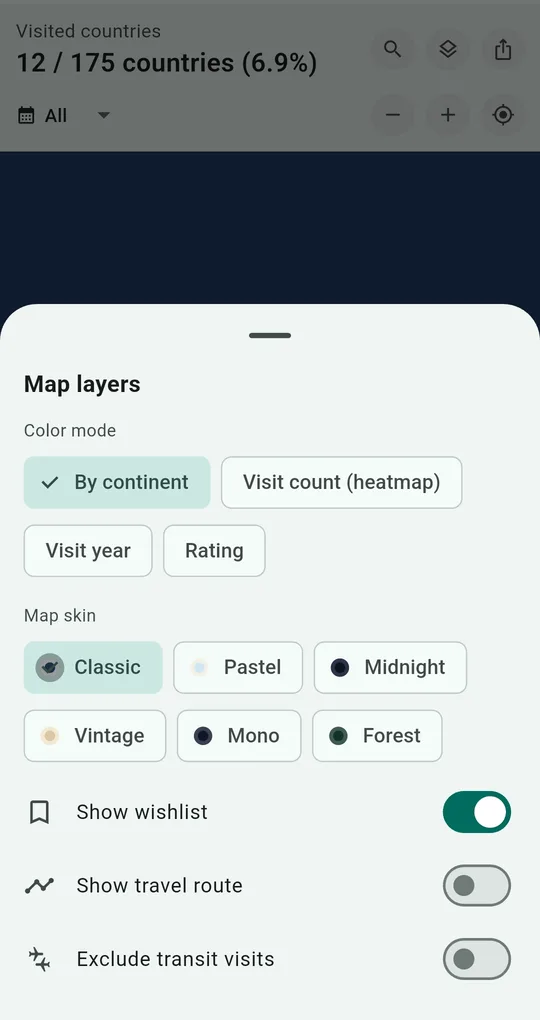
Pick a color mode and skin
The map layers button switches between four color modes and six skins (Classic, Pastel, Midnight, Vintage, Mono, Forest). The wishlist overlay, travel route and Exclude transit visits are here too.
Skins beyond the default unlock for good after one short ad.
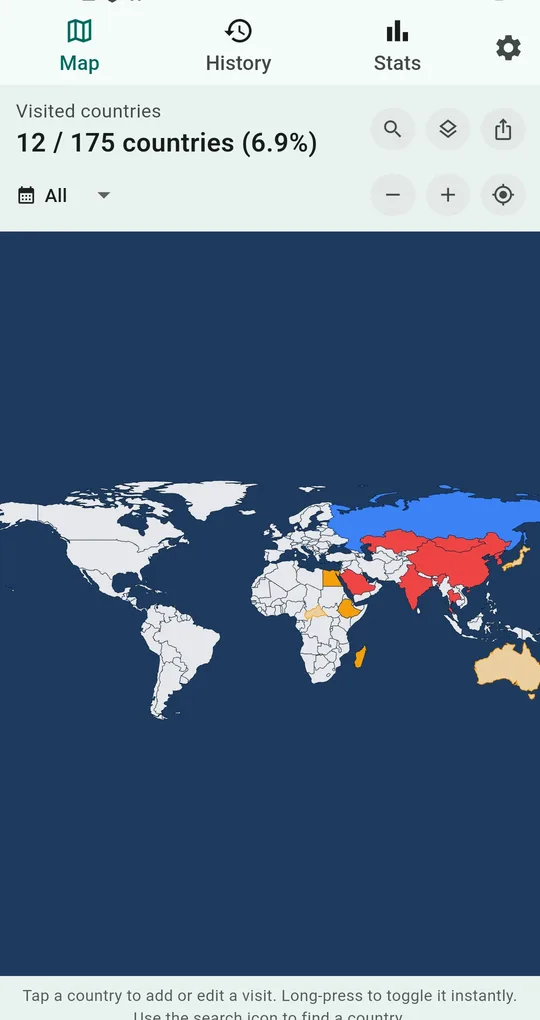
Choose which year to show
Tap All under the visited count to pick a year. Choose one and only the countries visited that year are colored.
Save or share
The share button at the top right saves the map as an image or sends it straight to another app. For printing or wallpaper, export a high-resolution PNG.
FAQ
Will transit-only countries show up in the image?
Turn on Exclude transit visits in map layers to hide countries marked as transit. For how to treat layovers, see how to count countries.
Do I need an account to save the image?
No. Saving and sharing work without sign-up, and your records stay on your phone.
Travel Map: Visited Countries
No sign-up, and your records stay on your phone. Free on Android.