Group by time of day
If a product label says "with food", "on an empty stomach" or "at bedtime", sort by that first, and attach the rest to whichever time is easiest to remember.
| Group | Rule | Example |
|---|---|---|
| Breakfast | Labeled to take with food | Multivitamin, etc. |
| Dinner | Things you tend to forget in the morning | |
| Bedtime | Labeled for bedtime | |
| Some days | Not taken daily | Pick weekdays |
Once grouped, you only need as many reminders as groups.
Check what goes together
Some products say to keep a gap from other ingredients. If you take prescription medication, ask a pharmacist once whether your supplements can be taken at the same time. Product labels and your pharmacist take priority over this guide.
Not-every-day supplements
For supplements taken two or three times a week, fix the days. Set Mon, Wed and Fri and it only appears on the Today list on those days.
Organizing it in the app
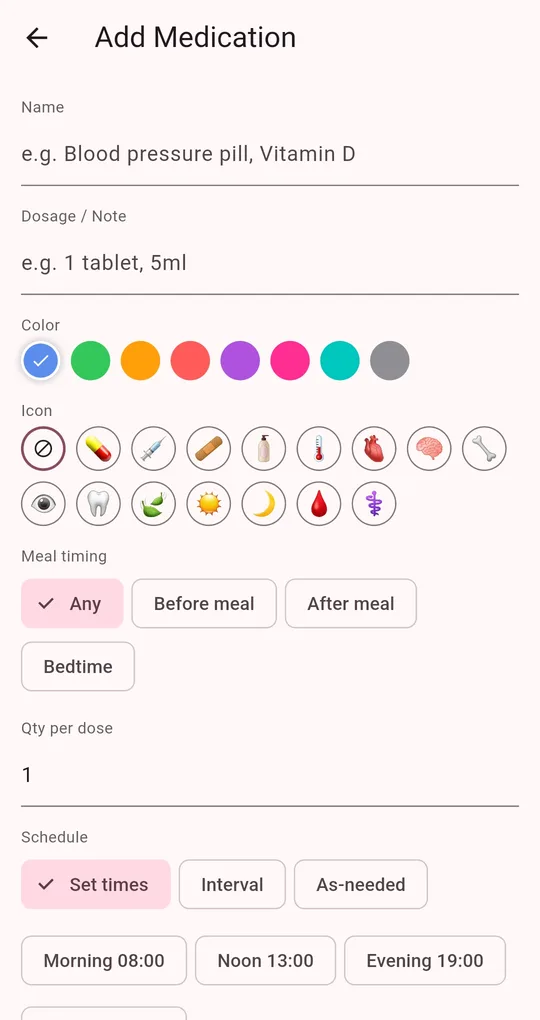
Color, icon and quantity
On the Add Medication screen in Medication Reminder, give each supplement its own color and icon and enter the quantity per dose. The Today list shows it, for example "1 tablet", so they are easy to tell apart.
Same time for a group
Give every supplement in the morning group the same time (for example the Morning 08:00 preset). They appear together on the Today list so you can check them off in one go.
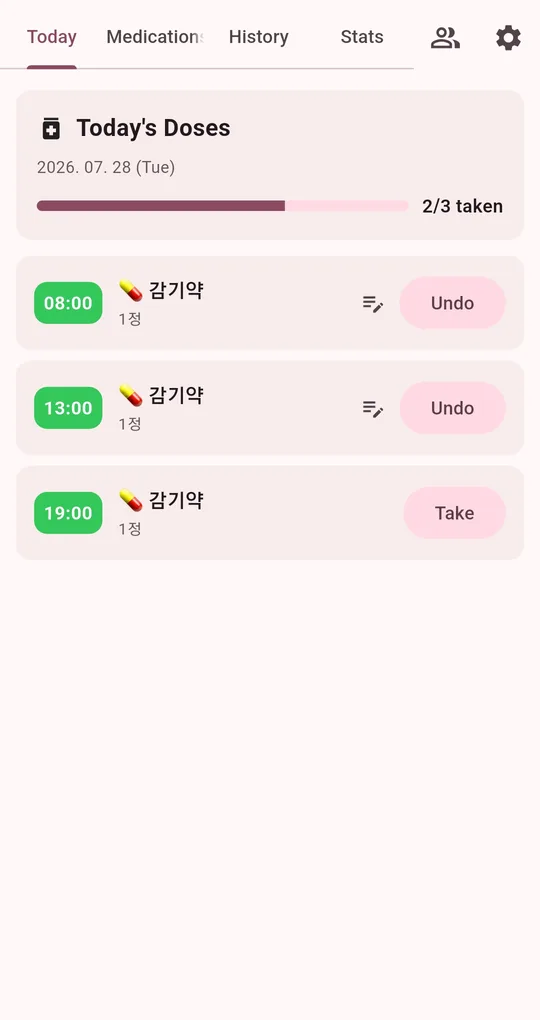
Pick the days
For few-times-a-week supplements, select only those weekdays under Days.
FAQ
I added the same supplement twice.
The app warns when a name already exists. Delete one; deleting also removes that entry’s dose history.
Can I tell when a bottle is running out?
Turn on stock tracking: the count drops with each check-off and you are notified at the low level you set. See refilling before you run out.
Medication Reminder
No sign-up, and your medications and dose history stay on your phone. Free on Android.