Days left
Days left = pills left ÷ (pills per dose × doses per day)
| Pills left | Per dose | Doses/day | Days left |
|---|---|---|---|
| 30 | 1 | 1 | 30 |
| 30 | 1 | 2 | 15 |
| 30 | 2 | 3 | 5 |
Two pills three times a day makes 30 pills a five-day supply, the kind of case where "still plenty left" is wrong.
How much buffer
| How you get it | Buffer (example) |
|---|---|
| Buy nearby any time | 2–3 days |
| New prescription after an appointment | Next available appointment + a few days |
| Online order | Delivery time + 2–3 days |
Buffer days × pills per day is your "low" level. At two pills a day and five days’ buffer, start refilling at 10 left.
Stock tracking in the app
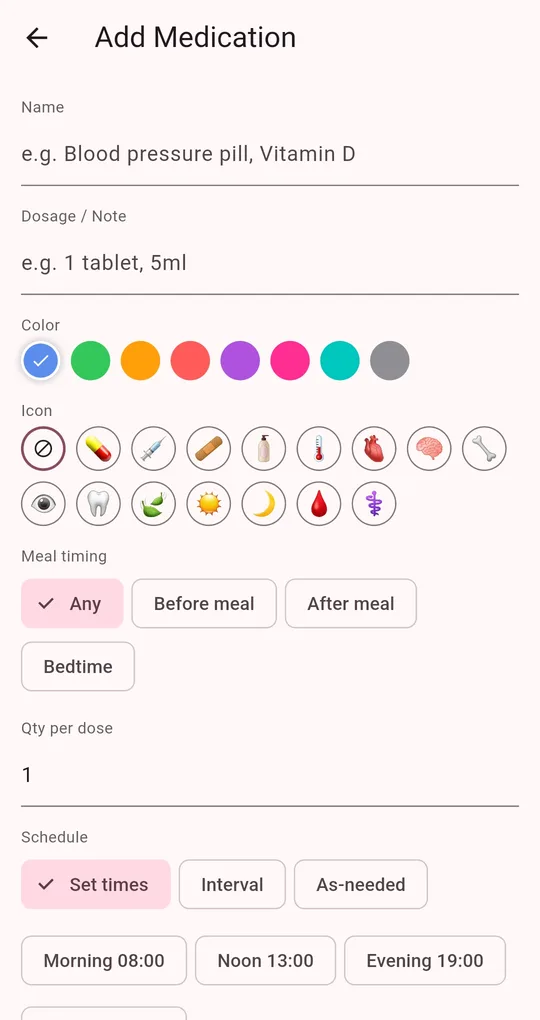
Enter quantity per dose
On the Add Medication screen in Medication Reminder, enter Qty per dose. It is the amount deducted each time.
Turn on stock tracking
On the same screen, turn on Stock tracking and enter Remaining and Low at. Each check-off lowers the count, and when it reaches the low level you get a "Running low on medication" notification.
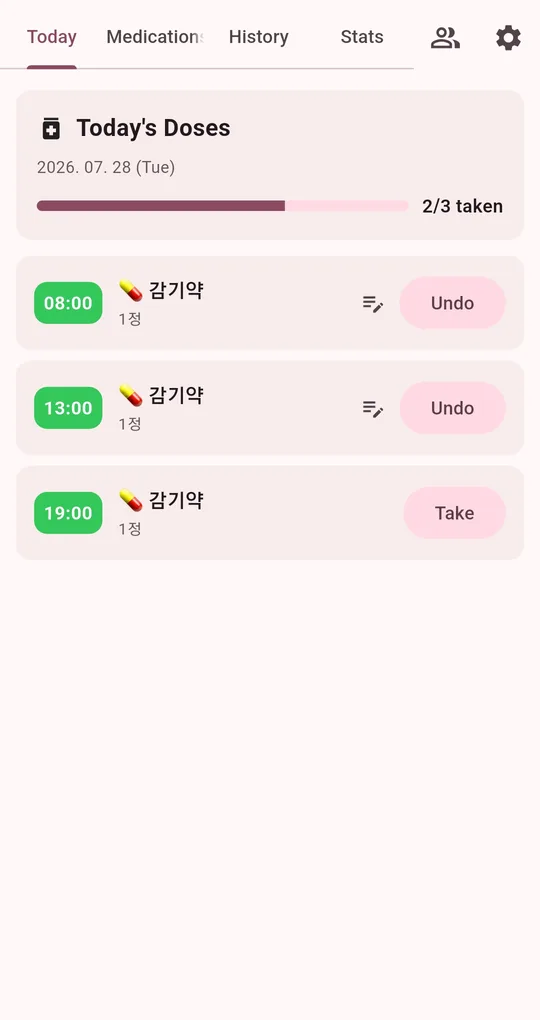
See what’s left on the Today list
Medications with stock tracking show the remaining count on the Today list, for example "12 left".
FAQ
I just picked up a refill.
Edit the medication and set Remaining to the old count plus the new supply.
I checked off by mistake and the count dropped.
Tap Undo on the Today list to cancel the check-off. If the count still looks wrong, edit Remaining directly.
Medication Reminder
No sign-up, and your medications and dose history stay on your phone. Free on Android.