What to record
| Item | Why | How |
|---|---|---|
| Time | Proves sequence, before and after | File metadata, time stamp |
| Direction (bearing) | Tells sides and walls apart | Bearing stamp, notes |
| Location | Which site, which building | Camera with location on, photo of the site sign |
| Size and extent | Crack width, size of a leak | Tape measure or ruler in frame |
| Wide and close | Context plus detail | One wide and one close shot from the same direction |
Shooting order
- Pick a rule, for example "north side first, then clockwise".
- Wide shot of each side. If the bearing is on the photo, you don’t need to write the side name.
- Close shot of the issue from the same direction, with a ruler or finger for scale.
- Same direction next visit. Set last time’s bearing as the target and reshoot for a clean before-and-after.
Recording with Compass Camera
Using the Android app "Compass Camera":
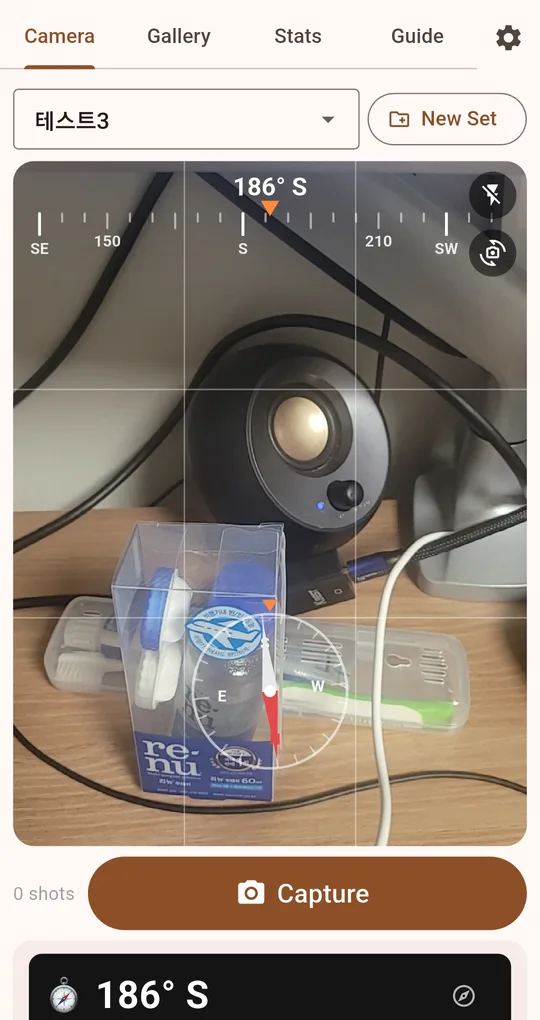
One set per site
Make sets such as "Site A, level 3" or "Parking garage round". Photos are kept per set and grouped by date in the gallery. Three sets are free; one ad unlocks unlimited sets.
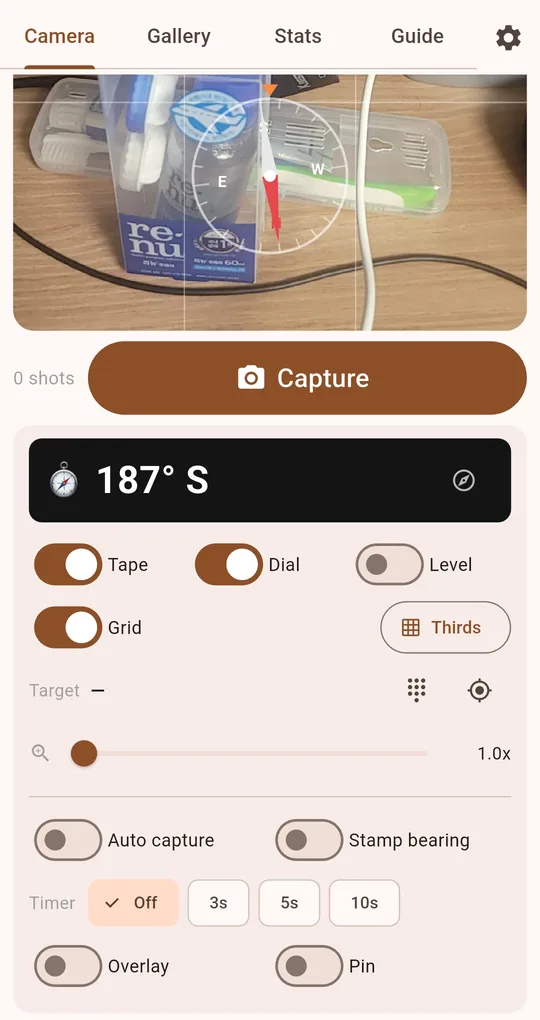
Turn on Stamp bearing
With "Stamp bearing" on, a translucent strip at the bottom of the photo reads like "186° S 2026-10-01 14:05". The information travels with the image wherever you send it.
Reshoot the same side next time
Type last time’s bearing, or pick one of the 8 direction buttons, as the target; "Aligned" appears when you face the same way. Turn on "Overlay" to see the previous photo in the set semi-transparent and match the framing too.
Limits of the bearing stamp
- No address or coordinates. The app doesn’t use location permission. Record the site in the set name or by photographing a sign.
- The stamp overwrites the file. No unstamped original is kept, so turn it off when you need a clean original.
- Bearing is magnetic and gets less accurate near steel and pipes. Fine for telling sides apart, not for survey data.
- Time comes from the phone’s clock.
FAQ
Will insurers accept these as evidence?
That depends on the insurer and the situation. The stamp makes photos easier to organise and explain; it is not tamper-proof certification. Ask the recipient what format they need.
How do I get the photos onto a work computer?
Use "Download image" for one photo, or the button on a date row to save that whole day to the phone’s gallery, then move them as usual.
Compass Camera
No sign-up, no location permission, and your photos stay on your phone. Free on Android.