Common causes
| Cause | Symptom | Fix |
|---|---|---|
| Magnetic case, wallet case, magnetic ring | Always off by the same amount, calibration doesn’t help | Take the case off and measure again |
| Just removed from a magnetic car mount | Suddenly far off | Move away from the magnet and calibrate |
| Steel-framed building, elevator | Reading changes as you walk | Measure by a window, on a balcony or outside |
| Inside a car | Large error from the body panels | Step a few metres away from the car |
| Near laptops, speakers, wiring | Pulled toward the object | Move at least 1 m away |
More cases contain magnets than you might think: alignment rings for wireless chargers, magnetic flip covers, and card holders with magnetic clasps.
Figure-8 calibration
When the sensor has adapted to a nearby field and drifted, moving the phone through the air in a figure 8 a few times resets it. Google Maps’ help pages give the same advice: if the blue beam is wide or points the wrong way, make a figure 8 until it narrows.
- Move away from magnetic cases, mounts and laptops.
- Hold the phone and draw a large sideways 8 with your wrist, 3 to 5 times.
- Let the phone tumble through different orientations as you go.
How to check it
The easiest reference is the sun. Its bearing can be calculated from the date, time and place, so pointing at it and comparing tells you how many degrees your compass is off.
| Check | Accuracy | Note |
|---|---|---|
| Aim at the sun and compare with the calculated bearing | Good | Never look straight at the sun; let it sit at the edge of the frame |
| Compare a straight road with the map | Fair | Maps use true north, so a declination-sized gap is normal |
| Compare with another phone | Poor | Both can be wrong for the same reason |
In Compass Camera
Using the Android app "Compass Camera":
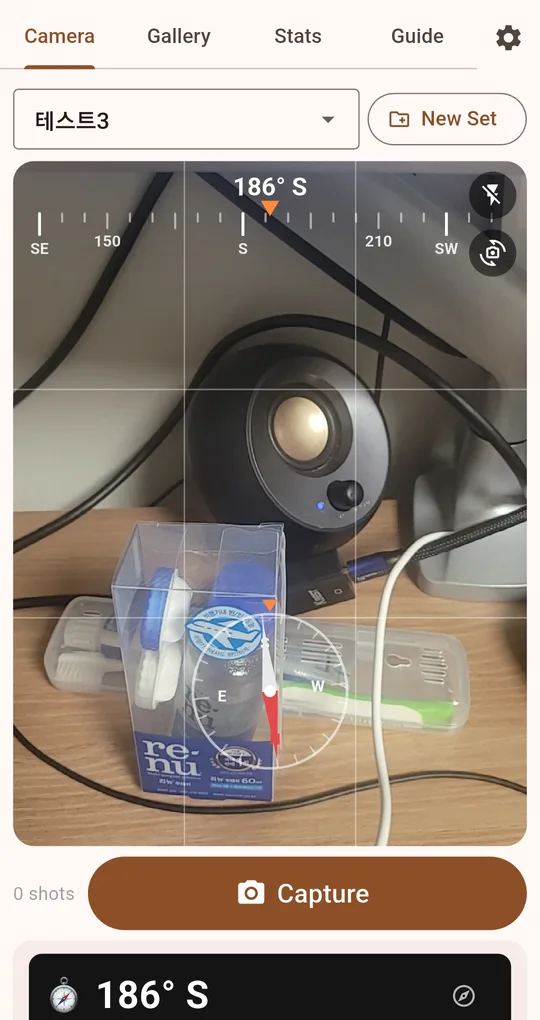
Open the calibration guide
Tap the compass icon to the right of the bearing number to open "Compass calibration". Do the figure 8, then point the same way again and see if the number settles.
Check against the sun marker
Turn on "Sun & Moon" and the sun’s direction appears on the second row of the bearing tape. Turn toward the sun: if the marker and the real sun meet in the middle of the screen, your compass is right; if they are offset, that is your error. Sun and Moon unlocks after one ad, and a city-level location is enough.
FAQ
It is still wrong after calibrating.
It is almost always the case or nearby metal. Take the case off and try again in an open space. If it is still off by tens of degrees, check with another compass app; it may be the sensor.
Different phones show different numbers.
Sensor quality, calibration state, and whether the app shows true or magnetic north all vary. One app on true north and one on magnetic will differ by your local declination.
Compass Camera
No sign-up, no location permission, and your photos stay on your phone. Free on Android.