1. EXIF direction tag
The GPS section of a photo’s EXIF metadata has tags for the direction the camera faced.
| Tag | ID | Content |
|---|---|---|
| GPSImgDirectionRef | 0x0010 | T = true north, M = magnetic north |
| GPSImgDirection | 0x0011 | Direction angle (0 to 359.99) |
- iPhone: the built-in camera is known to write this tag, referenced to true north (T), when Location Services are on.
- Android varies by manufacturer and camera app. Check your own photos in an EXIF viewer or your computer’s file properties.
- It is usually saved together with location, so sending the file can send the coordinates too.
- Messaging apps and social networks often strip EXIF, and the direction goes with it.
2. On-image stamp
Write the direction and time onto the image itself. It survives any upload and can record direction without coordinates. The trade-offs: it covers part of the picture, and you can’t easily pull the number back out as data.
3. File name or notes
Name files like "living-window_S_1001.jpg". No tools required, but it is manual every time, and you still have to measure the direction separately.
Side by side
| EXIF direction tag | On-image stamp | File name or notes | |
|---|---|---|---|
| Where you see it | Only in file info | On the photo | File name or notes app |
| After sharing via chat or social | Often stripped | Survives | Names often change |
| Location | Usually included | None (direction and time only) | Only what you write |
| Reference | Marked T or M | Depends on the app | Up to you |
| Analysing many photos later | Possible with tools | Hard | Hard |
How Compass Camera does it
Rather than writing EXIF, the Android app "Compass Camera" keeps direction in two ways. It does not use location permission, so no coordinates are saved.
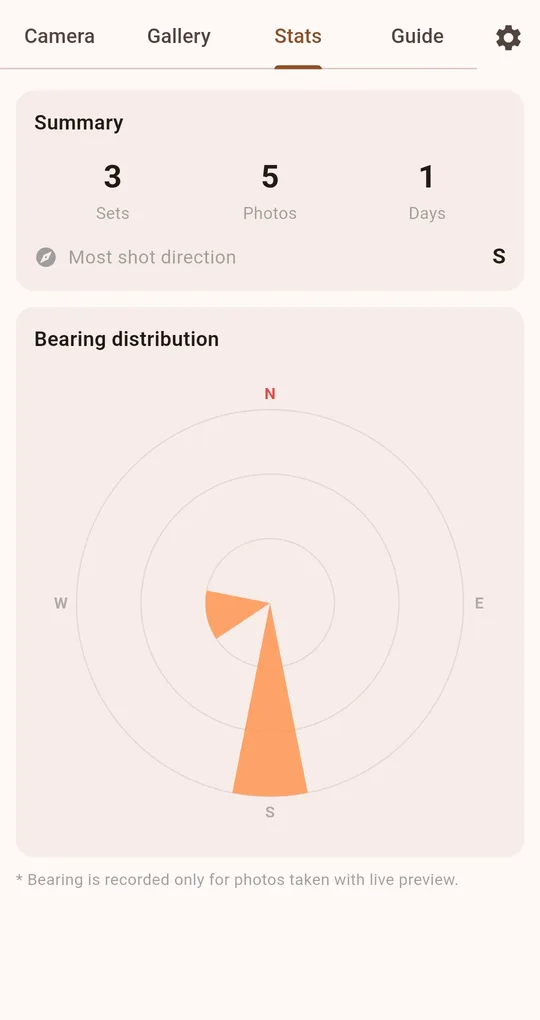
Bearing saved with each photo in the app
Photos taken from the live preview are saved with the bearing at the moment of capture (magnetic). Open a photo large in the gallery to see the time and bearing at the top, and the Stats tab shows your most-shot direction. Detailed stats such as the bearing rose chart unlock after one ad.
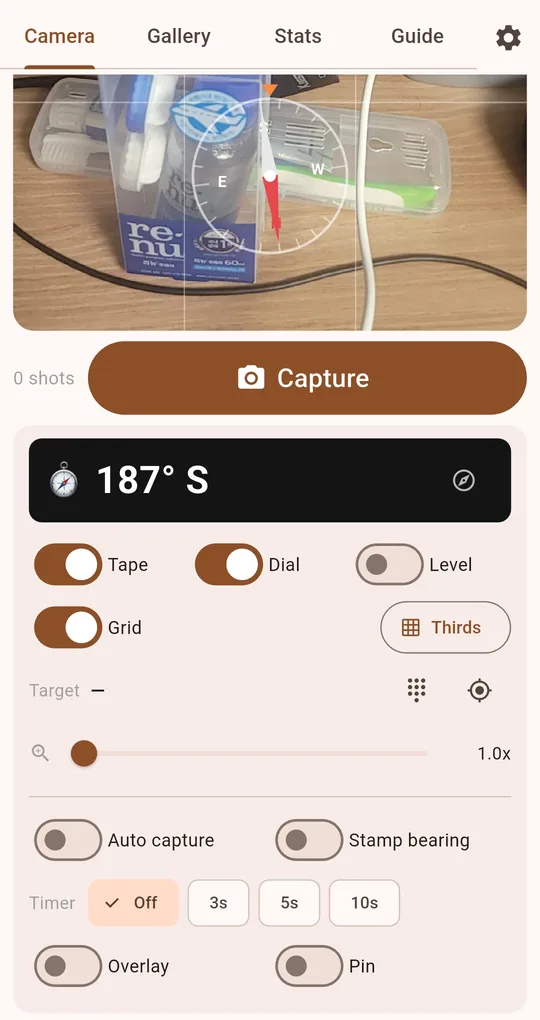
Stamp bearing for sharing
For photos you will send to others, turn on "Stamp bearing" to print bearing and time in a strip at the bottom. The stamp overwrites the file, so no unstamped original is kept.
FAQ
Does the app write direction into EXIF?
No. Direction is kept in the app’s own records and in the stamp. If you need the direction on photos saved outside the app, shoot with the stamp on.
How do I see the direction tag on my camera’s photos?
Open the photo’s detailed properties on a computer, or the GPS section in an EXIF viewer app, and look for GPSImgDirection. If it isn’t there, that camera didn’t record it.
Compass Camera
No sign-up, no location permission, and your photos stay on your phone. Free on Android.