Example azimuths and elevations
| Location → satellite | Azimuth (true) | Azimuth (phone compass) | Elevation |
|---|---|---|---|
| London → 28.2°E | about 145° | about 144° | about 25° |
| Denver → 101°W | about 174° | about 166° | about 44° |
| Chicago → 101°W | about 200° | about 204° | about 40° |
| New York → 101°W | about 218° | about 230° | about 35° |
| Los Angeles → 101°W | about 151° | about 140° | about 46° |
| Seoul → 116°E | about 198° | about 207° | about 45° |
Converting to a compass reading
Compass bearing = true azimuth − declination. In New York (declination about -12.5°), 218° true becomes about 230° on a compass. In Los Angeles (+11.3°), 151° true becomes about 140°. In London the correction is only about a degree.
Aiming order
- Pick the direction away from the dish. The dish, bracket and railing are metal and will throw off a compass held next to them. From 3 to 5 m away, find a landmark that sits on the compass bearing.
- Rough-point the dish at that landmark.
- Set the elevation on the bracket scale.
- Fine-tune by signal. Watch the receiver’s signal screen and nudge left and right a degree or two until it peaks, then tighten.
Finding the direction in Compass Camera
The Android app "Compass Camera" overlays the bearing on the live camera view, so you can see exactly what lies in the direction you need.
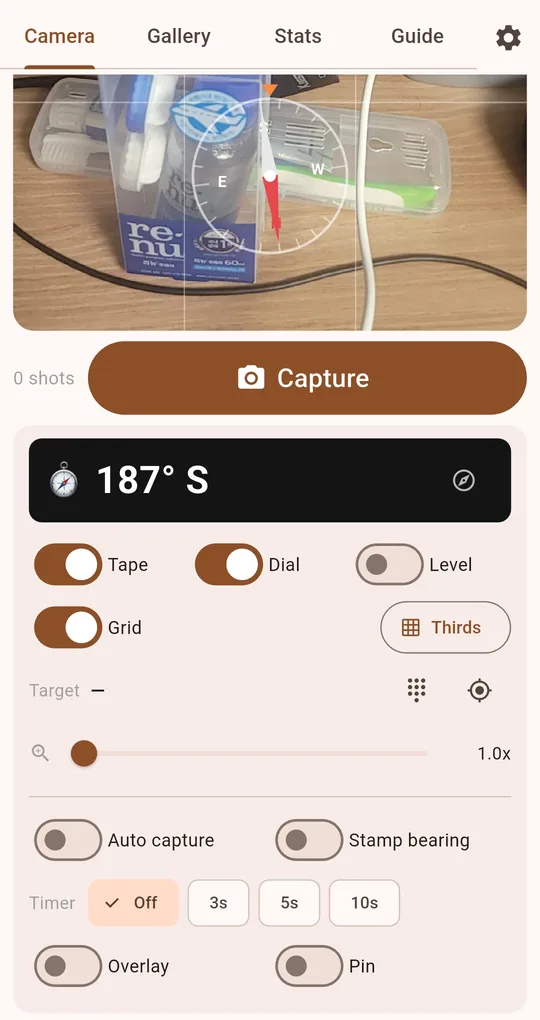
Enter a target bearing
Type the compass bearing (for example 230) into the Target field. As you turn, the green "Aligned" appears when you match it; when you are off, an arrow at the edge and the remaining angle show which way to turn. Tolerance goes down to ±1°.
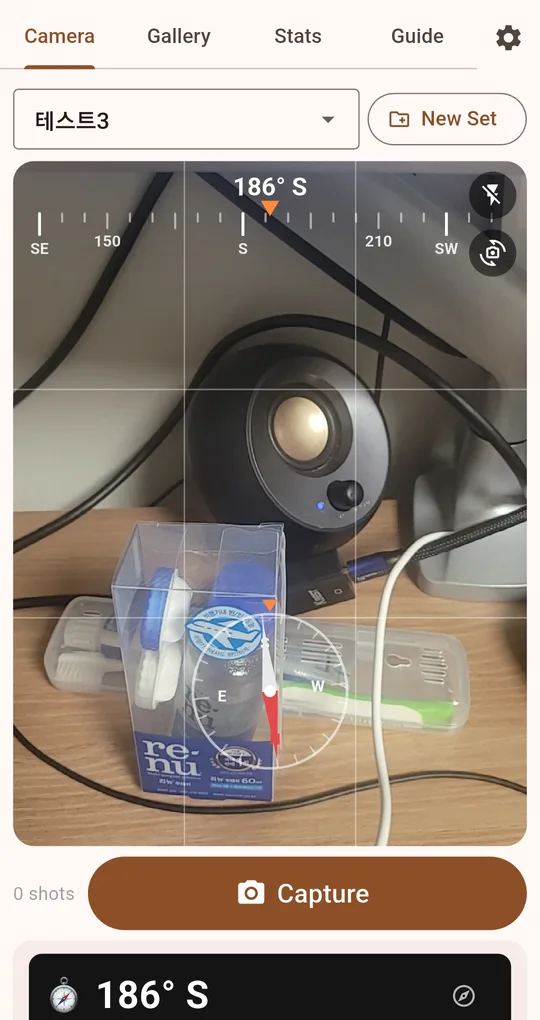
Photograph the landmark
While aligned, turn on Pin to mark the building or hill in the centre and take a shot. Back at the dish, aim at that landmark instead of trusting a compass surrounded by metal.
FAQ
Can the phone measure elevation too?
The level in this app shows whether the phone is level and facing straight ahead; it is not built as an inclinometer. Use the bracket scale or an angle gauge.
My calculator differs by a degree or two.
That is the difference between a city-centre and your address, or calculation details. You finish by signal strength anyway, so a degree or two does not matter.
Compass Camera
No sign-up, no location permission, and your photos stay on your phone. Free on Android.