Three things to fix on site
| Fix | How |
|---|---|
| Where you stand | A tile line, a pillar, or a tape mark for your feet |
| Height | Same posture each time, eye or chest height |
| Tilt and framing | The level angle and an overlay of the last shot |
The first two you mark on site. The third drifts most easily, and that is where the app helps.
Lining up in the app
Steps in the Android app "Level Camera".
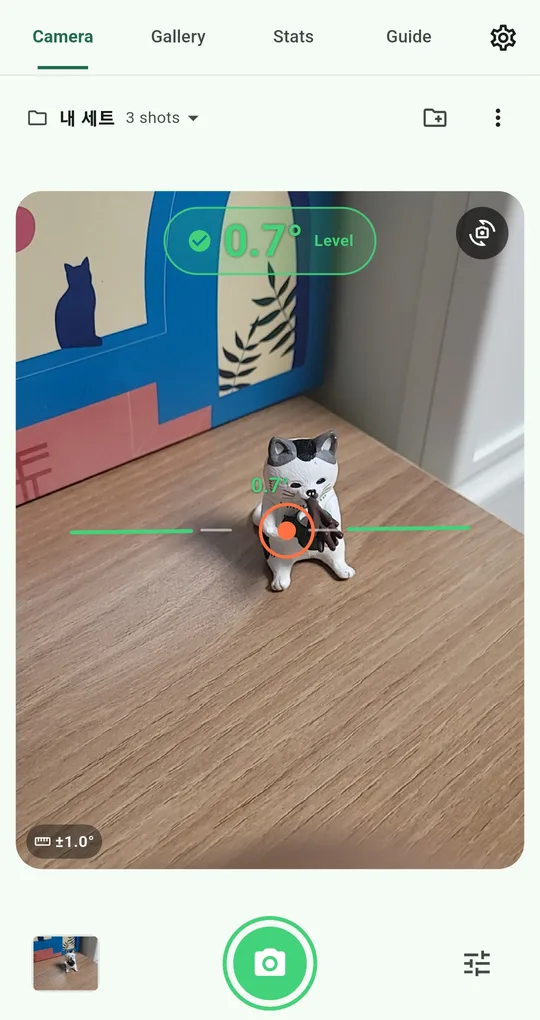
One set per subject
Create a set for each subject, such as Living room reno or Balcony garden. Overlay settings, tolerance and photos build up separately per set. (The set in these screenshots was named in Korean.)
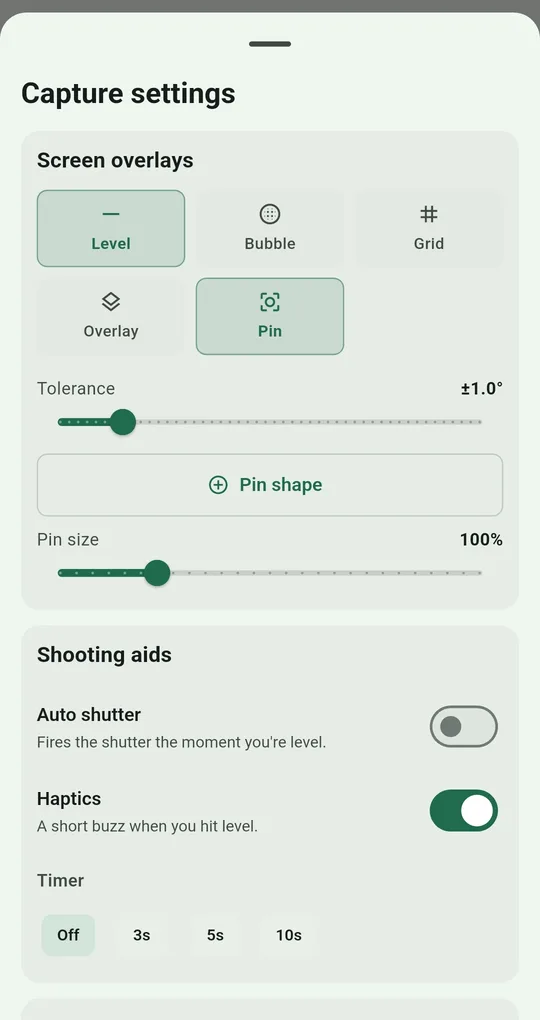
Turn on Overlay and Pin
Turn on Overlay in Capture settings and the last photo in that set appears semi-transparent over the preview; opacity runs from 10% to 90%. Turn on Pin and tap the preview to move it onto a reference point such as a window corner, and you can aim at the same point next time. The pin position is saved with the set.
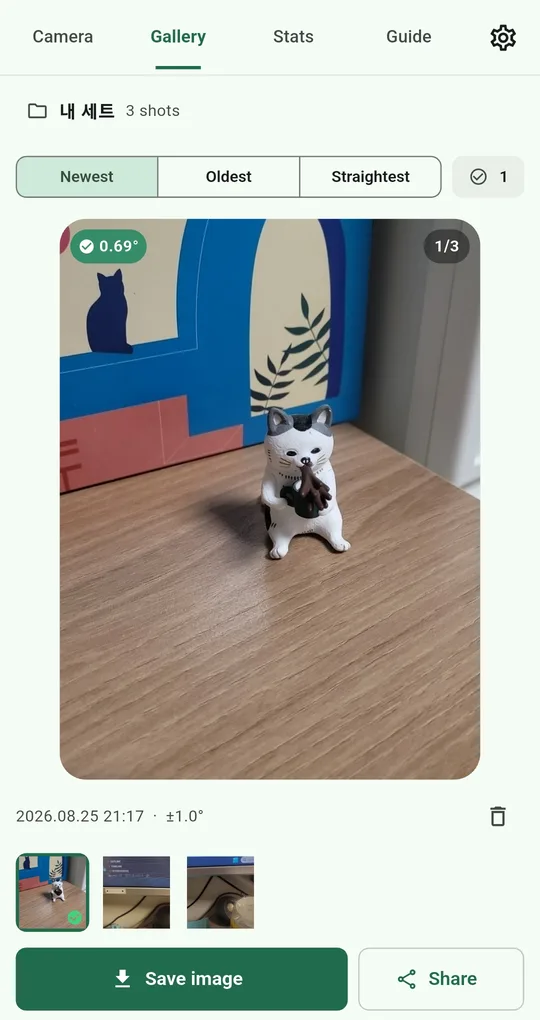
Flip through in date order
Sort the Gallery by Oldest and the series plays in order. Each photo keeps its date and shooting angle, so a tilted frame is easy to spot.
What people track this way
- Renovations — the same room at each stage. Easy to compare when sending updates to a landlord or family.
- Plants and gardens — put the same object next to the pot every week and growth shows.
- Store displays — a daily shot from the same angle makes it easy to spot what moved from the reference layout.
- Seasons — the same tree outside the window, every season.
FAQ
Can I export a whole series at once?
For now, photos are saved to the gallery or shared one at a time. To turn them into a video or a comparison image, save them and use another editing app.
Does deleting a set delete its photos?
Yes. Deleting a set removes the photos in it too. Save the ones you want to keep to your gallery first.
Level Camera
No sign-up, and your photos and records stay on your phone. Free on Android.