Two kinds of tilt
| Symptom | Cause | Fix |
|---|---|---|
| Whole image rotated | Phone rotated left or right | Bring the level readout to 0° |
| Walls narrow toward the top | Phone tipped up | Hold the phone upright, facing straight |
| Walls narrow toward the bottom | Phone tipped down | Lower the camera |
Why walls converge
Tip the camera up or down and the nearer part of the wall is drawn larger than the farther part, so vertical lines converge. This is the keystone effect. It is often blamed on wide-angle lenses, but the cause is the tilt; a wide lens just makes the same tilt more obvious.
So the fix is to keep the phone parallel to the wall, standing straight up. If too much floor gets in, crop the bottom afterwards. That costs less quality than tilting and correcting perspective later.
Shooting order
- Height — around the middle of the wall, roughly between door-handle and chest height, so you do not need to tip up or down.
- Position — from a corner looking diagonally, or square-on from the opposite wall.
- Left-right level — bring the level readout to 0°.
- Check verticals — put a vertical grid line next to a door frame or wall corner and see if they run parallel.
- Lens — ultra-wide (0.5x) fits more but stretches the edges. If the room fits at 1x, use 1x.
Doing it in the app
The level line in the Android app "Level Camera" measures left-right tilt. Tipping up or down does not show in that number, so check verticals by eye with the grid.
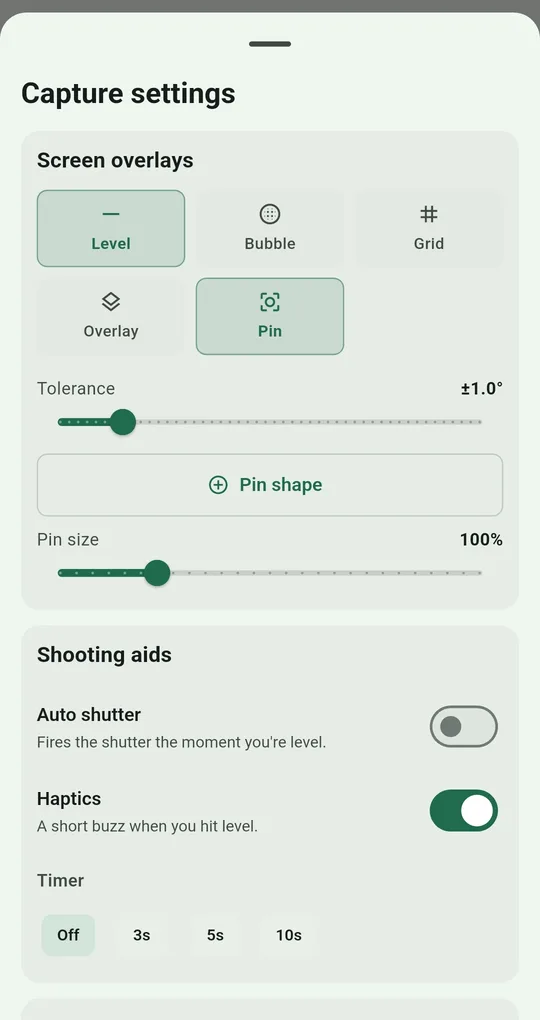
Turn on Level and Grid
In Capture settings → Screen overlays, turn on Level and Grid. Thirds and Center guides are free; Phi grid, Diagonal and Cinema unlock permanently after one short ad.
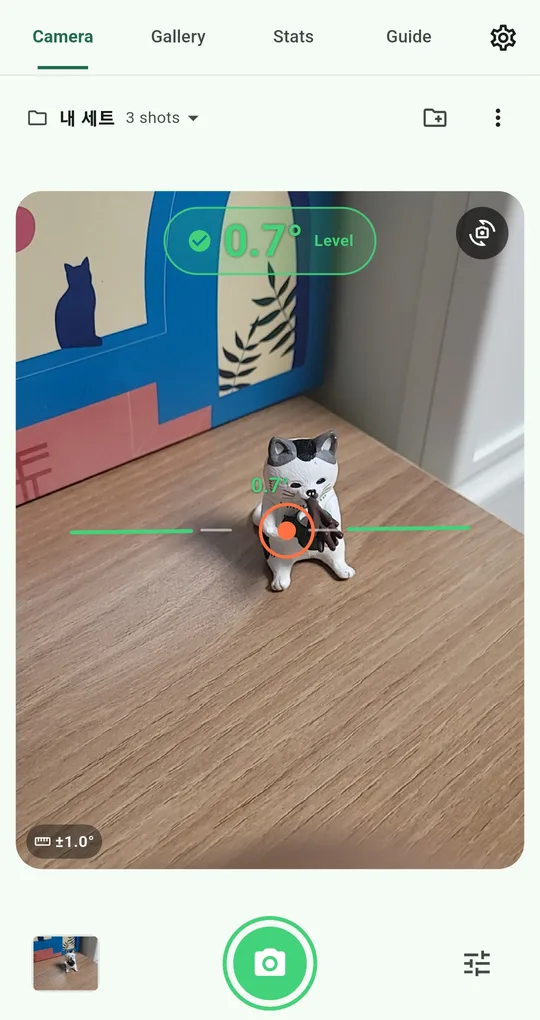
Save it as a listing set
Create a new set from the set menu at the top left and call it something like Listing photos. Overlays and tolerance are stored with the set, so next time you just pick it.
FAQ
What about a living room with a high ceiling?
Keep the phone upright, step back to fit everything in, and crop the extra floor. If there is no room to step back, accept a little convergence and tidy it with perspective correction.
Does the level work in landscape?
The app’s level judgment assumes you are holding the phone in portrait. Shoot listings in portrait, or use your built-in camera level when you need landscape.
Level Camera
No sign-up, and your photos and records stay on your phone. Free on Android.