Why trapezoids happen
If the phone is not parallel to the surface, the edge nearer the lens is drawn bigger than the far edge. A square plate turns into a trapezoid and text gets smaller toward one end. It is the same keystone effect as leaning walls, just pointed at the floor.
With the stock camera
On Galaxy, with the grid and level guide turned on, pointing the phone at the floor brings up a circular level. iPhone also shows a crosshair to line up when shooting straight down. Both say "aligned or not" without a number.
Using the bubble level
Steps in the Android app "Level Camera".
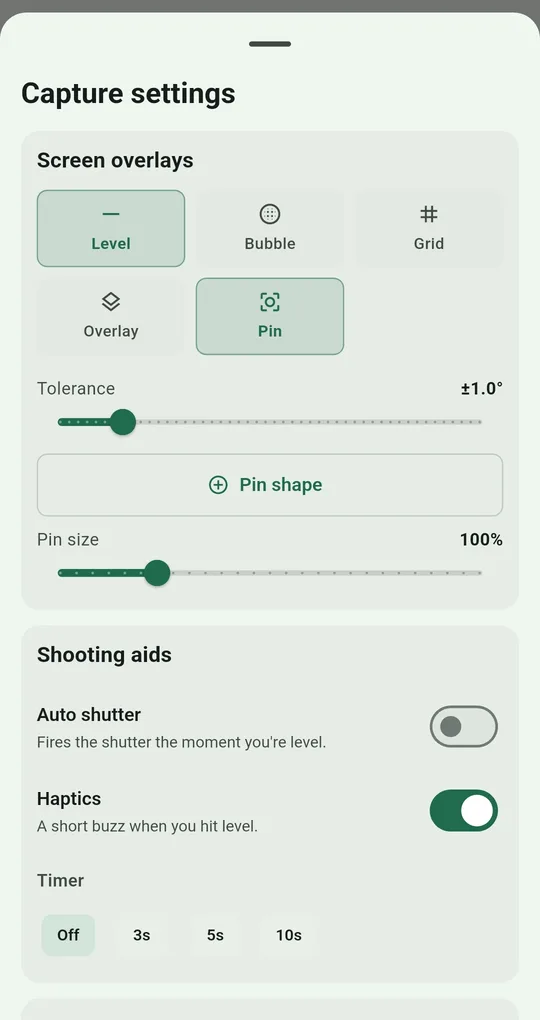
Bubble on, Level off
In Capture settings → Screen overlays, turn on Bubble and turn off Level. With both on, the app requires both conditions at once, so for top-down shots Bubble alone is the accurate choice. With only Bubble on, the angle on screen becomes "how far the screen is from parallel to the ground".
Center the bubble
Hold the phone over the subject and tilt until the bubble sits in the center ring. Inside your tolerance, the shutter ring turns green. If your hands shake, use Auto shutter or the 3-second timer.
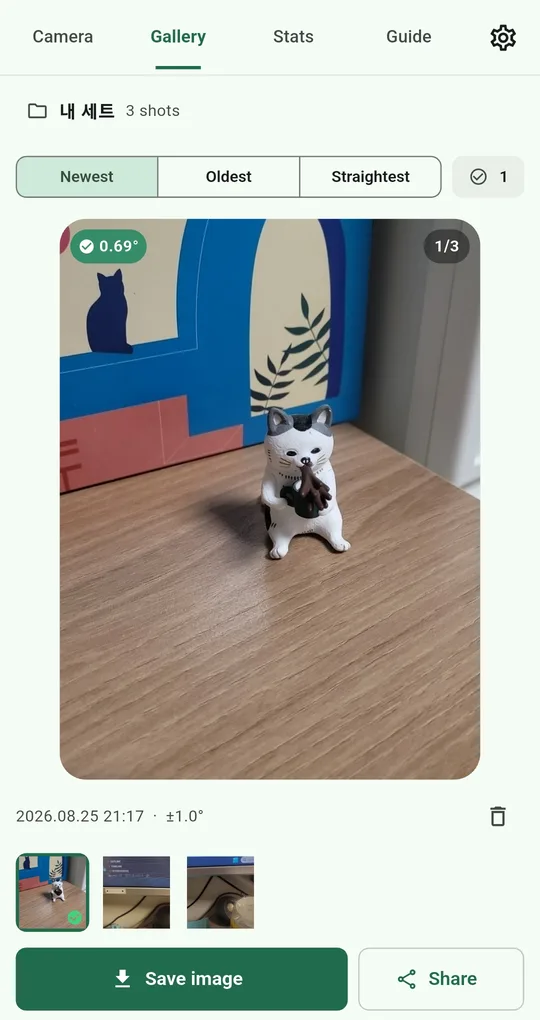
Keep separate sets
Make sets such as Food, Document scan and Products, and Bubble, Grid and tolerance are remembered per set. Around ±1° for documents and a looser setting for food is a reasonable split.
What a level cannot fix
| Problem | Why | Fix |
|---|---|---|
| Level is green but still a trapezoid | The table or subject itself is tilted | Line the grid up with the paper edge by eye |
| Phone shadow on the subject | Shooting right under a ceiling light | Light from a side window or a side lamp |
| Blurry text at the edges | Too close | Step back a little and crop |
| Wrong product colors | Mixed lighting | Daylight or a single white light |
A bubble level is relative to gravity. If the surface under your subject is sloped, a perfect bubble is still not parallel to the subject. For a document on a drafting desk or on your lap, lining the grid up with its edges works better.
FAQ
How is this different from a document scanner app?
Scanner apps find the corners after the shot and flatten them, which is great for text. For food and products, where flattening looks unnatural, shooting parallel from the start looks better.
What if I turn on both Bubble and Level?
Both conditions must be met before it turns green. Use Bubble alone for top-down shots and Level alone for upright shots.
Level Camera
No sign-up, and your photos and records stay on your phone. Free on Android.