Fixed vs variable costs
| Type | Examples | How to split |
|---|---|---|
| Fixed | Rent, internet, building fees | Same ratio every month |
| Utilities | Electricity, gas, water | Usually equal; some adjust for working from home |
| Variable | Groceries, household supplies, takeout | Among whoever shared it |
| Personal | Your own food, your own stuff | Not part of the split |
Agreeing on this table when you move in heads off most "does this count?" conversations later.
Rent by room size
When rooms differ, split rent by shares. Big room 3, small room 2 turns $1,500 rent into $900 and $600. A private bathroom can be worth an extra share.
Close out every month
Settle on the day rent is due so it never slips. Close each month and start the next one fresh. Once several months pile up, nobody remembers who already paid what.
Doing it in the app
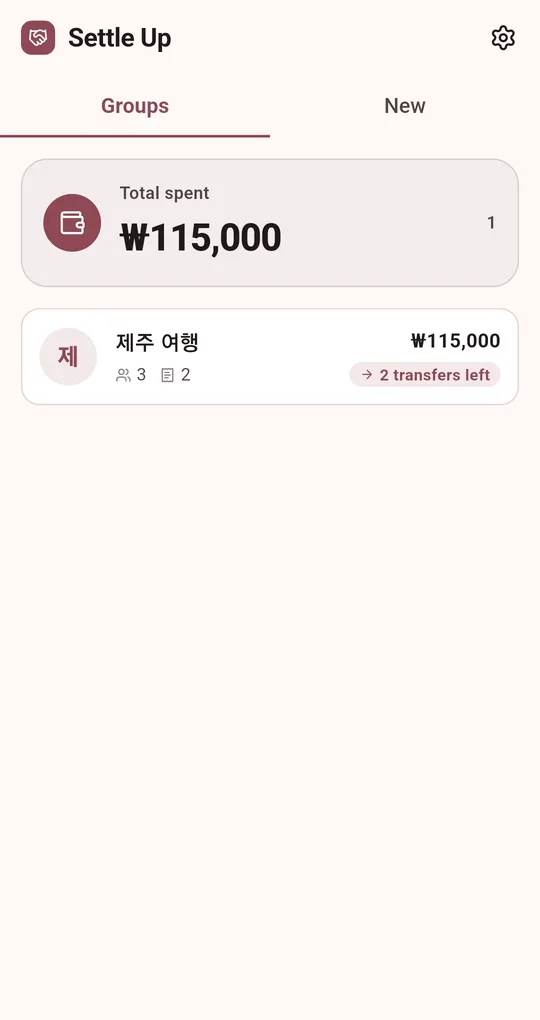
In the Android app "Settle Up: Split the Bill", treat one month as one group. The sample data in these screenshots uses Korean names and the ₩ symbol; the app itself runs in English.
One group per month
Create a group such as "Apartment – October". The group list shows how many transfers are left; long-press a finished month and choose Archive to clear it away.
Carry fixed bills over with Duplicate
Long-press a group and choose Duplicate group: members and expenses are copied. Duplicate last month, keep the fixed items like rent and internet, fix their dates, and just add the new groceries.
Rent as a weighted split
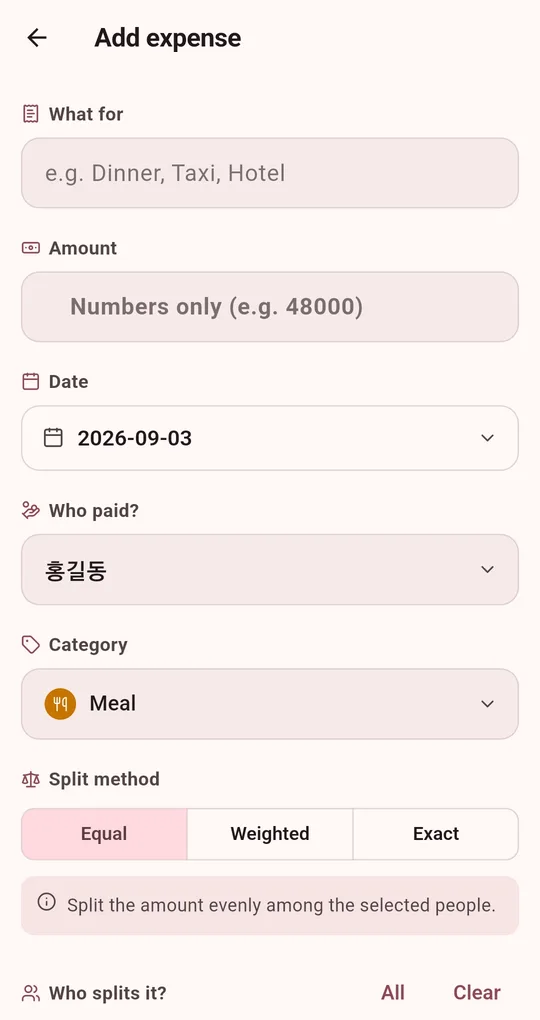
Set the rent expense to Weighted and give each room its share. Duplicating keeps the shares.
FAQ
A roommate moved out mid-month.
Use the new month’s group with the new members. For the month of the change, see splitting when people join late or leave early.
Can I take the history to a new phone?
Export a .settlebak file from Backup / Restore in Settings and restore it on the new phone. Restoring replaces whatever is on that phone.
Settle Up: Split the Bill
No sign-up, no internet, and your records stay on your phone. Free on Android.