Problems only rentals have
- The model may carry a name you have never heard of in your home market.
- Plate formats differ by country and are hard to memorize at a glance.
- You move between the hotel, sights, supermarkets and rest stops several times a day.
What to record at pickup
| Item | Why |
|---|---|
| Plate photo | The surest way to tell your car from look-alikes |
| Model and color | Your first filter from a distance |
| Fuel type and fuel level | The baseline for return (check your contract) |
| All four sides and existing damage | Protects you at return — walk around it with the agent |
| Return location | Airport rental returns often use a different entrance from public parking |
Keep the damage photos in your phone’s camera roll, and keep only what you need to find the car in a parking app.
Parking notes during the trip
- Hotel garage — the parking elevator is sometimes not the guest-room elevator. Note which one took you up.
- Street parking — include the street name and a nearby shop sign in the photo, plus the time limit on the meter or sign.
- Language — if you can’t read the signs, a photo is the most accurate note.
Recording it in the app
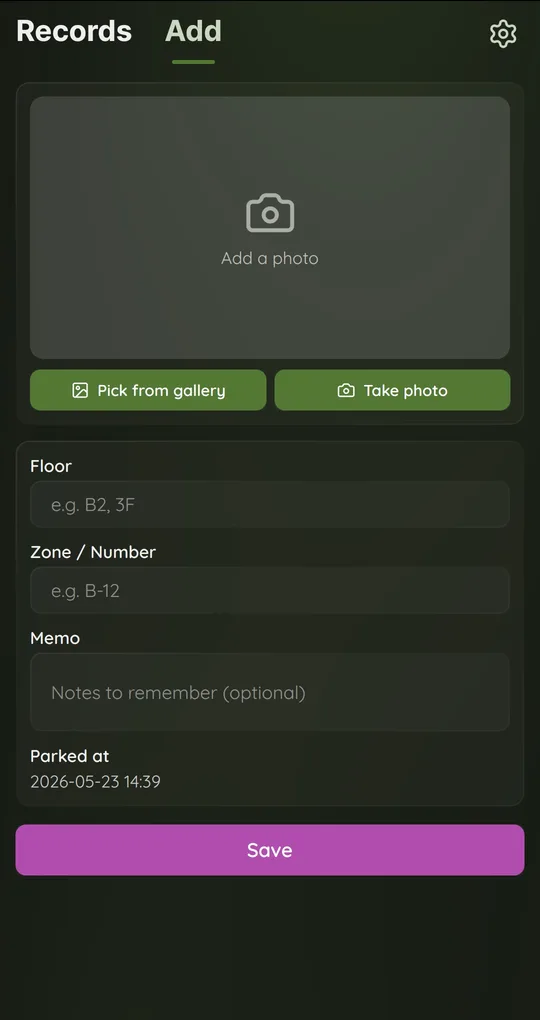
Rental details in the first memo
When you first park the rental, add its model, color and plate to Memo. Parking Spot Memo switches between English and Korean in Settings.
A new record each time you move
A record needs a floor or a zone to save. For street parking with no floor, type the street name or “hotel front entrance” in Zone / Number.
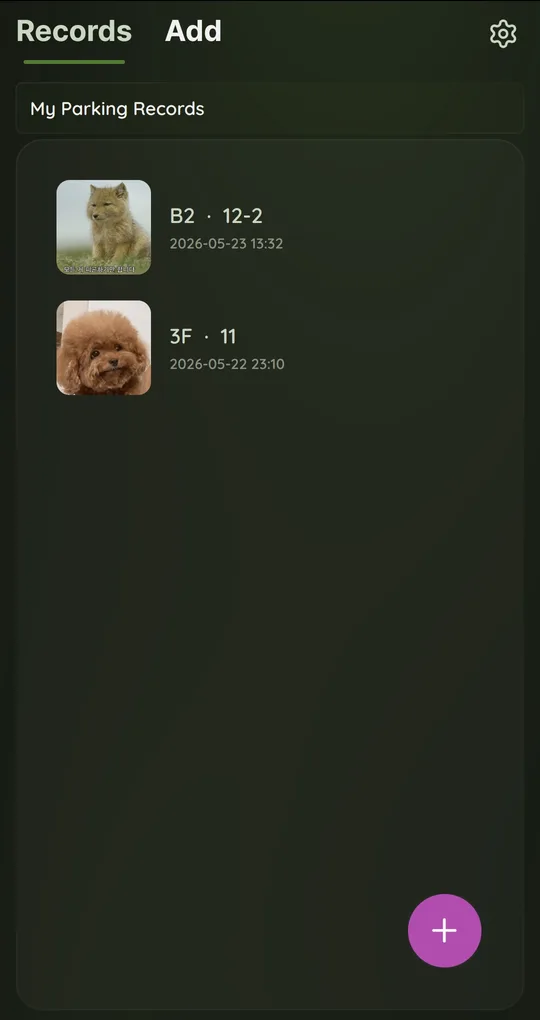
Clean up after the trip
Open old records in Records and use Delete this record, or clear everything at once with Delete all data in Settings.
The photos in the screenshots are placeholder images used to show the app’s screens.
FAQ
Does it work without mobile data?
Yes. Saving and viewing records happen on the phone. The internet is only used for the banner ad.
Should I put damage photos in this app?
Each record holds one photo, so it is not a good fit. Take several damage photos with your camera instead.
Where’s My Car? Parking Spot Memo
Save where you parked with one photo plus floor and zone notes. Free on Android, no sign-up, and your records stay on your phone.