Markers to use instead of pillars
| Marker | How to shoot it | Watch out |
|---|---|---|
| Section sign (Lot C, Row 12) | Sign and car in the same frame | Temporary event lots may have none |
| Light pole number | Close up on the small plate | Lit at night, easy to find |
| Distant building or floodlight tower | One shot from the car toward the venue | Looks different at night |
| Counting rows | “7th row from the gate” | Attendants may change the layout |
Shot by day, found by night
- Colors are hard to tell apart at night. Photos with numbers and letters are what help.
- Mobile data often struggles when a crowd leaves at once. A record that opens offline is an advantage.
- If your battery may run low, take a screenshot of the record in advance.
Record the way out too
Event lots sometimes open only one exit after the show. Noting the exit direction or detour you were told on the way in saves time after you find the car.
Recording it in the app
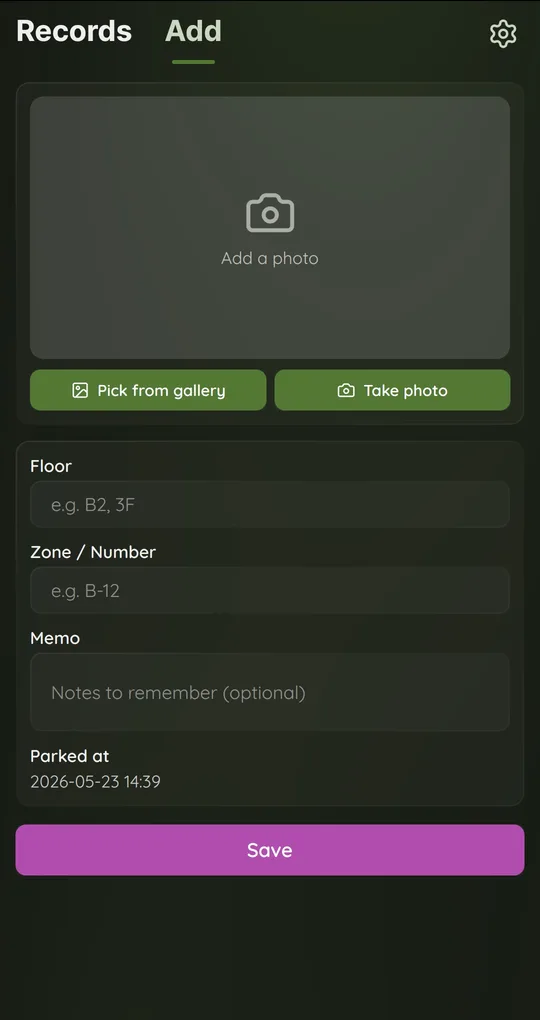
Section in Zone, landmark in Memo
Leave Floor empty in Parking Spot Memo and type “Lot C-12” or the light pole number in Zone / Number. In Memo, add a direction such as “toward the floodlight tower, 7th row from the gate”.
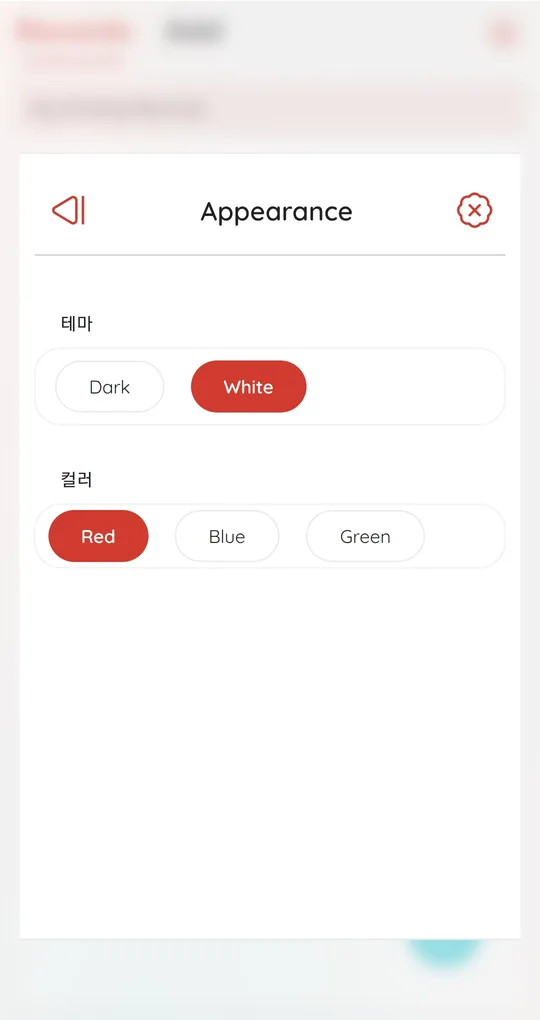
Dark theme at night
Appearance in Settings offers Dark and White themes with Red, Blue or Green accents. Dark is easier on the eyes in a dark lot.
Opens without data
Records are stored on the phone, so the list and photos open even when mobile data drops out.
The photos in the screenshots are placeholder images used to show the app’s screens.
The Appearance screen still shows its two section labels in Korean in the current version.
FAQ
Do event lots have free time?
It varies by event. Check the organizer’s notice. See also staying inside free parking time limits.
What if we brought two cars?
Add a separate record for each and put the car’s name in Memo.
Where’s My Car? Parking Spot Memo
Save where you parked with one photo plus floor and zone notes. Free on Android, no sign-up, and your records stay on your phone.