Three options
- A real photo booth — lighting and backdrop are set and you get a print right away. But you have to go there, pay every time, and a bad shot stays bad.
- Selfies plus a collage app — works with photos you already have, but shooting, choosing and arranging are separate chores.
- A photo booth camera app — one tap starts a countdown and a burst, and the shots are placed into a frame immediately. The closest thing to a booth.
Selfies plus a collage app
Pick four photos from your gallery and drop them into a collage grid. For old photos, this is the only way.
For new shots, though, lighting and distance tend to differ between the four, and someone has to hold the phone the whole time, so getting everyone in is hard.
Shooting with a photo booth camera app
These are screens from the Android app "Photo Booth".
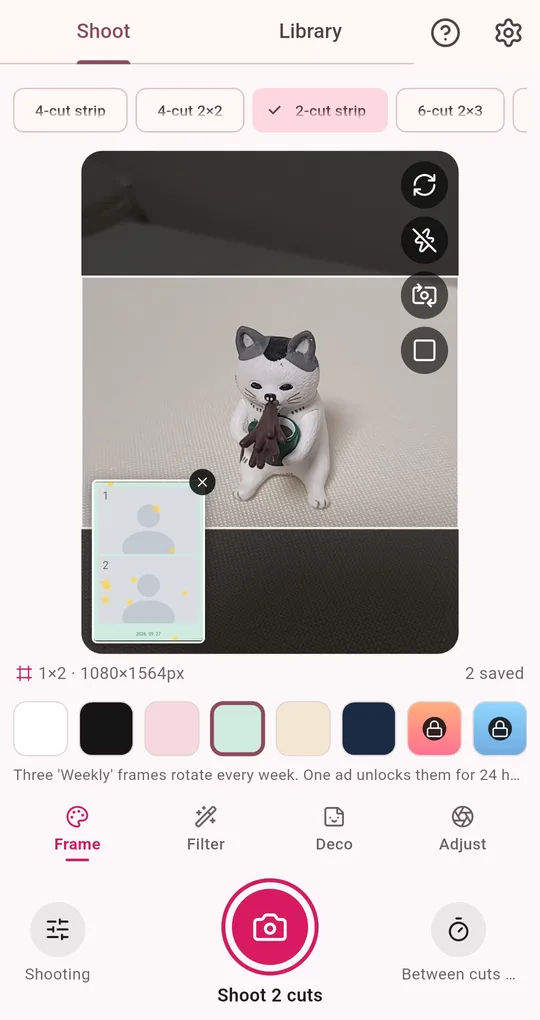
Pick a layout and frame color
Choose a layout at the top (4-cut strip, 4-cut 2×2, 2-cut, 6-cut and more) and a frame color below. The area inside the white border in the preview is what actually gets saved.
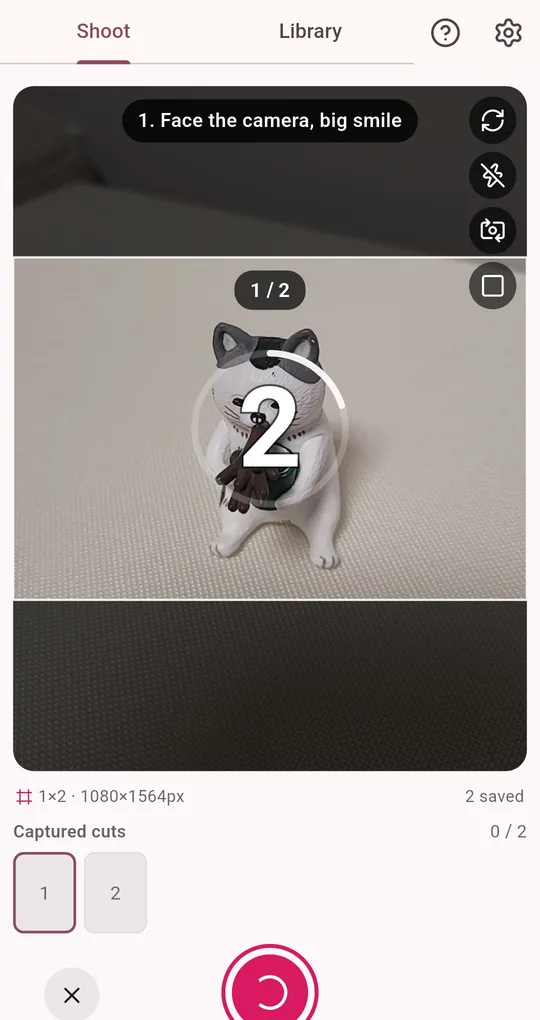
One tap, automatic burst
Tap the shutter once: the app counts down and shoots every cut in a row. Progress shows as "1 / 2" and a white flash marks each shot. The shutter sound plays even when your phone is on silent, which makes the timing easy to follow.
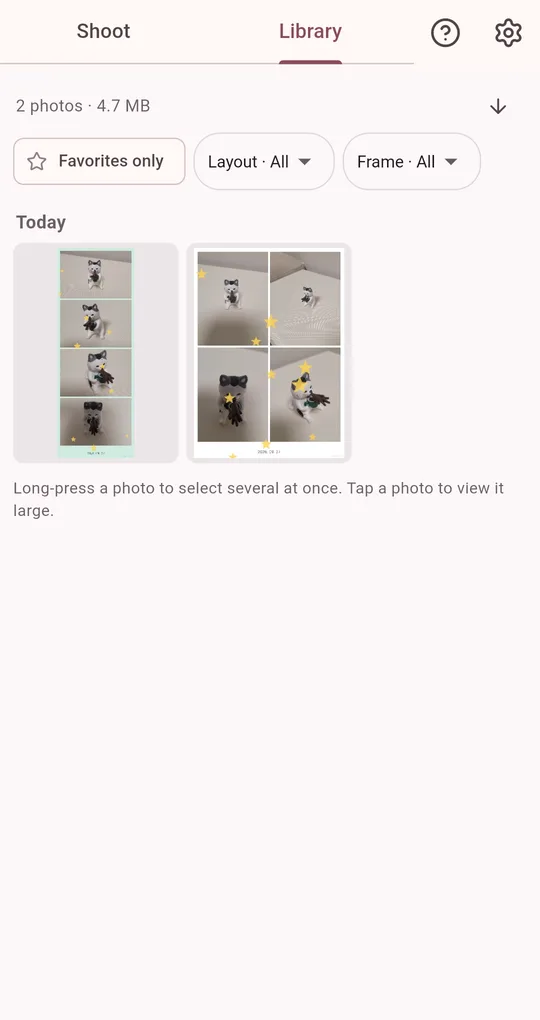
Save and share from the Library
Finished photos are grouped by date in the Library. Save to the gallery, share, or select several to save or delete at once.
Side-by-side comparison
| Photo booth | Collage app | Photo booth camera app | |
|---|---|---|---|
| Timed burst | Yes | No | Yes |
| Redo one shot | Not possible | Swap that photo | Reshoot just that cut |
| Cost | Every session | Mostly free | Free |
| Prints | Instant | Print separately | 4×6 print sheet for a photo lab |
| Where | At the booth | Anywhere | Anywhere |
FAQ
Are my photos uploaded anywhere?
No. Photos are stored only on your device and never sent to a server. There is no sign-up or login.
Can I use it alone?
Yes. Prop the phone up and tap the shutter, or press a volume key. See the self-timer setup guide for tips.
Is there an iPhone version?
It is currently available on Android through Google Play.
Photo Booth
No sign-up, and your photos stay on your phone. Free on Android.