What to write
"What did I do today?" is easiest. One scene beats feelings or reflection: when you read it later, the day comes back. "The sunset was so good on the way home I got off a stop early" is plenty.
Three rules that make it last
- Never more than one line — a long entry makes the next day feel heavy.
- Leave missed days empty — catching up leaves only blurry memories. A gap is part of the record too.
- Fix a time — attach it to something that happens every day, like getting into bed.
Reading back
One-line entries become valuable once they pile up. Make sure you can find "what was I doing this time last year?" by date. Skim last month’s lines once a month and the month summarizes itself in a paragraph.
Writing it in the app
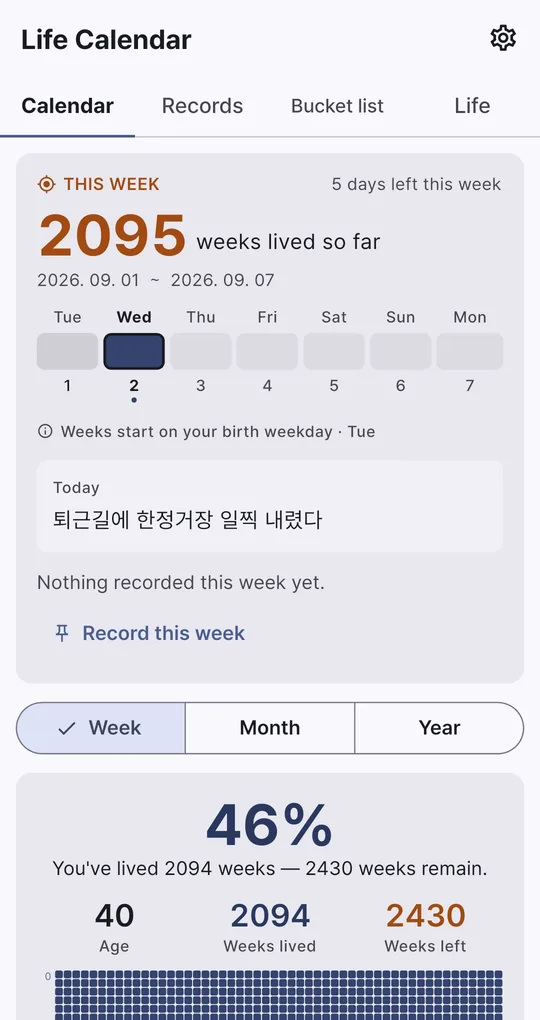
One line from this week’s card
Write "One line for today" from this week’s card on the Calendar tab in Life Calendar. You can optionally link the day to a bucket list item it moved you closer to. Sample text in the screenshots is Korean.
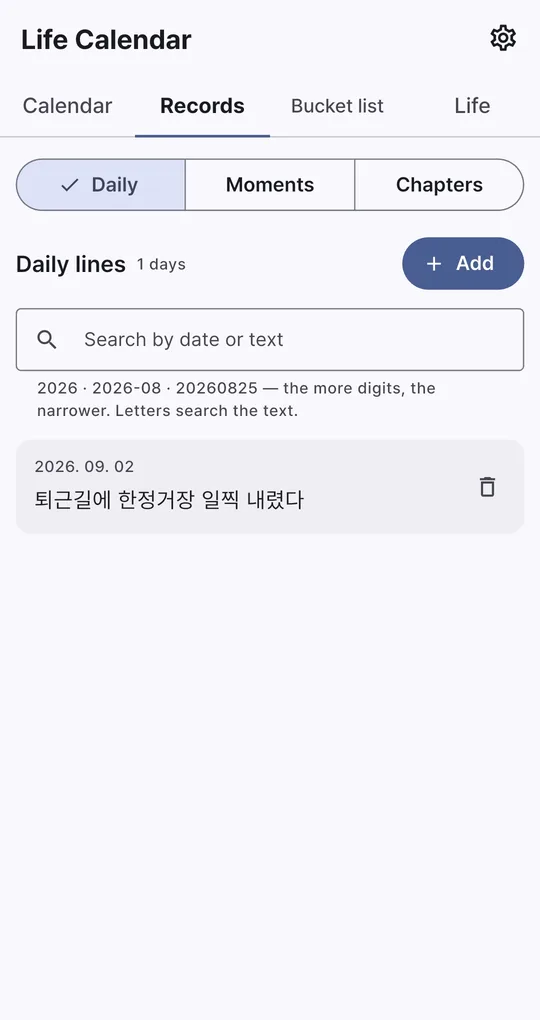
Search by date or text
In Daily lines on the Records tab, type 2026, 2026-08 or 20260825 to narrow by date (the more digits, the narrower), or type words to search the text.
Evening reminder
Turn on Evening reminder in Settings and choose a reminder time for one nudge a day.
FAQ
Can I write for a past date?
Yes. Daily lines have a date field, so you can write for earlier days.
Will I lose it when I change phones?
Export a .lifebak file from Backup / Restore in Settings and restore it on the new phone. Restoring replaces what is on that phone.
Life Calendar
No sign-up, and your birth date and records stay on your phone. Free on Android.