Why your birthday
New Year reviews happen on the same day for everyone and easily fizzle out. Your birthday is yours alone, and it is also when your life calendar moves to a new row.
Five review questions
- Which week of the past year would you color most brightly?
- Which month has nothing recorded, and why?
- Which bucket list items did you do, and which did you put off again?
- Who close to you did you see least this year?
- Is there a new chapter to start in the next 52 boxes?
Rereading the year
If you have been writing one line a day, read from your last birthday to today in one go. The year compresses into a few paragraphs. Many blank days are fine; gaps are part of the year too.
Doing it in the app
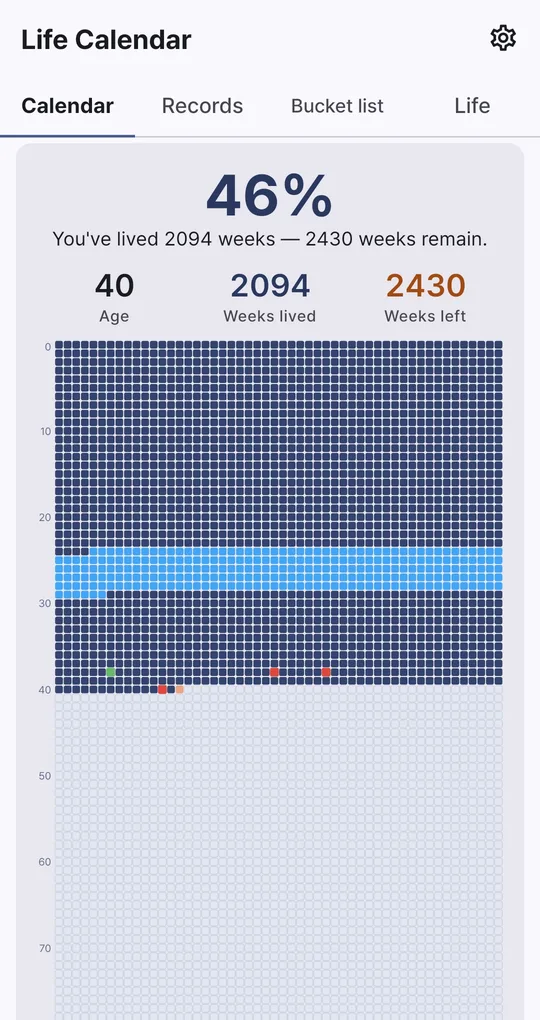
Look at the last 52 boxes
Open the full-screen grid in Life Calendar and look at the last row. Tap a box to see the moments and chapters from that week.
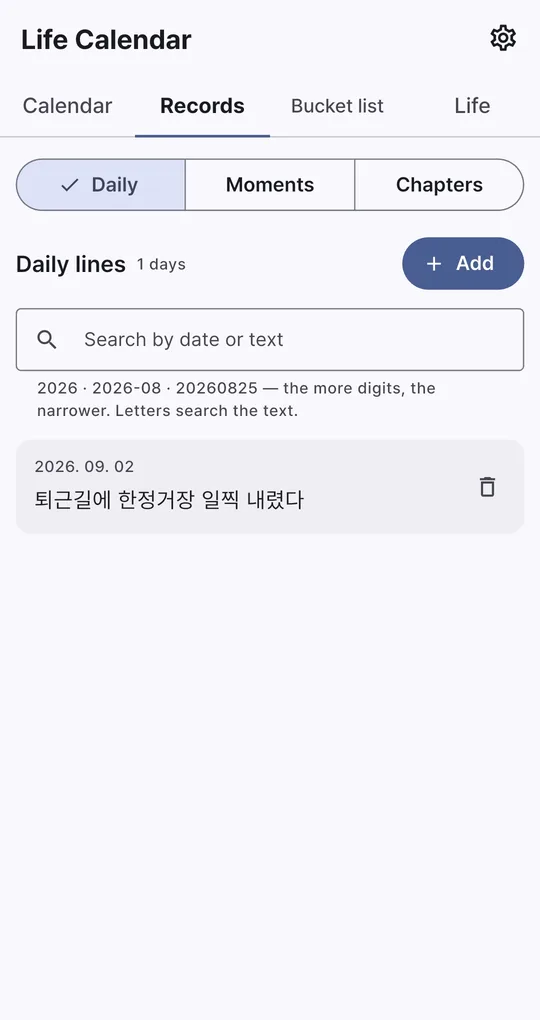
Find the year’s daily lines
In Daily lines on the Records tab, type a year or year-month (for example 2026-08) to gather that period’s entries.
Save this year’s grid
Use Save image on the Calendar tab to save the grid to your gallery, or Share to send it. Save one every birthday and you can compare the filled boxes year by year.
FAQ
Where does the saved image go?
To your phone’s gallery. Choose Share instead to send it straight to a messenger or social app.
The grid fills up every time I open the app.
Turn "Show the grid on launch" on or off in Settings.
Life Calendar
No sign-up, and your birth date and records stay on your phone. Free on Android.