Points and spans
| Kind | Examples | Dates needed |
|---|---|---|
| Point (moment) | Graduation, first day at work, wedding, a birth, a move | That day |
| Span (chapter) | College, military service, first job, living abroad | Start and end |
Where to find old dates
- Your photo library — capture dates are the most accurate record. Check graduation and wedding photos.
- Diplomas and certificates — graduation and enrollment dates.
- Employment records — start and end dates of jobs.
- Email and messages — search "accepted" or "first day" and the date turns up.
If you don’t know the exact day, use the 1st of the month and fix it later. On a weekly grid a few days hardly show.
Where to start
Start with spans: an empty grid quickly looks like your life. Put in the big spans (schools, jobs, places you lived) first, then add points on top.
Coloring it in the app
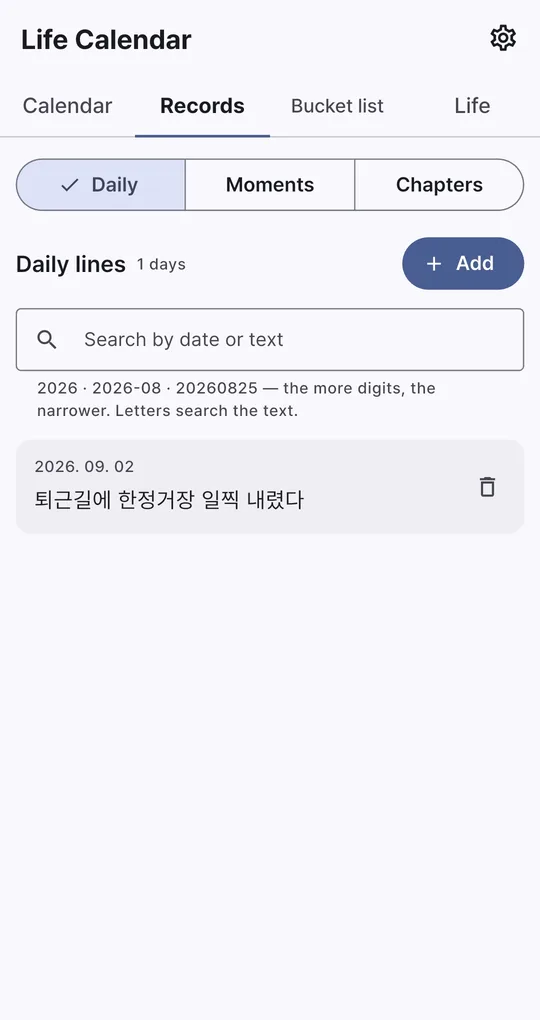
Moments and chapters
On the Records tab in Life Calendar, add Moments with a date, title, icon and color, and Chapters with a name, start and end (or Still ongoing). Dates can be typed as digits like 19900101.
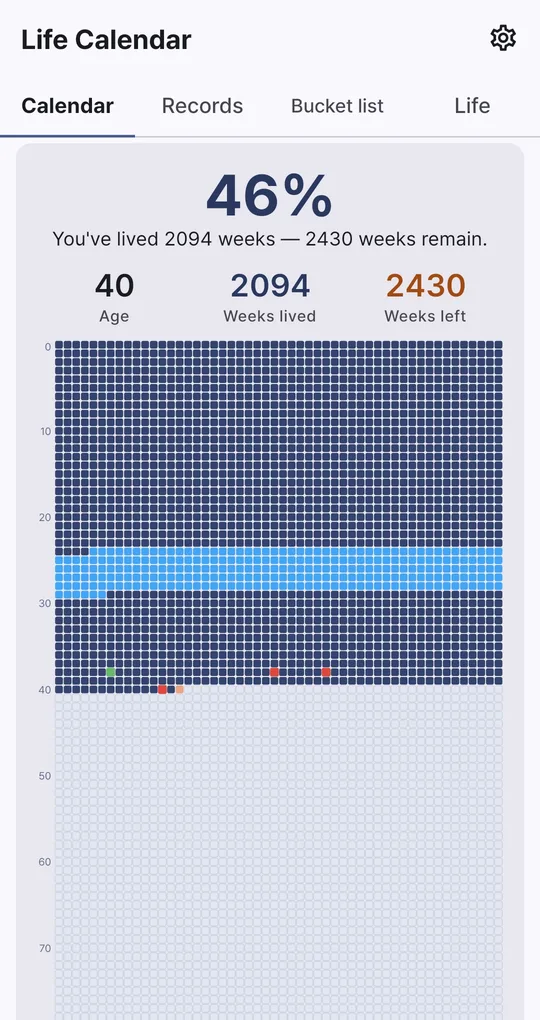
One picture on the grid
Chapters shade their span on the grid and each moment colors its week. Open the full-screen grid to see it all, and tap a box to see what was recorded that week.
Moments by decade
Record stats on the Life tab show moments by decade and your most used icons.
FAQ
Can chapters overlap?
Yes. Overlapping periods, such as college and a part-time job, can each be added.
Can I keep the timeline as an image?
Save image on the Calendar tab saves the grid to your gallery, and Share sends it on.
Life Calendar
No sign-up, and your birth date and records stay on your phone. Free on Android.