Recoverable vs not
| Problem | Recoverable? | Why |
|---|---|---|
| Whole photo too dark | Mostly | Shadows still hold detail (very dark ones add noise) |
| Yellow or green cast | Yes | Only the color balance needs to change |
| Blown-out white areas | No | Recorded as pure white, no detail left |
| Out of focus | No (only softened) | There is no sharp detail to restore |
| Tiny image from a chat app | Limited | Resolution was already reduced |
Photos passed around in messaging apps are often compressed. If you can, ask whoever took the photo for the original file.
Order of edits
- Exposure first, because colors look different at different brightness.
- Color cast next, using the white plate as reference.
- Shadows and highlights: lift the dark parts, hold down the bright ones.
- Mood last, with a filter.
Let the diagnosis decide
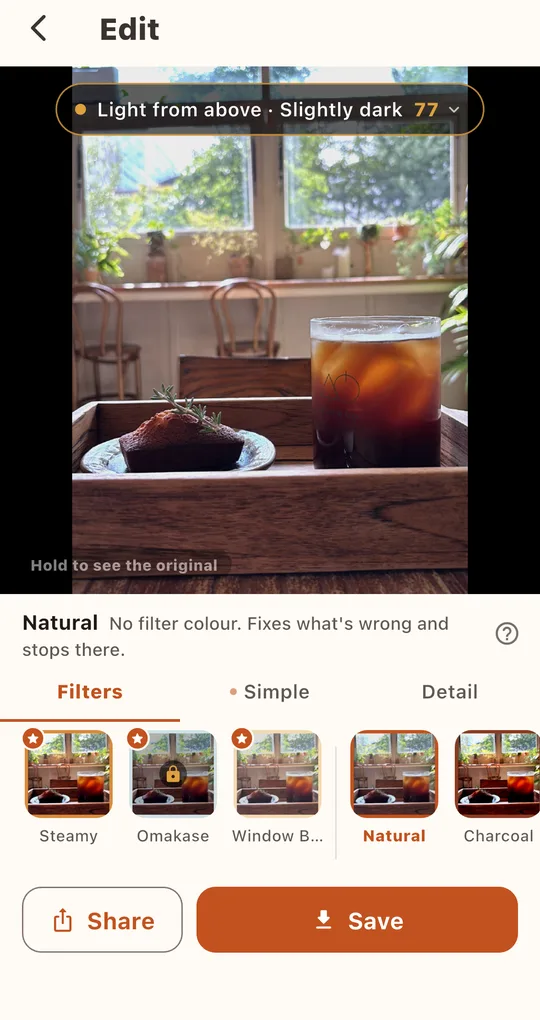
Check what can be recovered
Open the photo in Foodlit and tap the diagnosis badge. You may see “Some bright areas are clipped. Those can’t be recovered, so we tidy the rest” or “Focus is a little soft. A retake would help more than any filter.” If the blur warning appears, pick another shot rather than editing this one.
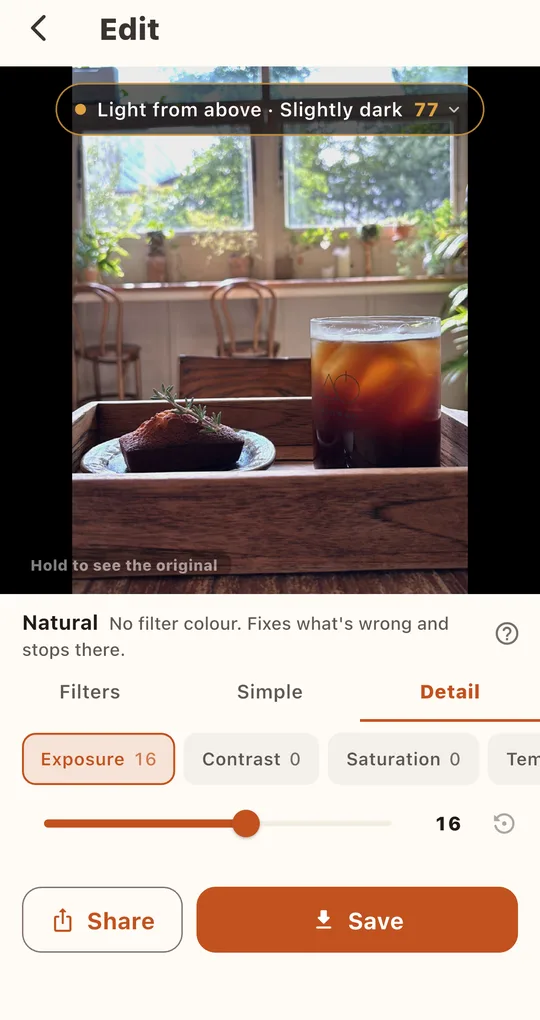
Dark evening shots: Night Market
For night photos that came out dark, the free Night Market filter lifts the shadows, then tightens contrast, keeping a little of the warm light so the evening mood stays. For more control, use Shadows and Highlights in the Detail tab.
FAQ
Does editing overwrite the original?
No. The edited version is saved as a new photo and the original stays as it was.
Can I rescue many photos at once?
Batch edit applies one filter to up to 10 photos per ad. Each photo is still diagnosed separately.
Foodlit - Food Photo Filter
No account, no upload: every photo is analyzed and edited on your phone. Free on Android.