Why one filter looks different
Most filters assume the input is already balanced. Put the same one on a dinner shot (yellow), an afternoon window shot (blue) and a fluorescent-lit lunch spot (green), and you get yellow plus filter, blue plus filter and green plus filter. Side by side in a grid, they will not match.
Order: neutral first, filter last
| Step | Do this | Removes |
|---|---|---|
| 1 | Remove the color cast (white plate to white) | Lighting differences |
| 2 | Fix exposure (too dark or too bright) | Brightness differences |
| 3 | Apply your one account filter | Sends every photo the same way |
| 4 | Adjust only strength per photo | Tames the odd strong one |
Pick one filter for the account
A consistent feed comes from using one filter for a long time, not from owning many. A cafe-focused account might pick a calm, muted look; a restaurant review account something close to true color. When a photo needs to feel different, change the strength, not the filter.
Matching many photos at once
Neutralizing happens automatically
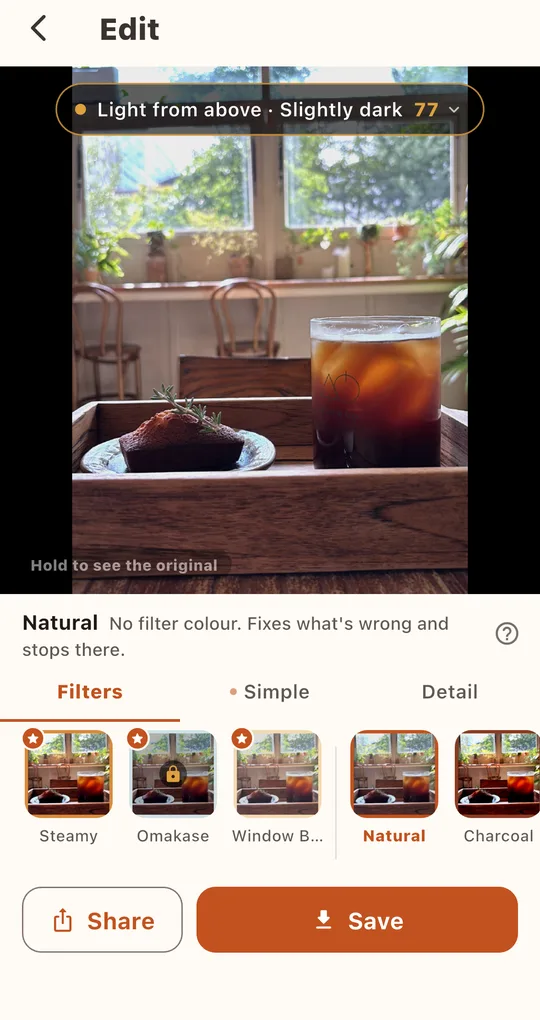
Foodlit first pulls each photo back to neutral, then applies the filter. It handles steps 1 and 2 above for you, so the same filter gives a consistent result across photos shot in different light.
Batch edit 10 photos
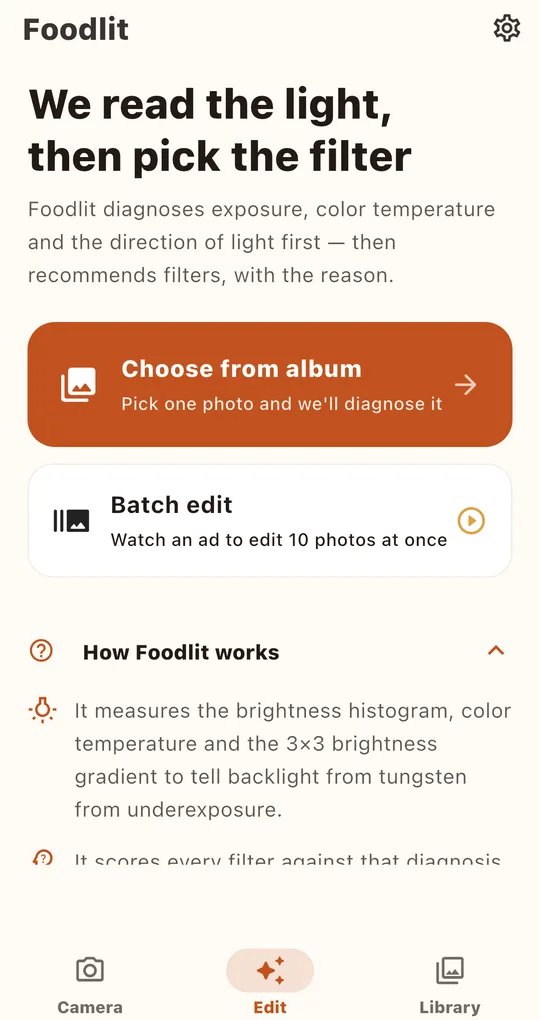
Tap Batch edit on the home screen and watch one ad to get 10 photos’ worth. Pick a filter, select several photos, and each is diagnosed on its own, edited with the same filter and saved to a Foodlit album in your gallery.
Tame one loud photo with strength
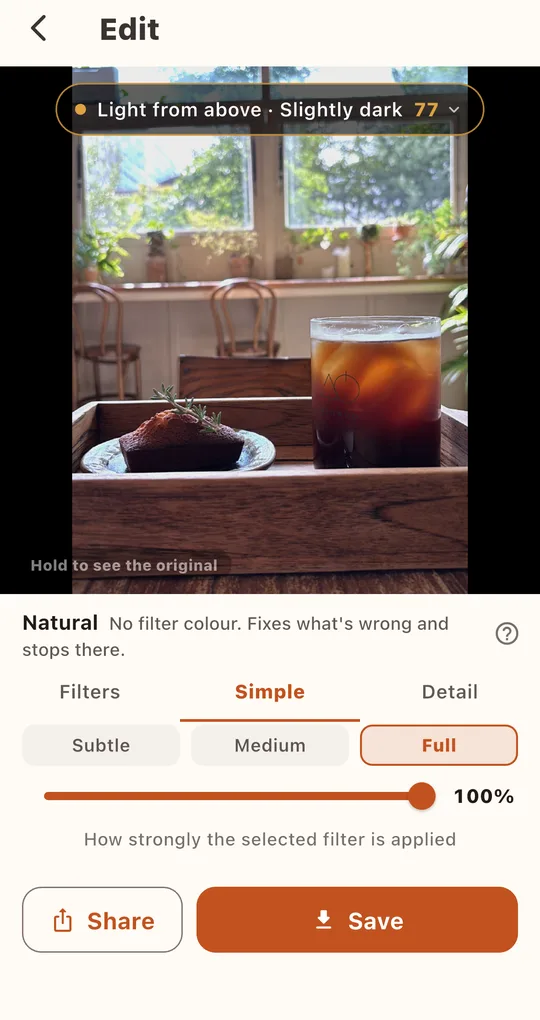
If one photo looks heavier than the rest, open it on its own and set the strength to Subtle in the Simple tab. Keep the filter; that is how the tone holds.
FAQ
Do batch-edited photos show up in the Library?
Batch results are saved to the Foodlit album in your gallery. Photos you edit and save one by one are also kept in the Library.
If my account filter is premium, do I need an ad every day?
A premium unlock lasts 24 hours per ad. For a daily house look, choosing one of the 8 free filters is easier.
Foodlit - Food Photo Filter
No account, no upload: every photo is analyzed and edited on your phone. Free on Android.