Why it happens
Most restaurants and cafes use warm light in the evening: tungsten bulbs or warm-white LEDs. Your eyes adapt and still see the plate as white, but a phone’s auto white balance deliberately leaves some of that warmth in to keep the mood. So the photo ends up yellower than what you saw.
Office canteens and kitchens with fluorescent tubes give a green cast instead, and shade or an overcast window gives a blue one. Which of the three caused it decides which way you correct.
| Light | What the photo gets | Correct toward |
|---|---|---|
| Tungsten / warm LED | Yellow, orange | Cooler, using the white plate as reference |
| Fluorescent | Green cast | Magenta tint |
| Shade, overcast | Blue cast | Warmer |
Three ways to fix it
- Your phone’s built-in photo editor: most have a “Warmth” or “Temperature” slider. Drag it cooler until the plate or napkin looks white. The catch: it moves the whole image, so removing all the yellow often leaves the food pale too.
- A general editing app: many have a white balance eyedropper you can tap on the plate. Very accurate, but fixing exposure and shadows by hand takes time.
- An app that diagnoses the light: it measures color temperature and exposure, decides “indoor lighting has cast a yellow tone”, and applies a matching correction.
Side by side
| Built-in editor | General app | Light-diagnosis app | |
|---|---|---|---|
| Finds the cause | You | You | Automatic |
| Removes only the cast | Hard (moves everything) | Yes, with eyedropper | Neutralizes first, then filter |
| Time | Short | Long | Short |
| Keeps food color | By eye | By hand | Also reads the food’s color family |
Diagnose first, then edit
These are real screens from the Android app "Foodlit".
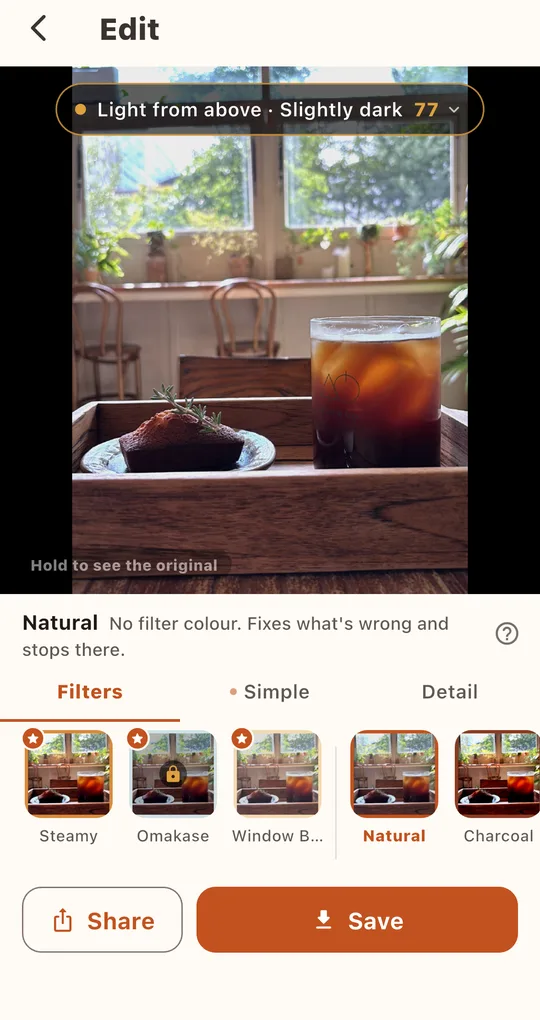
Open a photo and read the diagnosis
In the Edit tab, choose a photo from your album. A badge at the top shows the diagnosis and a light score, for example “Light from above · Slightly dark 77”. Tap it to see the color temperature in kelvin, the food’s color family and a line such as “Indoor lighting has cast a yellow tone over everything.”
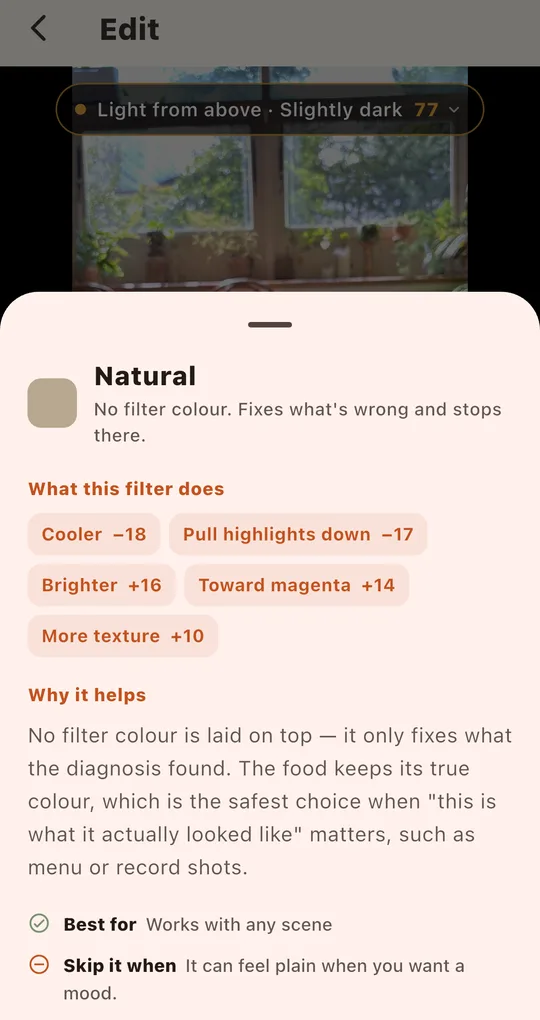
Pick one of three recommendations
The first three filters marked with a star are picked for this photo. Foodlit pulls the photo back to neutral before applying a filter, so the yellow goes but the food keeps its color. When accuracy matters most, choose Natural.
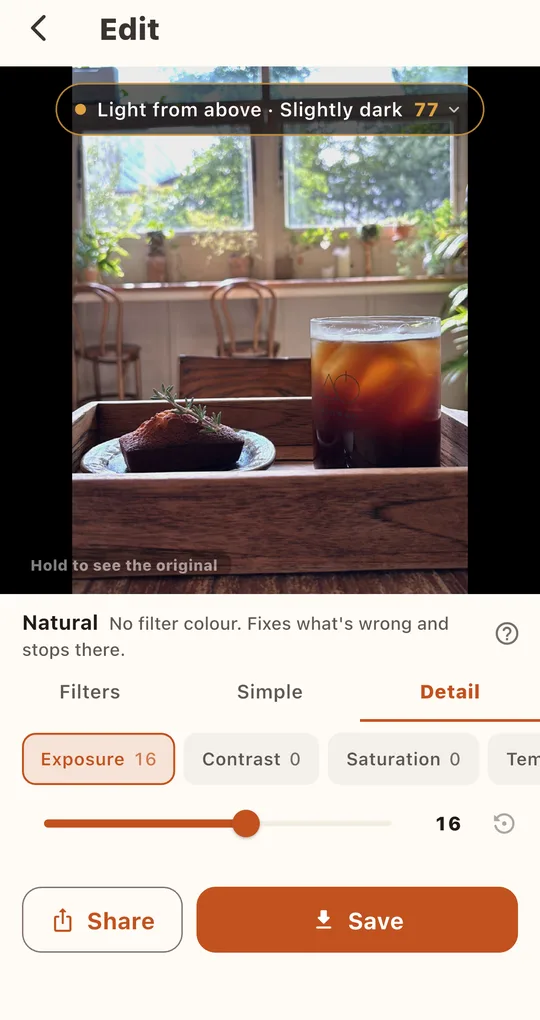
Finish with Detail if needed
Still a little yellow? In the Detail tab, nudge Temperature down. Hold the photo to compare with the original at any time.
FAQ
Should I remove all of the yellow?
No. Strip all the warmth from a dinner photo and it looks cold. Getting the white plate close to white is usually enough.
Are my photos uploaded?
No. Analysis and editing both happen on your phone, and there is no account.
Foodlit - Food Photo Filter
No account, no upload: every photo is analyzed and edited on your phone. Free on Android.