Why minute timers fail
- The timer doesn’t know the game, so it nearly always rings mid-round
- Quitting mid-round loses that round’s reward, so you finish it
- The results screen puts the “Again” button right under your thumb
Choosing a number
Divide the time you have by the length of one round. Play for a few days and use your average.
| Time available | 1-minute rounds | 2-minute rounds |
|---|---|---|
| 5 min | 5 rounds | 2 rounds |
| 10 min | 10 rounds | 5 rounds |
| 20 min | 20 rounds | 10 rounds |
Results screens and upgrades take time between rounds, so set the number one or two lower than the maths says.
Rules that hold
- Say the number out loud or note it before you start
- After the last round, tap “Back to menu”, not “Again”
- Do your upgrades after the last round: it gives you a reason to come back later, which makes stopping now easier
- A new record doesn’t change the number
Pair with app timers
Android’s Digital Wellbeing settings (the name can differ by manufacturer) let you set a daily time limit per app. Use the app timer for the daily total and round counts for each sitting, and the two won’t clash.
In WingBike
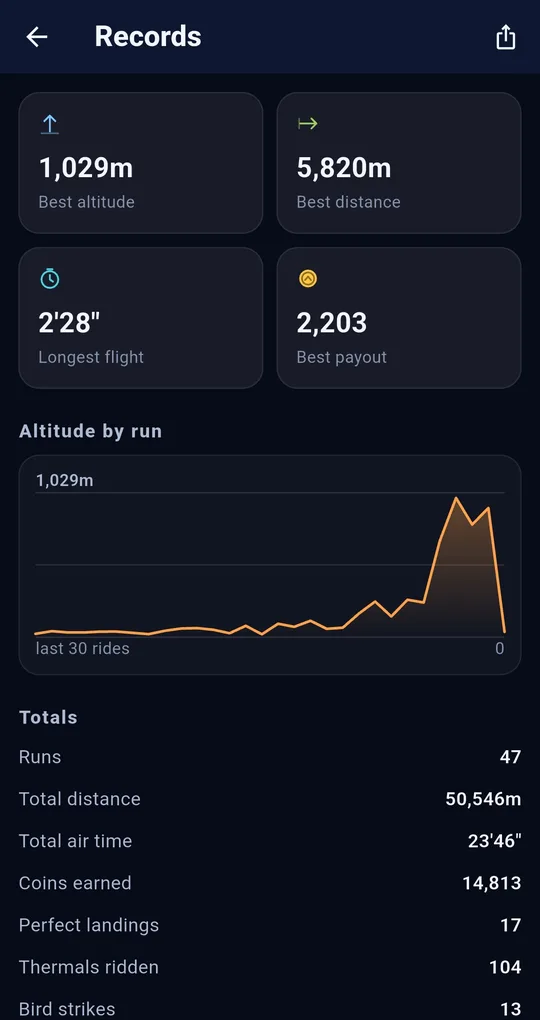
Where to see your round count
The WingBike home screen shows your total as “N runs”, and the Records screen lists Runs under Totals. Glance at the number when you start and decide “five from here”.
A run lasts 2.5 minutes at most
Runs are capped at 150 seconds, which makes the maths easy. On the results screen, tapping Back to menu puts one more step between you and “Again”.
FAQ
Does this work for kids’ screen time?
Kids can count rounds themselves, which makes the deal easier to keep. Combining it with device-level time limits set by a parent is more reliable.
My runs are so short the count feels pointless.
Then raise the count, or stop at a goal instead, such as “until I can afford the next upgrade”.
WingBike: Fly and Jump Racer
No account, fully offline, played with one finger. Free on Android.