Before adding an activity
- End time — matters more than start time. Ask whether sessions ever run late.
- Transport — walking, a bus, or a parent driving. Shared rides and buses can arrive at varying times.
- Snacks and dinner — is there time to eat on back-to-back days?
- Homework — where do school and activity homework go?
- Who drives — for two working parents, pair this with the childcare split schedule.
Sizing travel and buffer slots
| Leg | Slot length | Example |
|---|---|---|
| Walking | Map walking time + 5–10 min | 15-min walk → 20–30-min slot |
| Bus or shared ride | Latest typical arrival | 10-min variation → add 10 |
| Driving | Include parking and waiting | 10-min drive → 20-min slot |
| Snack between activities | At least 20 min | Including a store stop |
With travel as its own slot, a clash between legs (an impossible schedule) shows up right away.
Looking at weekly hours
The weekly total and the busiest day say more about your child’s load than the number of activities, and travel time often adds more than expected. Keep an eye on sleep as well (kids’ sleep by age).
Checking clashes in the app
A profile per child, tags for activities and travel
In the Android app Weekly Timetable, create one profile per child and separate tags for “Activity” and “Travel”. One tag per activity gives you hours per activity in Stats.
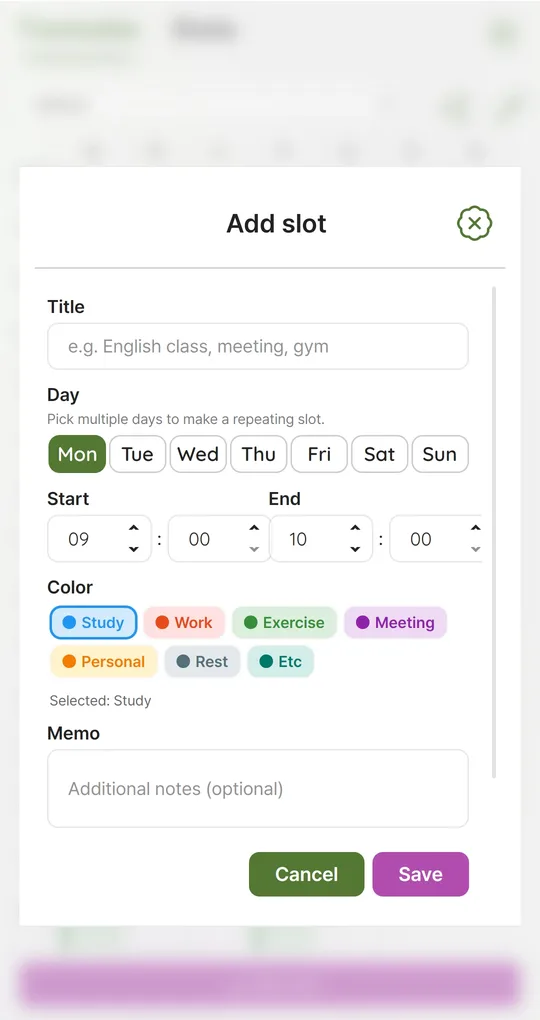
Activity and travel slots in 10-minute steps
Add the activity slot, then travel slots before and after. Times use 10-minute steps; drag a slot to move it or drag its top or bottom edge to resize it.
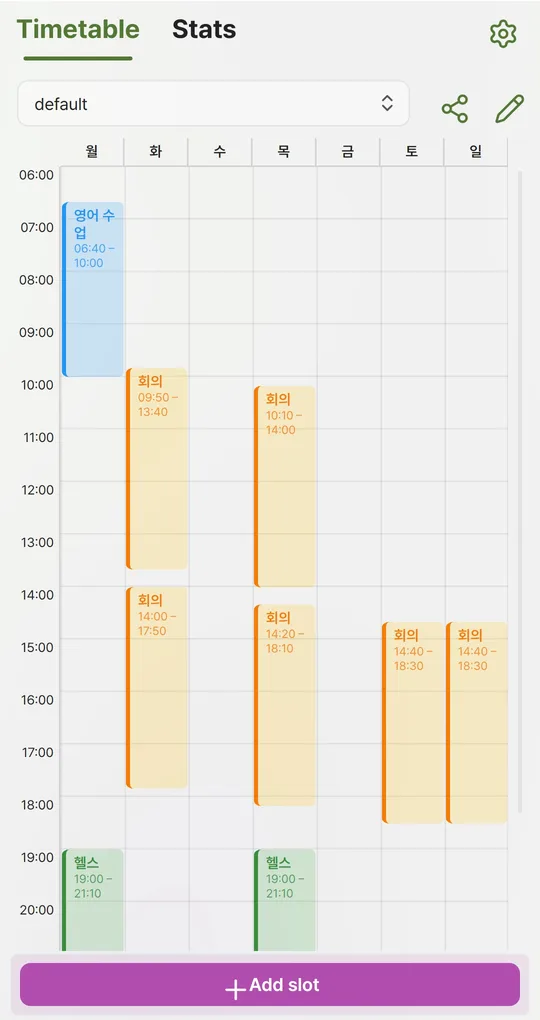
Watch for the red overlap marker
Slots that overlap on the same day get a red marker. If an activity and a travel slot overlap, that combination does not work in practice.
Weekly totals in Stats
Stats shows weekly hours for your Activity and Travel tags and the busiest day. To compare before and after adding something, build the candidate week in a second profile.
The screenshots were taken with Korean sample entries, so slot titles and some weekday labels appear in Korean; menus and buttons are in English.
FAQ
The bus time varies every day.
Size the slot for the latest it usually arrives so the next item does not get pushed.
How do I send the schedule to a grandparent or sitter?
Use the share icon to save a PNG image and send it. Memo text is not drawn on the image, so send any notes separately.
Weekly Timetable - Planner
No sign-up, works offline, and your timetable stays on your phone. Free on Android, in English and Korean.