Information shots vs mood shots
The same meal produces two kinds of photo. A dish photo in a review is information; a photo of the room or the moment is expression. Trouble starts when information shots get mood edits: a golden filter makes undercooked meat look done, boosted saturation makes a sauce look spicier than it is.
What you can and cannot change
| Information shot (review, menu) | Mood shot (diary, social) | |
|---|---|---|
| Remove lighting color cast | Recommended | Free |
| Fix brightness and shadows | Recommended | Free |
| Change food color (doneness, sauce) | Avoid | Free |
| Make size or portion look different | Never | Avoid |
| Heavy film or moody looks | Avoid | Free |
Delivery platforms apply the same principle: photos used as menu information should match the real food, and some explicitly reject exaggerated or misleading images.
Photos for one review
- One information shot per dish: true color, same angle.
- A cut-side or portion shot at 45° or straight-on.
- One or two mood shots: room lighting, any filter you like.
Staying on the right side in the app
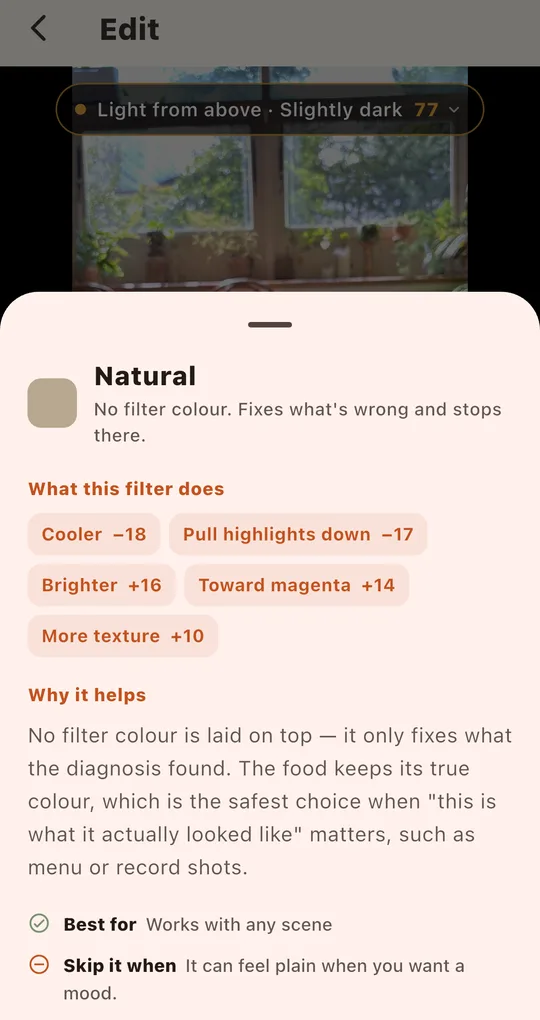
See what a filter changes, in numbers
In Foodlit, tap the question mark next to a filter’s name to see what it does to this photo, for example “Cooler −18 · Pull highlights down −17 · Brighter +16”. The “Skip it when” line helps you rule out filters that do not suit an information shot.
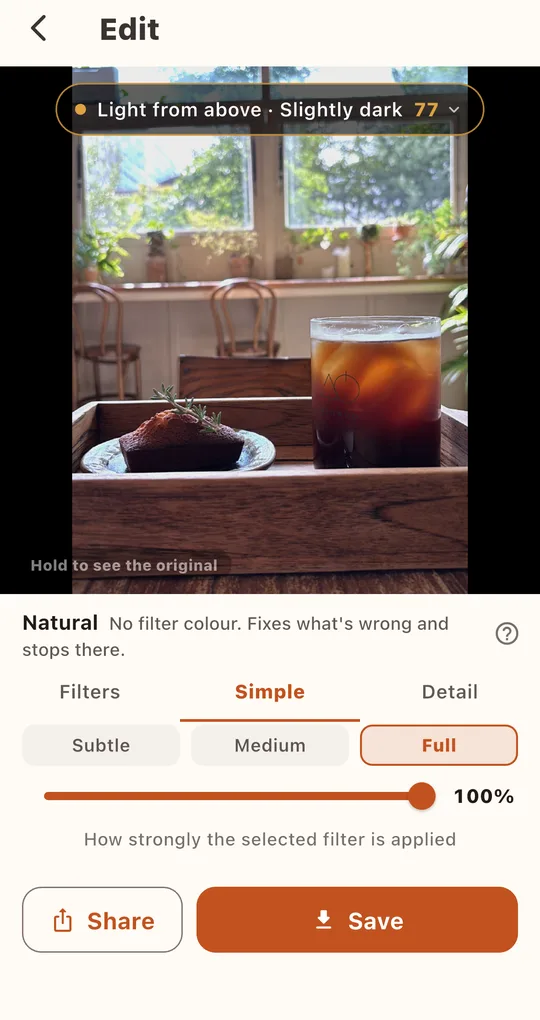
Natural for information, strength for mood
The free Natural filter adds no color and only fixes what the diagnosis found. Even with a mood filter, setting the strength to Subtle in the Simple tab keeps food colors close to real. 0% strength is the same as Natural.
FAQ
Isn’t an unedited photo the most honest?
Not necessarily. A photo tinted yellow by restaurant lighting is further from the food’s real color. Removing a lighting cast moves it closer to reality.
Are black-and-white photos fine for reviews?
Avoid them for dishes where color tells you something, like fruit or sauces. Use them as mood shots.
Foodlit - Food Photo Filter
No account, no upload: every photo is analyzed and edited on your phone. Free on Android.