Six tips
- Give your eyes 20 to 30 minutes: dark adaptation typically takes that long. Don’t give up after five minutes.
- Turn your phone brightness right down: one bright screen undoes much of your adaptation. Red light is best for a torch.
- Check the Moon: around full Moon, faint stars wash out. Nights near new Moon are better.
- Put streetlights behind you: shadow of a building, deeper inside a park, anywhere no light hits your eyes directly.
- Look high: near the horizon, city glow and haze are worst.
- Use averted vision: faint stars show better when you look slightly to one side.
Where you’ll see more
| Location | What you can expect |
|---|---|
| Downtown | Bright stars, planets, big shapes like Orion |
| Suburban park or riverside | Constellation shapes start to join up |
| Countryside or mountains | The Milky Way starts to appear |
| Certified dark sky places | A clear Milky Way on good nights |
DarkSky International certifies dark sky parks and reserves around the world; for example, the area around the firefly eco park in Yeongyang, South Korea became Asia’s first International Dark Sky Park in 2015. If travel isn’t an option, public nights at a local observatory or astronomy club are a great start.
Log what you see
Write one line with the date, time, weather and what you saw, and over a year you’ll watch the sky change with the seasons. “Saw three stars of Orion’s belt” is plenty to start. For star names, see 12 bright stars.
A one-line log in the app
The sample name and journal text in these screenshots were typed in Korean; the app itself runs fully in English.
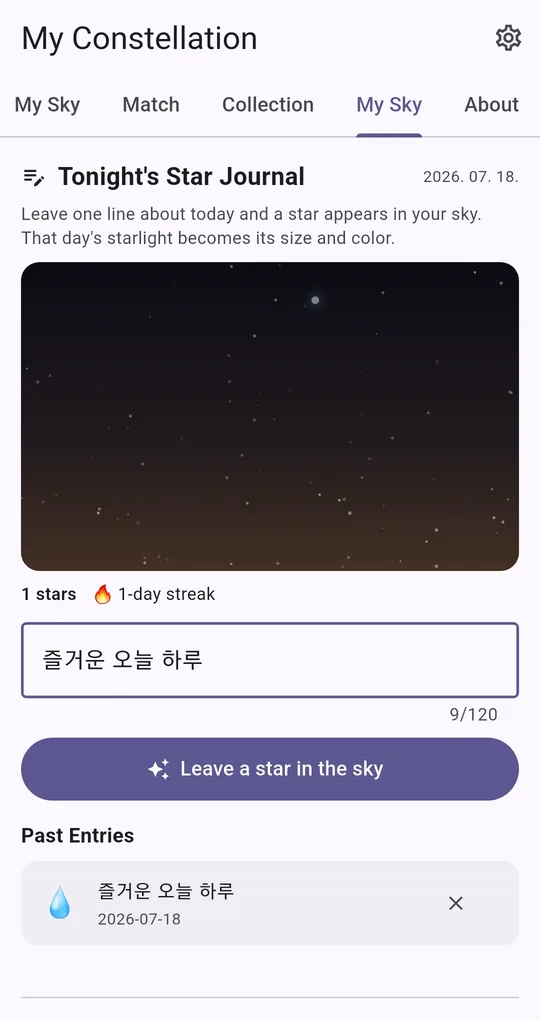
A one-line star journal
On the fourth tab of My Constellation (also named My Sky), write one line about today in Tonight’s Star Journal and tap Leave a star in the sky; the entry becomes a star in your night sky. It works nicely as a stargazing log. Enter your name and birthday on the first tab before using it.
Go dark outdoors
When you use it outside, choose the dark theme under Display in settings and lower your phone brightness.
FAQ
Do binoculars help?
Yes. Ordinary binoculars show many more stars than the naked eye and are easier to handle than a telescope at first.
Why do stars twinkle?
Turbulence in the atmosphere bends starlight back and forth. Stars near the horizon twinkle the most.
My Constellation - Star Sign
One constellation drawn from your name and birthday. No sign-up, fully offline, free on Android.