Where fake codes show up
The US Federal Trade Commission warned in December 2023 that scammers stick their own QR codes over the real ones on parking meters, and send codes in unexpected texts and emails. The FBI’s Internet Crime Complaint Center (IC3) had already flagged criminals tampering with physical QR codes in January 2022. The same pattern shows up worldwide: in South Korea, fake yellow “parking violation” notices with a pay-your-fine QR code were placed on cars in 2024 and led to card-number forms and malicious apps.
Before you scan
| Signal | Why it matters |
|---|---|
| The QR part is a sticker on top of the sign | The classic swap: a fake code over the real one |
| “Pay now”, “today only” pressure | The FTC flags urgency as a common tactic |
| Payment or app install only through the QR | Real agencies give you an official app or website too |
| Odd printing or vague agency name | Fakes often don’t match official forms |
Reading the real domain
The owner of a URL is the part right before the first “/”, not the start. The examples below are made up to show the structure.
| URL | Real owner | Verdict |
|---|---|---|
| https://www.citypay.gov/... | citypay.gov | Official-looking domain, still compare with the city’s site |
| https://citypay.gov.pay-check.com/... | pay-check.com | citypay.gov is just decoration |
| A link shortener like bit.ly/... | Unknown | Hides the destination, no reason to use it for city payments |
| Ends in .apk | A file download | Never open |
The padlock (https) means the connection is encrypted, not that the site is trustworthy. Fake sites use https too. The FTC specifically suggests looking for misspelled or swapped letters in the URL.
See the address first
With many camera apps you tap a banner and the page is already open. the Android app QR & Barcode Scanner doesn’t open links on its own. It shows the domain and full address on a result card first.
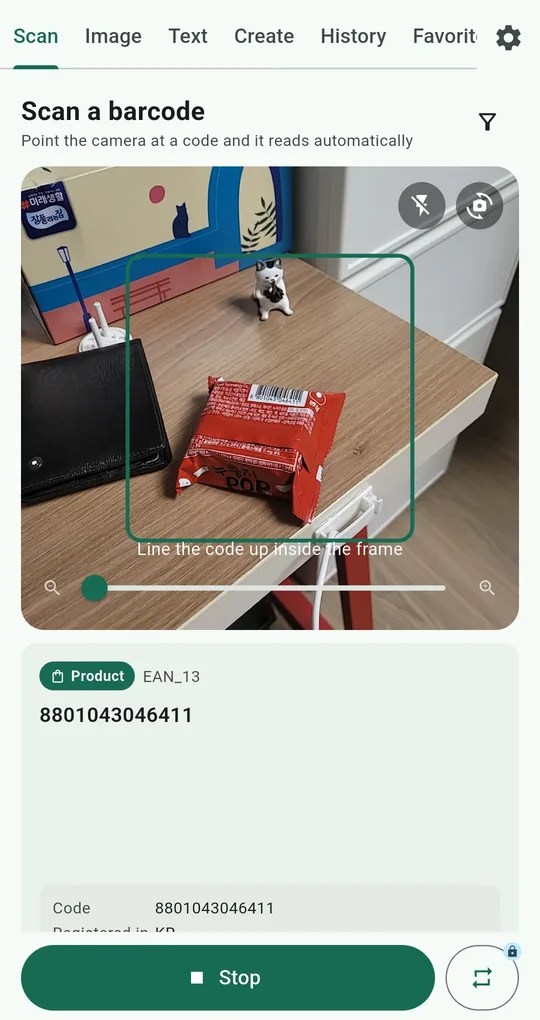
Scan, then read the result card
Point the Scan tab at the code. The result card shows the type (Link) plus a Domain line and an Address line. Read the domain the way the table above does. Open links automatically under Settings › Scanning is off by default, so leave it off.
Search or copy instead of opening
If you don’t recognize the domain, tap Search the web to look the address up and see if others have reported it, or Copy it to paste into a report. Every scan is kept in the History tab, so you can find the address again later.
Go in through the official route
If it might be real (a parking fine, a tax bill, a delivery), skip the QR and type the official website or open the official app yourself. The IC3 recommends typing a known URL instead of scanning to pay.
Setting up a parent’s phone
- Turn off Install unknown apps for browsers and messaging apps in Android settings. Most malicious apps come in that way.
- Agree on a habit: scan with an app that shows the address, then send a screenshot to family before opening anything that asks for money.
- Keep the phone’s system updates on. The FTC lists updating the OS as a basic protection.
If you already opened it
| What happened | Do this now |
|---|---|
| Only opened the page | Close it and make sure you entered nothing |
| Entered card details or a password | Call your bank or card issuer, change the password |
| Installed an app | Turn on airplane mode, report it, and consider a factory reset |
FAQ
Will a scanner app block scam QR codes?
No. This app shows the address first and never auto-opens it by default, but it doesn’t rate websites. Reading the domain is still your job.
Can scanning alone infect my phone?
Reading the code doesn’t install anything. The damage happens when you open the link and type in details or allow an install. That’s why checking before opening matters.
QR & Barcode Scanner Reader
No sign-up, and your scans stay on your phone. Free on Android.