The 10:1 rule
The rule of thumb used across the QR industry is code width = scanning distance ÷ 10, with 20–30% extra for bad light and angles. For anything held in the hand, 2 cm (about 0.8 in) is the usual floor.
| Where | Distance | Minimum width | With margin |
|---|---|---|---|
| Business card, sticker | 8 in / 20 cm | 0.8 in / 2 cm | 1 in / 2.5 cm |
| Table menu | 12 in / 30 cm | 1.2 in / 3 cm | 1.6 in / 4 cm |
| Wall poster | 3 ft / 1 m | 4 in / 10 cm | 5 in / 13 cm |
| Shop window | 6.5 ft / 2 m | 8 in / 20 cm | 10 in / 25 cm |
| Banner | 16 ft / 5 m | 20 in / 50 cm | 26 in / 65 cm |
Long URLs make dense codes
QR codes run from version 1 (21×21 modules) to version 40 (177×177), adding 4 modules per side each step. More modules in the same space means smaller modules that cameras struggle with.
| Version | Modules | Bytes at level L | At level M |
|---|---|---|---|
| 1 | 21×21 | 17 | 14 |
| 2 | 25×25 | 32 | 26 |
| 3 | 29×29 | 53 | 42 |
| 4 | 33×33 | 78 | 62 |
| 5 | 37×37 | 106 | 84 |
On a 2 cm code, 29 modules makes each one about 0.7 mm; 37 modules makes it about 0.54 mm. Shortening the URL helps as much as printing bigger. Drop tracking tails like ?utm_... from printed codes if you can.
The 4-module margin
Denso Wave, which invented the QR code, says a QR code needs a quiet zone four modules wide on every side. Butt it up against a border or photo and it may fail even at a good size.
How far pixels stretch
At 300 dpi, the usual print-shop resolution (1 in = 2.54 cm):
| Image width | At 300 dpi | At 150 dpi |
|---|---|---|
| 512 px | about 1.7 in / 4.3 cm | about 3.4 in / 8.7 cm |
| 2048 px | about 6.8 in / 17.3 cm | about 13.7 in / 34.7 cm |
Because modules are plain squares, posters and banners seen from a distance are often fine at 150 dpi. When you need it bigger, ask for nearest-neighbor scaling so module edges stay crisp.
Make it and test it
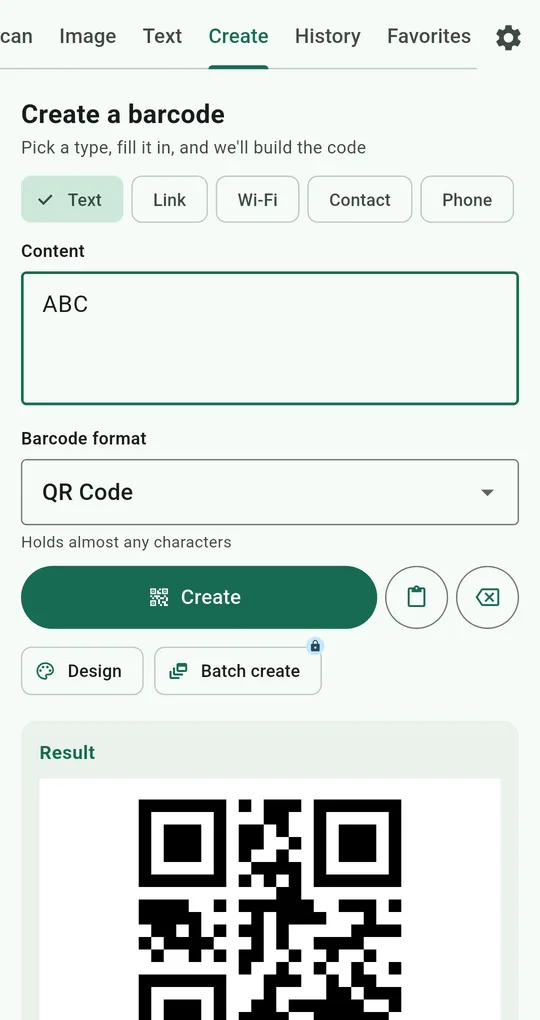
Make a code from a short URL
On the Create tab of QR & Barcode Scanner, choose Link, enter the address and tap Create. Save to gallery saves 512 px; Save in high resolution (2048 px) unlocks for good after one ad. The app builds QR codes at level L, which packs the same content into the fewest modules.
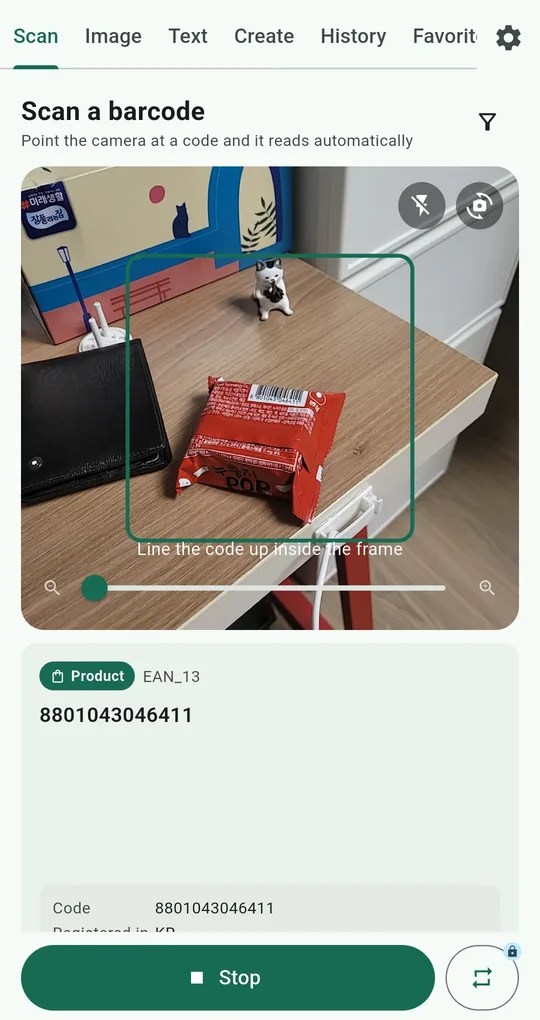
Test from the real distance
Print a proof at the real size, put it where it will go, and scan it from your planned distance on the Scan tab. It should read first time without zooming. Try a few different phones if you can.
FAQ
Can I go to 1.5 cm on a business card?
With a very short URL on clean matte card it may read, but there’s no slack. Aim for 2 cm or more, and if you must go smaller, keep the URL tiny and test on several phones.
Do I need to go bigger with a logo?
A logo covers modules. This app’s codes use the level with the least recovery headroom, so on print it’s safer to skip the logo or keep it at the smallest size. See menu QR codes.
QR & Barcode Scanner Reader
No sign-up, and your scans stay on your phone. Free on Android.