What to look for in rental history
Most city bike-share schemes keep a trip history in their app or website. Layouts differ, but you will usually find some of these:
| Field | Use it for |
|---|---|
| Start and end time | Grouping by day, ride duration |
| Start and end dock | Estimating distance on a map |
| Distance (if shown) | Log it as is |
| Overtime charges | Checking if you keep going over the included time |
Some services only show a limited history, so a monthly tidy-up stops days from slipping away.
Estimating distance
- Dock-to-dock map distance — search the two docks as a cycling route. This does not work for round trips back to the same dock.
- Time × speed — shared bikes are heavy with simple gears, so assume a modest pace. At 12 km/h (7.5 mph), a 25-minute ride is about 5 km. Write the assumed speed in your memo.
- One rounding rule — for example to the nearest 0.5 km, so months stay comparable.
Membership or your own bike
After a month you can compare two things: what you would have paid per ride versus the membership price, and how many days and kilometres you actually rode. Riding four or five days a week with 10 km or more per day often makes your own bike more convenient, if you have somewhere to keep it. Once or twice a week, bike share saves you maintenance. Prices vary by city, so use your scheme’s own price list.
Adding rides up by day
In the Android app Daily Bike Log, entries on the same date are added together, so you just add each ride as you go.
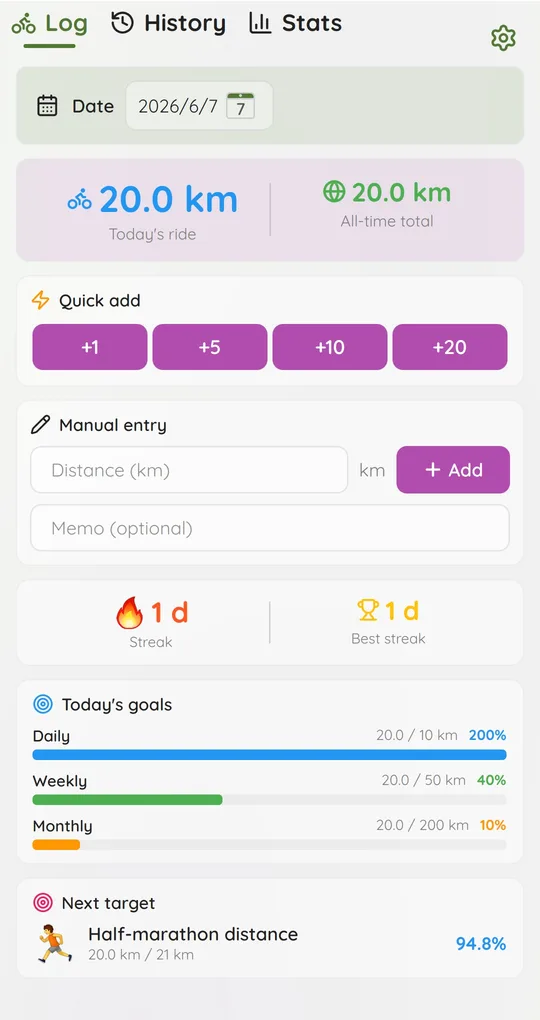
Add the distance after docking
After returning the bike, tap a Quick add button or type the distance under Manual entry. Three rentals in a day become three additions, and Today’s ride shows the total.
Catch up with the date picker
When you tidy up at the end of the month, change the date at the top of the Log tab first, then add the distance. The memo field can hold a note like “Dock A to Dock B” (the History list currently shows date and distance only).
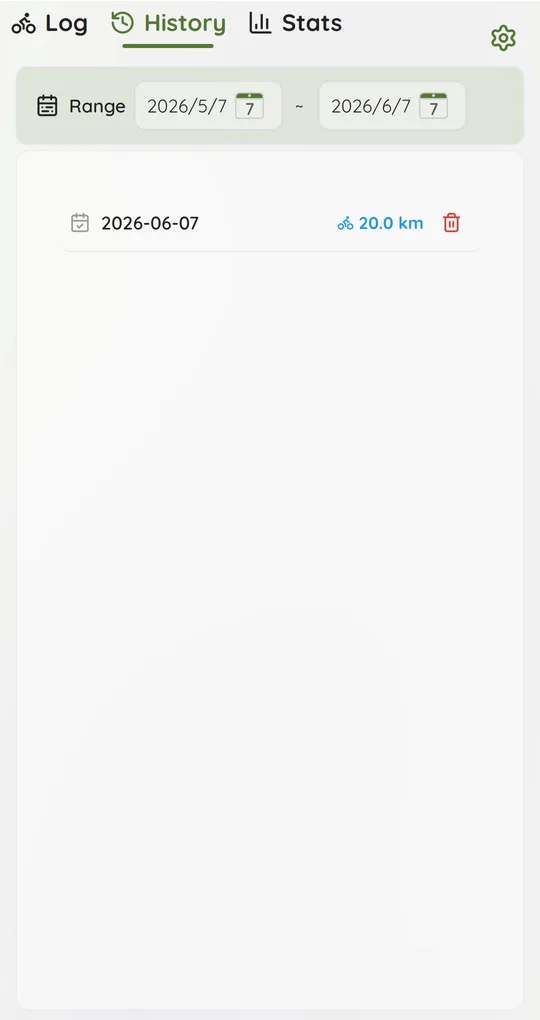
Check the month in History
On the History tab, set the range from the 1st to the last day of the month to see every day you rode. Remove a wrong entry with the bin icon and add it again.
Screenshots show the app in English with sample rides; dates use the year-month-day format.
FAQ
The bike-share app already has my history. Why keep another?
It only shows that scheme. A separate log puts your own bike, bike share and holiday rentals in one total.
Does deleting a day change my streak?
Yes. The streak counts days with more than 0 km, so deleting a day recalculates it.
Daily Bike Log: Ride Tracker
A cycling journal where you just type the distance you rode. No GPS pairing, no sign-up, and your rides stay on your phone. Free on Android.